Hello Roy hope you and yours are all well, thank you for the response.
Well over the years the main wireless adapter we used was
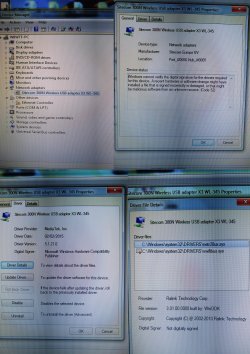
Sitecom USB Adapter 300N X3
Model – WL-345 v1 001
There was also another unbranded which broke.
I have never used the Ethernet connection at the back due to not being by a cable and don’t own any plug socket wireless adapters. I tried a direct connection last week but it did not work
When this problem occurred last week I tried to use another wireless usb adapter I have.
Mediatek RT2870.
I have both adapters to hand with their drivers, currently none are installed as I was awaiting next instructions.
In my device manager there is no Network adapters tab/drop down unless I select show hidden devices.
Under the network adapters tab are 14 ‘adapters’
MICROSOFT ISA TAP Adapter
MICROSOFT ISA TAP Adapter#2
MICROSOFT ISA TAP Adapter#3
MICROSOFT ISA TAP Adapter#4
RAS Async Adapter
Teredo Tunneling Pseudo-Interface
WAN Miniport (IKEv2)
WAN Miniport (IP)
WAN Miniport (IPv6)
WAN Miniport (L2TP)
WAN Miniport (Network Monitor)
WAN Miniport (PPPOE)
WAN Miniport (PPTP)
WAN Miniport (SSTP)
In Network & Sharing/ change adapter settings – there are no connections in the folder.
Attached is the zip folder
Regards
R
Well over the years the main wireless adapter we used was
Sitecom USB Adapter 300N X3
Model – WL-345 v1 001
There was also another unbranded which broke.
I have never used the Ethernet connection at the back due to not being by a cable and don’t own any plug socket wireless adapters. I tried a direct connection last week but it did not work
When this problem occurred last week I tried to use another wireless usb adapter I have.
Mediatek RT2870.
I have both adapters to hand with their drivers, currently none are installed as I was awaiting next instructions.
In my device manager there is no Network adapters tab/drop down unless I select show hidden devices.
Under the network adapters tab are 14 ‘adapters’
MICROSOFT ISA TAP Adapter
MICROSOFT ISA TAP Adapter#2
MICROSOFT ISA TAP Adapter#3
MICROSOFT ISA TAP Adapter#4
RAS Async Adapter
Teredo Tunneling Pseudo-Interface
WAN Miniport (IKEv2)
WAN Miniport (IP)
WAN Miniport (IPv6)
WAN Miniport (L2TP)
WAN Miniport (Network Monitor)
WAN Miniport (PPPOE)
WAN Miniport (PPTP)
WAN Miniport (SSTP)
In Network & Sharing/ change adapter settings – there are no connections in the folder.
Attached is the zip folder
Regards
R
Attachments
My Computer
At a glance
Windows 7 Home Premium x64 sp1Intel quad core Q9550 @ 2.8ghz8gb
- Computer type
- PC/Desktop
- Computer Manufacturer/Model Number
- Intel
- OS
- Windows 7 Home Premium x64 sp1
- CPU
- Intel quad core Q9550 @ 2.8ghz
- Motherboard
- Asrock g41mh
- Memory
- 8gb
- Hard Drives
- 1.5tb
- Antivirus
- Commodo
- Browser
- Chrome