
- Local time
- 6:00 AM
- Messages
- 95
Hi guys.
My friend told me that his network doesn't work anymore.
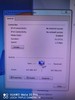
He used usb wifi card recently,tried the ethernet after it and simply got this (on pictures).
I told him maybe it's the cable issue,but the cable works okay with his laptop.
As you can see there is no X in device manager,and there is only exclamation mark on network icon (in icon next to clock).
How do we resolve this?
Same cable tried on TV and laptop,works normally.
Here are some pics he sent me.
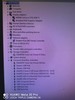
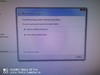
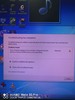
My friend told me that his network doesn't work anymore.
He used usb wifi card recently,tried the ethernet after it and simply got this (on pictures).
I told him maybe it's the cable issue,but the cable works okay with his laptop.
As you can see there is no X in device manager,and there is only exclamation mark on network icon (in icon next to clock).
How do we resolve this?
Same cable tried on TV and laptop,works normally.
Here are some pics he sent me.
My Computer
At a glance
Windows 7 Ultimate 32bitamd athlon 64 3600+ X2Ati Radeon 3650 HD
- OS
- Windows 7 Ultimate 32bit
- CPU
- amd athlon 64 3600+ X2
- Motherboard
- Biostar NF520-TE
- Graphics Card(s)
- Ati Radeon 3650 HD
- Monitor(s) Displays
- Philips 227EL

