chevysales
New member
- Local time
- 6:51 AM
- Messages
- 21
Hi All,
I have a 2 drive system with C (velicoraptor 150gbwith 75 gbs free) drive containing windows 7 pro 64 bit and programs while D (WD black 640gbs with 300gbs free) drive contains just about all data along with my windows backups (i always keep 3 and renew them each month using of course windows backup).
So can't say when but its been a while when I defrag my drives no problem i do c then d and don't get any error messages. BUT... when i check event viewer i see:
General Tab:
ERROR event id 36 VOLSNAP...
The shadow copies of volume D: were aborted because the shadow copy storage could not grow due to a user imposed limit.
-----------------------------------------------------------------------------------
Details Tab:
-System
-Provider[ Name] volsnap
-EventID36[ Qualifiers] 49158
Level2Task0Keywords0x80000000000000-TimeCreated[ SystemTime] 2013-03-07T06:06:24.094851200Z
EventRecordID812468ChannelSystemComputerCHEVYSALESSecurity
-EventData
\Device\HarddiskVolumeShadowCopy7D:000000000200300000000000240006C0020000000000000000000000000000000000000000000000
Binary data:
In Words
0000: 00000000 00300002 00000000 C0060024
0008: 00000002 00000000 00000000 00000000
0010: 00000000 00000000
In Bytes
0000: 00 00 00 00 02 00 30 00 ......0.
0008: 00 00 00 00 24 00 06 C0 ....$..À
0010: 02 00 00 00 00 00 00 00 ........
0018: 00 00 00 00 00 00 00 00 ........
0020: 00 00 00 00 00 00 00 00 ........
===============================================================================
so needless to say i would love to fix this and knowing how 95% of errors I have ever seen in event viewer i was able to fix by coming here (along with picking up great event log cleaner script a year or so back) here i am again.
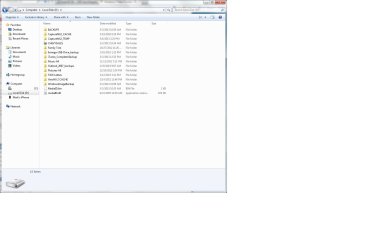
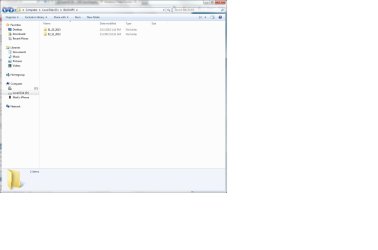
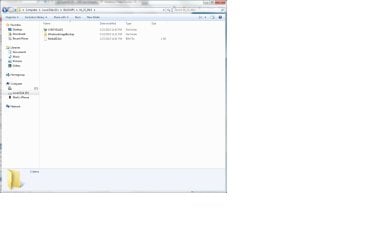
any help greatly appreciated. just wonder if my backup setup on drive is the cause as i didn't always get this error (but i do now) on drive I have most recent backup in root of D drive since i have no partitions. then i have a BACKUP FOLDER in which i have 2 folders named the dates of BACKUPS they contain.
I have 3 jpegs i hope i can upload that shows the root D layout then the BACKUPS folder layout then the layout of an individual folder containing a backup. I post these as somehow i think this may be cause of issue somehow. As 2 years back i just made one backup into root of D drive and got no volsnap error.
I have a 2 drive system with C (velicoraptor 150gbwith 75 gbs free) drive containing windows 7 pro 64 bit and programs while D (WD black 640gbs with 300gbs free) drive contains just about all data along with my windows backups (i always keep 3 and renew them each month using of course windows backup).
So can't say when but its been a while when I defrag my drives no problem i do c then d and don't get any error messages. BUT... when i check event viewer i see:
General Tab:
ERROR event id 36 VOLSNAP...
The shadow copies of volume D: were aborted because the shadow copy storage could not grow due to a user imposed limit.
-----------------------------------------------------------------------------------
Details Tab:
-System
-Provider[ Name] volsnap
-EventID36[ Qualifiers] 49158
Level2Task0Keywords0x80000000000000-TimeCreated[ SystemTime] 2013-03-07T06:06:24.094851200Z
EventRecordID812468ChannelSystemComputerCHEVYSALESSecurity
-EventData
\Device\HarddiskVolumeShadowCopy7D:000000000200300000000000240006C0020000000000000000000000000000000000000000000000
Binary data:
In Words
0000: 00000000 00300002 00000000 C0060024
0008: 00000002 00000000 00000000 00000000
0010: 00000000 00000000
In Bytes
0000: 00 00 00 00 02 00 30 00 ......0.
0008: 00 00 00 00 24 00 06 C0 ....$..À
0010: 02 00 00 00 00 00 00 00 ........
0018: 00 00 00 00 00 00 00 00 ........
0020: 00 00 00 00 00 00 00 00 ........
===============================================================================
so needless to say i would love to fix this and knowing how 95% of errors I have ever seen in event viewer i was able to fix by coming here (along with picking up great event log cleaner script a year or so back) here i am again.
any help greatly appreciated. just wonder if my backup setup on drive is the cause as i didn't always get this error (but i do now) on drive I have most recent backup in root of D drive since i have no partitions. then i have a BACKUP FOLDER in which i have 2 folders named the dates of BACKUPS they contain.
I have 3 jpegs i hope i can upload that shows the root D layout then the BACKUPS folder layout then the layout of an individual folder containing a backup. I post these as somehow i think this may be cause of issue somehow. As 2 years back i just made one backup into root of D drive and got no volsnap error.
Attachments
Last edited:
My Computer
At a glance
Wiindows 7 Professional 64biti7-94012 GBS Kingston HyperX @ 1600XFX GTS250 512mb
- Computer type
- PC/Desktop
- Computer Manufacturer/Model Number
- Puget Systems
- OS
- Wiindows 7 Professional 64bit
- CPU
- i7-940
- Motherboard
- Asus P6T Deluxe
- Memory
- 12 GBS Kingston HyperX @ 1600
- Graphics Card(s)
- XFX GTS250 512mb
- Sound Card
- Asus Xonar D2X
- Monitor(s) Displays
- HP lp2475w
- Screen Resolution
- 1920 x 1200 24"
- Hard Drives
- Velicoraptor 150gbs- OS/Programs
WD Black 640gbs-Music/Pictures/Cache/Temp Files
- PSU
- Corsair 750
- Case
- P182 Gunmetal Grey
- Cooling
- Corsair H60 Cooler and couple 3 speed Antec Fans
- Keyboard
- MS 3000
- Mouse
- MS 6000
- Internet Speed
- Comcast Cable Business Grade :~)
- Other Info
- box built by Puget Systemsback in late Dec 2008 early i7 guy. had it built for my photography work with large raw files from Nikon D700 using Nikon NX2 and some lite music work from bundle that came with Xonar card.... Sonar, Ableton, Cakewalk, etc.
Stable as can be average around 9 to 10 using Windows 7 64 Reliability History.