Event Viewer - Diagnostics-Performance

markvis14

New member
Member
Local time
2:59 AM
Messages
82
Hello everyone,

I just checked Event Viewer and for me it shows me a lot of warnings.
Each warning contains:

The Desktop Window Manager is experiencing heavy resource contention.
Scenario : Video memory resources are over-utilized and there is thrashing happening as a result. Reducing number of running programs and open windows may help resolve this condition.

My videocard is OC'ed quite a lot. Could that be the cause?
I got a (old I know) GTS450 running at 968/1936/2075

Regards, Mark
 

My Computer

Computer Manufacturer/Model Number
MSI
OS
Windows 7 64 Bit
CPU
Intel(R) Core(TM) i5 2500k @ 3.30GHz OC@ 4.4GHz
Motherboard
GA-Z68X-UD3H-B3
Memory
Corsair 8GB DDR3 RAM LP @ 1600Mhz
Graphics Card(s)
Nvidia GTS450 1GB
Monitor(s) Displays
22" 16:10
Screen Resolution
1680x1050
PSU
Corsair 750Watt
Keyboard
Steelseries G7
Mouse
Steelseries Xai
Internet Speed
10Mbit
Of course as could a lot of other things

Please provide us with your Event Viewer administrative logs by following these steps:


Click Start Menu
Type eventvwr into Search programs and files (do not hit enter)
Right click eventvwr.exe and click Run as administrator
Expand Custom Views
Click Administrative Events
Right click Administrative Events
Save all Events in Custom View As...
Save them in a folder where you will remember which folder and save as Errors.evtx
Go to where you saved Errors.evtx
Right click Errors.evtx -> send to -> compressed (zipped) folder
Upload the .zip file here.
 

My Computer

Computer Manufacturer/Model Number
HP Pavillion dv-7 1005 Tx
OS
Win 8 Release candidate 8400
CPU
[email protected]
Memory
4 gigs
Graphics Card(s)
Nvidia 9600M
Sound Card
HD built-in
Monitor(s) Displays
17" Wxga
Screen Resolution
1440x900
Cooling
none
Internet Speed
45Mb down 5Mb up
Hello,

Here is the zip file you requested.
You can ignore the Network Location Awareness error, I turned that service off.

I actually can't find any performance errors in that log for some reason.
 

Attachments

My Computer

Computer Manufacturer/Model Number
MSI
OS
Windows 7 64 Bit
CPU
Intel(R) Core(TM) i5 2500k @ 3.30GHz OC@ 4.4GHz
Motherboard
GA-Z68X-UD3H-B3
Memory
Corsair 8GB DDR3 RAM LP @ 1600Mhz
Graphics Card(s)
Nvidia GTS450 1GB
Monitor(s) Displays
22" 16:10
Screen Resolution
1680x1050
PSU
Corsair 750Watt
Keyboard
Steelseries G7
Mouse
Steelseries Xai
Internet Speed
10Mbit
Hello,

Here is the zip file you requested.
You can ignore the Network Location Awareness error, I turned that service off.

I actually can't find any performance errors in that log for some reason.

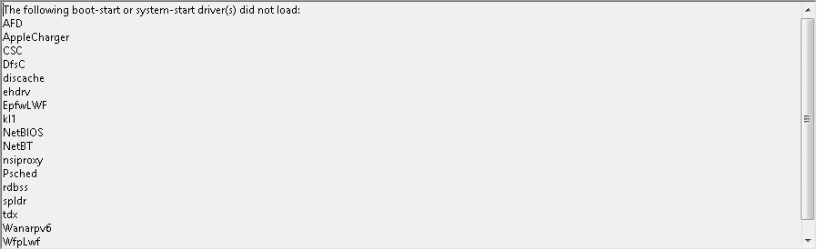
Two things of note
 

Attachments

  • 3-12-2012 4-16-40 PM.png
    3-12-2012 4-16-40 PM.png
    2.8 KB · Views: 59
  • 3-12-2012 4-14-09 PM.png
    3-12-2012 4-14-09 PM.png
    2.6 KB · Views: 45

My Computer

Computer Manufacturer/Model Number
HP Pavillion dv-7 1005 Tx
OS
Win 8 Release candidate 8400
CPU
[email protected]
Memory
4 gigs
Graphics Card(s)
Nvidia 9600M
Sound Card
HD built-in
Monitor(s) Displays
17" Wxga
Screen Resolution
1440x900
Cooling
none
Internet Speed
45Mb down 5Mb up
Back
Top