

Yep folks all things electronic seem to create dust and and dust over a long period of time can kill all things electronic. Also for those who overclock or have very tight cases then heat from voltage or limited space means that dust on fan blades and build up in fins and any cooler is even worse.
So the moral to the story is keep the rig clean of all dust before you cook or electrically fry your expensive stuff. I use a compressor and I stop all fans from revolving, as well save your old tooth brushes....nothing is handier then a clean dry or damp toothbrush for getting in tight spaces.
Clean both case sides inside and out, front panel and back io panel as well pull bottom and top filters and panels. I wipe the panels with a damp lint free towel and allow to dry fully. I promise that you will find dust coming off surfaces you never imagined. Open anything that opens up, and remove all the removes for cleaning.
W.A.F. (google it) do all this outside.......PLEASE !
Reassemble everything the way it came apart and enjoy your clean machine.

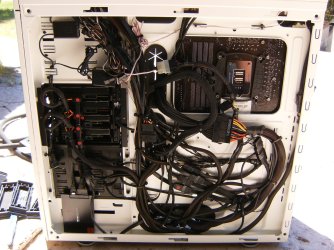

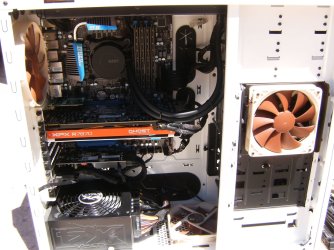

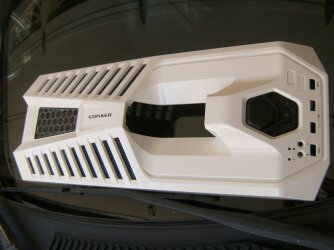
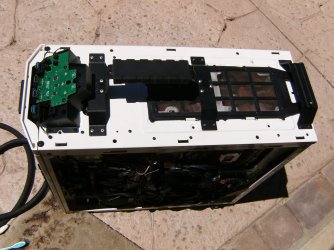
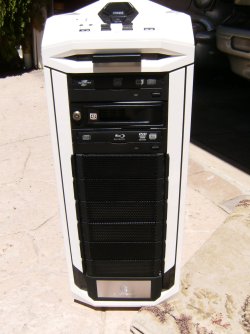
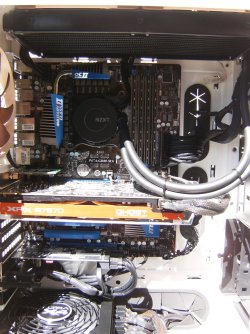
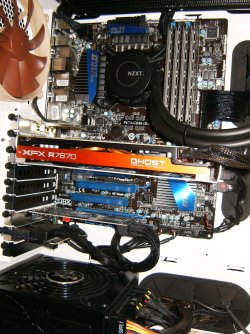
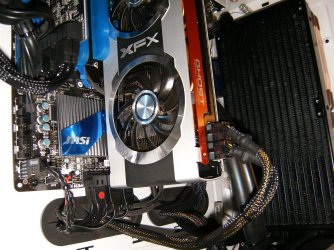


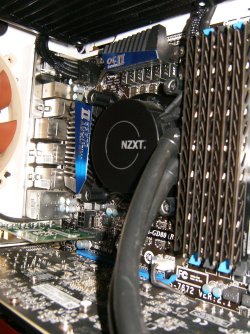
TIP's:
1) flip off PSU switch before unplugging everything, flip it back on after reassembly ! Very good habit.....
2) remove both side panels and clean them in the house, this lightens the load and reduces scratches.....
3) if a compressor spits water don't use it, open the drain at the bottom of the tank each time dummy.....
4) don't blast delicate items, have a fair respect for the expense of the gear.....
5) keyboards love a gentle blast and man the stuff that comes out is amazing.......
6) a clean disposable 1" paint brush is great for sweeping flat area's with air like PCB's.......
7) no water/cleaners will you ever need inside the case, EVER !
8) hold all fans or use the tooth brush to stop GPU, Case, Cooler and PSU fans
9) trim the tooth brush to allow ease of cleaning fan blades on both side, just like teeth go gently then air....
10) take your time and develop a method to the madness, sometimes it seems like you chase the dust around so do the fins, fans, coolers, PSU first then go after the flat surfaces, then a once over and your done.
So the moral to the story is keep the rig clean of all dust before you cook or electrically fry your expensive stuff. I use a compressor and I stop all fans from revolving, as well save your old tooth brushes....nothing is handier then a clean dry or damp toothbrush for getting in tight spaces.
Clean both case sides inside and out, front panel and back io panel as well pull bottom and top filters and panels. I wipe the panels with a damp lint free towel and allow to dry fully. I promise that you will find dust coming off surfaces you never imagined. Open anything that opens up, and remove all the removes for cleaning.
W.A.F. (google it) do all this outside.......PLEASE !
Reassemble everything the way it came apart and enjoy your clean machine.
TIP's:
1) flip off PSU switch before unplugging everything, flip it back on after reassembly ! Very good habit.....
2) remove both side panels and clean them in the house, this lightens the load and reduces scratches.....
3) if a compressor spits water don't use it, open the drain at the bottom of the tank each time dummy.....
4) don't blast delicate items, have a fair respect for the expense of the gear.....
5) keyboards love a gentle blast and man the stuff that comes out is amazing.......
6) a clean disposable 1" paint brush is great for sweeping flat area's with air like PCB's.......
7) no water/cleaners will you ever need inside the case, EVER !
8) hold all fans or use the tooth brush to stop GPU, Case, Cooler and PSU fans
9) trim the tooth brush to allow ease of cleaning fan blades on both side, just like teeth go gently then air....
10) take your time and develop a method to the madness, sometimes it seems like you chase the dust around so do the fins, fans, coolers, PSU first then go after the flat surfaces, then a once over and your done.
Last edited:
My Computer
At a glance
Windows 7 Ultimate 64i7 3770k OC'd 4.6 @ 1.17v, also FX 8120 & i5 ...32 gb G.Skill Sniper DDR3 10-12-12-31 @ 2133XFX Radeon 7870 2GB DDR5
- Computer type
- PC/Desktop
- Computer Manufacturer/Model Number
- A blend of brains, brawn and dumb luck.
- OS
- Windows 7 Ultimate 64
- CPU
- i7 3770k OC'd 4.6 @ 1.17v, also FX 8120 & i5 miniITX
- Motherboard
- MSI P67A-GD80 b3
- Memory
- 32 gb G.Skill Sniper DDR3 10-12-12-31 @ 2133
- Graphics Card(s)
- XFX Radeon 7870 2GB DDR5
- Sound Card
- Sound Blaster Z Series Card
- Monitor(s) Displays
- (2) LG LED 23" 1920 x 1080 2ms Monitors via mini d-port
- Screen Resolution
- 1680 X 1050 p
- Hard Drives
- Samsung 256 gb 830 SSD sata III
(1) 1 tb WD Black
(2) 1 tb Hitachi deskmates/sata II
(2) 1 tb WD green/sata II
(2) 3 tb Seagate Barracuda
(1) 120 gb OCZ Vertex SS
(1) Drobo 5N w/5 Seagate 3tb
- PSU
- EVGA modular 1000G2 80% gold rating & APC 1200 RS
- Case
- CoolerMaster Storm Styker
- Cooling
- 7 case fans 140mm & 120mm, NZXT Kraken X60
- Keyboard
- (2) Logitech Illuminated Keyboards (1) usb (1) wireless
- Mouse
- Logitech G700 & T-BC21 - nano nx for the laptop
- Internet Speed
- Basic 120mbps down
- Antivirus
- Trend Micro Titanium Max Security & Malwarebytes Premium
- Browser
- Chrome and IE 10
- Other Info
- 5 Noctua case fans + 3 Noctua in p/p on NZXT cooler
Integrated hot swap drive bays for 2.5" Drives
(2) Lite-on dvd/cd/Blu Ray optical 22X
Integrated fan controller and led on/off
HP Officejet Pro 8630 all-n-one
Hot-swappable 3.5" hard drive bay
Netgear Nighthawk router
Asus USB 3 & sata 6 PCIe card
Vantec IDE to sata adptr./Ultra sata adptr
Lenovo L420 i5 lappy with m sata
Drobo 5N advanced NAS


