I really wanted to dig deeper in this matter. Coming from a bilingual family in bilingual country, I just logged in to my Swedish and Finnish accounts once more, to test different scenarios in both of my domestic languages.
Basic settings:
Swedish account computer location set to Sweden, keyboard layout Swedish, Google interface and search language set to Swedish, Google location set to Stocholm (Sweden).
Finnish account computer location set to Finland, keyboard layout Finnish, Google interface and search language set to Finnish, Google location set to Helsinki (Finland).
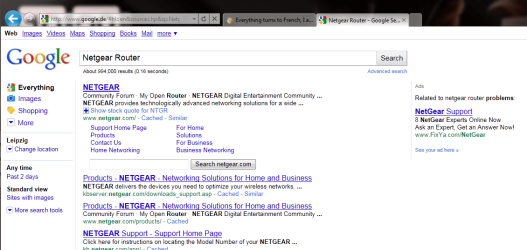
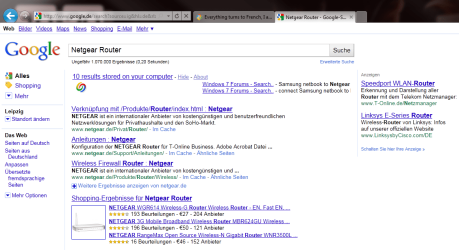
Google.com on both accounts redirects to google.de, naturally. Search results show Swedish respective Finnish results, among them both English and German. Finnish search gave English pages, among them a few German, but the reason is logical: I wanted to use the same search term "Netgear Router" as before, and as known as the word in Finland among PC users is, it is not a Finnish word. Because it is also a Swedish word, Swedish results were first Swedish, and from page 2 also English and German.
Google sponsored search results (right pane) pointed to German pages in both above mentioned cases.
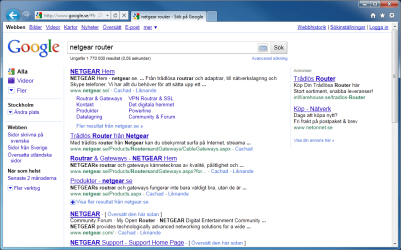
Testing localisized Google pages gave the results what I was expecting. Logged in to my Swedish account, using google.se instead of google.com didn't redirect to google.de. All search results in Swedish, also the ads and sponsored links pointing to Swedish pages.
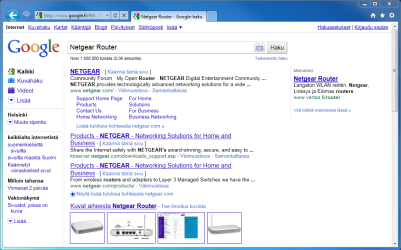
The same with google.fi on Finnish account, although search results were in English (reason as told above). Important here is to notice it didn't give German results although the physical location of this computer is Germany. Ads and sponsored links to the Finnish pages.
Screenshots, first Finnish
And Swedish:
Conclusion:
I think the OP should do this:
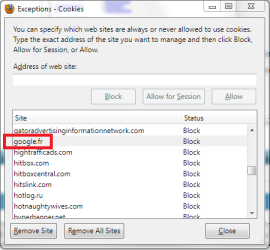
- Use a native English Google address intead of Google.com or Google.fr. My suggestion is to use google.co.uk, the British Google (google.com can not be classified as native English Google, as it redirects to a local google site according to the real physical location of the computer)
- Set computer location to United Kingdom
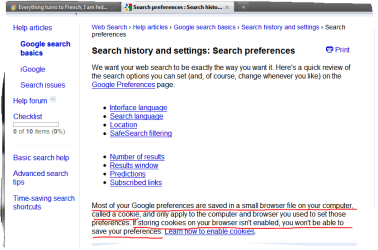
- Set Google interface and search languages to English, disabling French
- Set Google location to London
It really should work, done like this.
Kari