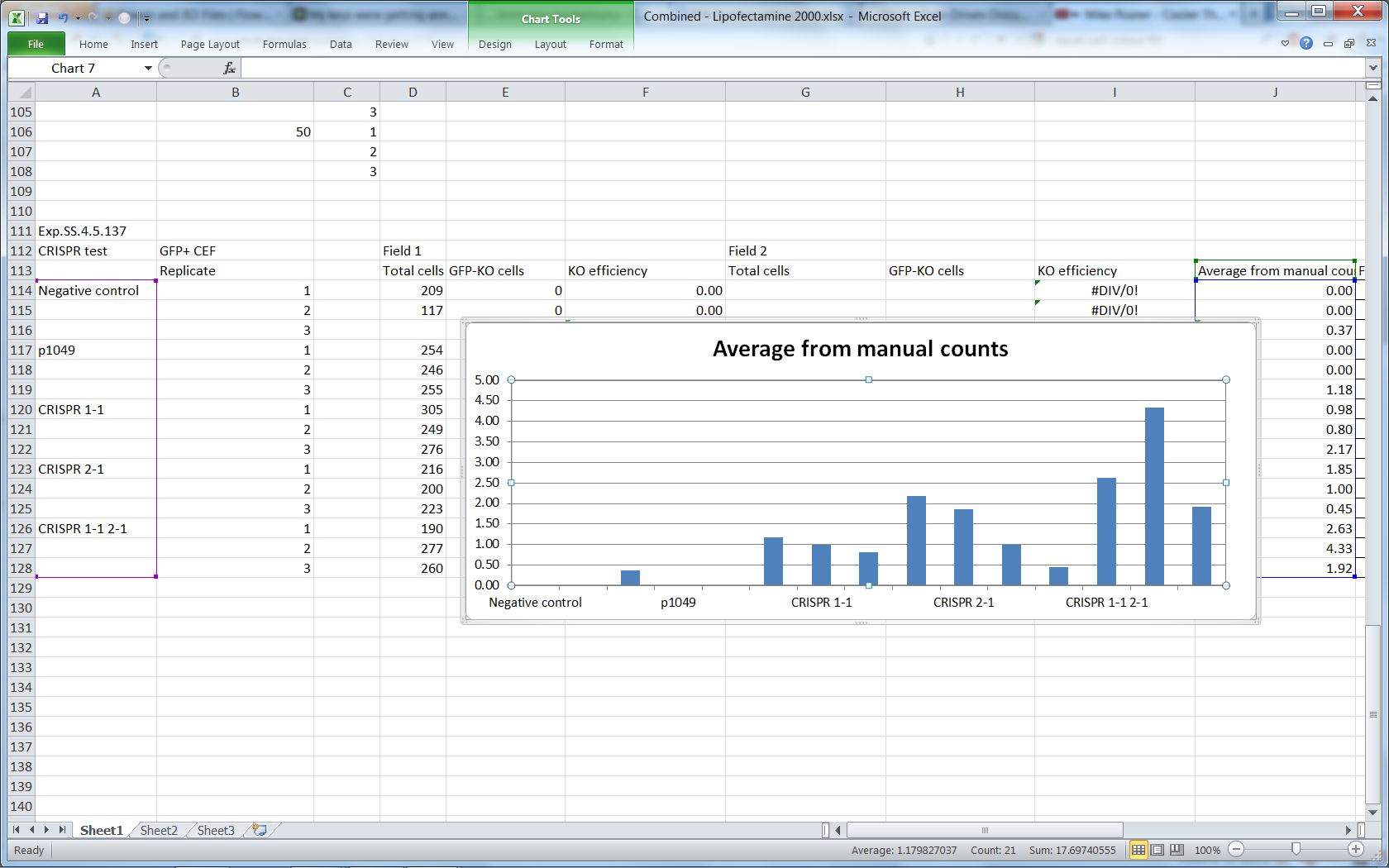
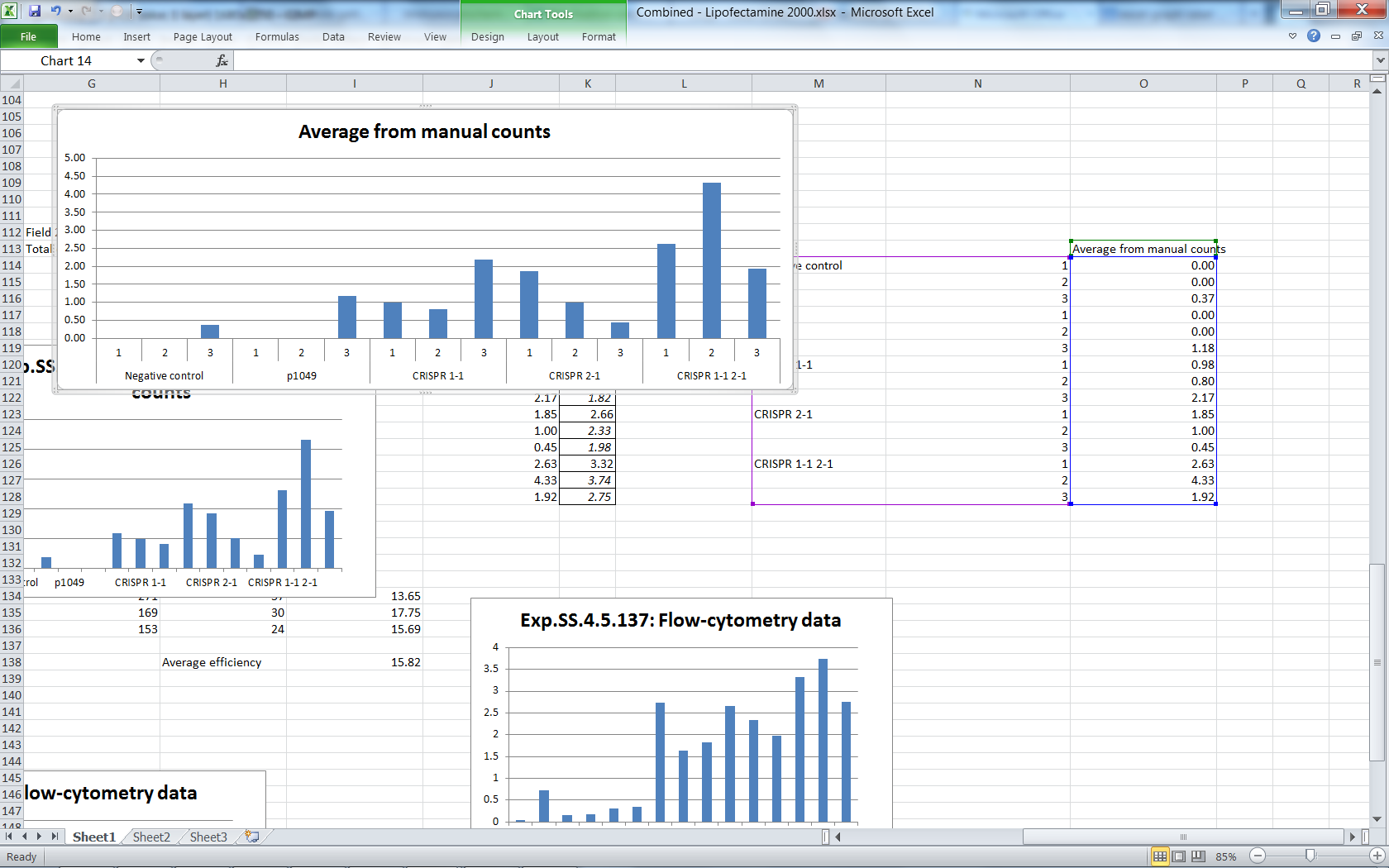
Here I have a screenshot which should make clear what is expected to happen and what actually happens. For some reason Excel thinks that the datum in J114 corresponds to a label in A113 instead of A114 and so on. Anyone know how to get Excel back in line?
My Computer
OS
Win 7 Home Premium (OEM) - Install date: 02-2010
CPU
AMD X4 Phenom II 965
Motherboard
Gigabyte GA 790FXTA-UD5
Memory
OCZ Black Edition - 2x2GB DDR3-1600
Graphics Card(s)
Sapphire HD 5770 1GB GDDR5
Sound Card
Integrated
Monitor(s) Displays
Generic CRT
Screen Resolution
1024x7xx
Hard Drives
System: OCZ Vertex 2, 60 GB SSD
Data: Western Digital Caviar Black WD1002FAEX, 1TB HDD
Here are a couple of screenshots which I'm pretty sure demonstrate a bug in Excel. It functions fine when I put numbers in an additional column of labels and reverts to idiocy when I remove them:
Right:
Wrong:
My Computer
OS
Win 7 Home Premium (OEM) - Install date: 02-2010
CPU
AMD X4 Phenom II 965
Motherboard
Gigabyte GA 790FXTA-UD5
Memory
OCZ Black Edition - 2x2GB DDR3-1600
Graphics Card(s)
Sapphire HD 5770 1GB GDDR5
Sound Card
Integrated
Monitor(s) Displays
Generic CRT
Screen Resolution
1024x7xx
Hard Drives
System: OCZ Vertex 2, 60 GB SSD
Data: Western Digital Caviar Black WD1002FAEX, 1TB HDD
I've come to the conclusion that it isn't a bug. The labels are being moved to the first of each series of values and in order to get them to span the series, you have to create another column (containing e.g. spaces). This is a bit stupid but that's the way it is.
My Computer
OS
Win 7 Home Premium (OEM) - Install date: 02-2010
CPU
AMD X4 Phenom II 965
Motherboard
Gigabyte GA 790FXTA-UD5
Memory
OCZ Black Edition - 2x2GB DDR3-1600
Graphics Card(s)
Sapphire HD 5770 1GB GDDR5
Sound Card
Integrated
Monitor(s) Displays
Generic CRT
Screen Resolution
1024x7xx
Hard Drives
System: OCZ Vertex 2, 60 GB SSD
Data: Western Digital Caviar Black WD1002FAEX, 1TB HDD