excel vba programming code

marthijn99

New member
Local time
10:34 PM
Messages
50
Location
Rijssen
when i try to make an vba code in excel vba extension at the moment i added
this line to the code of a button:

Range("A1").End(xlDown).Offset(1, 0).Select


it says there is an error but i did exactly what they said on this video
https://www.youtube.com/watch?v=CzP8nO9UVvY
its explained just after 25:12 minutes
 

My Computer

Computer type
PC/Desktop
Computer Manufacturer/Model Number
unknown
OS
Windows 8.1 x64
CPU
Intel(R) Core(TM) I3-3220 3.30GHZ
Motherboard
unknown
Memory
4 gb ram
Graphics Card(s)
AMD Radeon 6570
Screen Resolution
1280 x1024
Hard Drives
500 gb
Keyboard
Logitec k120
Mouse
MaxXrer
Internet Speed
30 MB p/s
Antivirus
avira,avg (both free)
Browser
google chrome
I tried the code and it works without errors. Are you sure it's that line it complains about?

This shorter one works to: Range("A1").End(xlDown).Select
 

My Computer

Computer type
Laptop
Computer Manufacturer/Model Number
HP Elitebook 8540p
OS
Windows 7 Pro 32
CPU
Intel(R) Core(TM) i5 CPU M 540 @ 2.53GHz
Motherboard
Hewlett-Packard 1521
Memory
4,00 GB (Usable 2,98)
Graphics Card(s)
NVIDIA NVS 5100M
Sound Card
NVIDIA High Definition Audio
Screen Resolution
1600x900
Hard Drives
INTEL SSDSA2CW120G3
Antivirus
F-Secure Internet Security
Browser
IE, Firefox, Opera
Other Info
Sandboxie,
SRP (Software Restriction Policy),
EMET (Enhanced Mitigation Experience Toolkit),
WFC (Windows Firewall Control by BiniSoft),
Malwarebytes Premium
I tried the code and it works without errors. Are you sure it's that line it complains about?

This shorter one works to: Range("A1").End(xlDown).Select


can it be because of spaces before it intstead of langspaces (like when you use tab)

okay with the short one it works just fine
 

My Computer

Computer type
PC/Desktop
Computer Manufacturer/Model Number
unknown
OS
Windows 8.1 x64
CPU
Intel(R) Core(TM) I3-3220 3.30GHZ
Motherboard
unknown
Memory
4 gb ram
Graphics Card(s)
AMD Radeon 6570
Screen Resolution
1280 x1024
Hard Drives
500 gb
Keyboard
Logitec k120
Mouse
MaxXrer
Internet Speed
30 MB p/s
Antivirus
avira,avg (both free)
Browser
google chrome
Great! Please mark the thread as solved
 

My Computer

Computer type
Laptop
Computer Manufacturer/Model Number
HP Elitebook 8540p
OS
Windows 7 Pro 32
CPU
Intel(R) Core(TM) i5 CPU M 540 @ 2.53GHz
Motherboard
Hewlett-Packard 1521
Memory
4,00 GB (Usable 2,98)
Graphics Card(s)
NVIDIA NVS 5100M
Sound Card
NVIDIA High Definition Audio
Screen Resolution
1600x900
Hard Drives
INTEL SSDSA2CW120G3
Antivirus
F-Secure Internet Security
Browser
IE, Firefox, Opera
Other Info
Sandboxie,
SRP (Software Restriction Policy),
EMET (Enhanced Mitigation Experience Toolkit),
WFC (Windows Firewall Control by BiniSoft),
Malwarebytes Premium
The short version doesn't do the same thing as the long version. The short version selects the last value in column A while the long version selects the next empty cell after the last value in column A. (This assumes there are no empty cells in column A as it will stop on the first empty cell)

The code works for me but you have to make sure that you are running it against a sheet that has at least one value in column A. If you run it against a column that has no values in it then it will fail because it will go to the last row in column A and then try to go to 1 row down which causes it to fail.
 

My Computer

Computer type
PC/Desktop
Computer Manufacturer/Model Number
Home Built desktop, Dell G15 5511 Gaming laptop,MS Surface Pro 7 tablet
OS
W10 Pro desktop, W11 laptop, W11 Pro tablet (all 64-bit)
CPU
3.7Ghz 8700K i7, i7-11800H, i7-1065G7
Motherboard
ASUS TUF Z370-Pro Gaming in desktop
Memory
16G desktop, 16G laptop, 4G tablet
Graphics Card(s)
AMD Radeon RX580, RTX 3060, Intel Iris Plus
Sound Card
High Definition Audio (Built-in to mobo)
Monitor(s) Displays
Samsung U32J59 32" (2x), 15.6", 12"
Screen Resolution
3840x2160, 3840x2160, 1920x1080, 2160x1440
Hard Drives
500G SSD for OS; 2T, 10T & 15T HDDs for Data on Desktop, 1TB SSD laptop, 128G SSD tablet.
PSU
Corsair CX 750M
Case
Antec 100
Cooling
CM 212+
Keyboard
IBM Model M - used continuously since 1986
Mouse
Microsoft Pro IntelliMouse
Internet Speed
400M down 8M up
Antivirus
Windows Defender
Browser
FireFox
Other Info
Built my first computer (8Mhz 8088cpu, 640K RAM, 20MB HDD, 2 360K floppy drives) in 1985 and have been building them for myself, relatives and friends ever since.
Good points! If the short version produces a logical error, that may be even worse than a real one. Thanks!
 

My Computer

Computer type
Laptop
Computer Manufacturer/Model Number
HP Elitebook 8540p
OS
Windows 7 Pro 32
CPU
Intel(R) Core(TM) i5 CPU M 540 @ 2.53GHz
Motherboard
Hewlett-Packard 1521
Memory
4,00 GB (Usable 2,98)
Graphics Card(s)
NVIDIA NVS 5100M
Sound Card
NVIDIA High Definition Audio
Screen Resolution
1600x900
Hard Drives
INTEL SSDSA2CW120G3
Antivirus
F-Secure Internet Security
Browser
IE, Firefox, Opera
Other Info
Sandboxie,
SRP (Software Restriction Policy),
EMET (Enhanced Mitigation Experience Toolkit),
WFC (Windows Firewall Control by BiniSoft),
Malwarebytes Premium
Good points! If the short version produces a logical error, that may be even worse than a real one. Thanks!

so do i makr it as solved already or can i aks more questions in this one

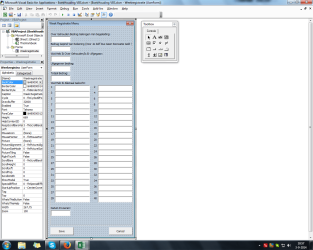
(next question is: how do i solve this error ? with the short code it does like alraedy said by someone else it goes to the verry last colmn and with the long one it does this error(shown below but when i click debug it shows me the code (Range("A1").End(xlDown).Offset(1, 0).Select) is wrong
 

Attachments

  • Naamloos.png
    Naamloos.png
    56.9 KB · Views: 2

My Computer

Computer type
PC/Desktop
Computer Manufacturer/Model Number
unknown
OS
Windows 8.1 x64
CPU
Intel(R) Core(TM) I3-3220 3.30GHZ
Motherboard
unknown
Memory
4 gb ram
Graphics Card(s)
AMD Radeon 6570
Screen Resolution
1280 x1024
Hard Drives
500 gb
Keyboard
Logitec k120
Mouse
MaxXrer
Internet Speed
30 MB p/s
Antivirus
avira,avg (both free)
Browser
google chrome
You can ask how many questions you want :)

If you want the next empty cell you can try the shorter version that doesn't produce an error. And then move one cell down and see if that works:

Range("A1").End(xlDown).Select
ActiveCell.Offset(1, 0).Select 'move one cell down
 

My Computer

Computer type
Laptop
Computer Manufacturer/Model Number
HP Elitebook 8540p
OS
Windows 7 Pro 32
CPU
Intel(R) Core(TM) i5 CPU M 540 @ 2.53GHz
Motherboard
Hewlett-Packard 1521
Memory
4,00 GB (Usable 2,98)
Graphics Card(s)
NVIDIA NVS 5100M
Sound Card
NVIDIA High Definition Audio
Screen Resolution
1600x900
Hard Drives
INTEL SSDSA2CW120G3
Antivirus
F-Secure Internet Security
Browser
IE, Firefox, Opera
Other Info
Sandboxie,
SRP (Software Restriction Policy),
EMET (Enhanced Mitigation Experience Toolkit),
WFC (Windows Firewall Control by BiniSoft),
Malwarebytes Premium
We would need to see what the spreadsheet looks like and what column is "Cell1".
 

My Computer

Computer type
PC/Desktop
Computer Manufacturer/Model Number
Home Built desktop, Dell G15 5511 Gaming laptop,MS Surface Pro 7 tablet
OS
W10 Pro desktop, W11 laptop, W11 Pro tablet (all 64-bit)
CPU
3.7Ghz 8700K i7, i7-11800H, i7-1065G7
Motherboard
ASUS TUF Z370-Pro Gaming in desktop
Memory
16G desktop, 16G laptop, 4G tablet
Graphics Card(s)
AMD Radeon RX580, RTX 3060, Intel Iris Plus
Sound Card
High Definition Audio (Built-in to mobo)
Monitor(s) Displays
Samsung U32J59 32" (2x), 15.6", 12"
Screen Resolution
3840x2160, 3840x2160, 1920x1080, 2160x1440
Hard Drives
500G SSD for OS; 2T, 10T & 15T HDDs for Data on Desktop, 1TB SSD laptop, 128G SSD tablet.
PSU
Corsair CX 750M
Case
Antec 100
Cooling
CM 212+
Keyboard
IBM Model M - used continuously since 1986
Mouse
Microsoft Pro IntelliMouse
Internet Speed
400M down 8M up
Antivirus
Windows Defender
Browser
FireFox
Other Info
Built my first computer (8Mhz 8088cpu, 640K RAM, 20MB HDD, 2 360K floppy drives) in 1985 and have been building them for myself, relatives and friends ever since.
You can ask how many questions you want

If you want the next empty cell you can try the shorter version that doesn't produce an error. And then move one cell down and see if that works:

Range("A1").End(xlDown).Select
ActiveCell.Offset(1, 0).Select 'move one cell down

We would need to see what the spreadsheet looks like and what column is "Cell1".

okay now i have an error message at: ActiveCell.Offset(1, 0).Select

+ here are the screen shots of what i think are the spread sheets ( sorry i dont know engish verry well )
 

Attachments

  • Naamloos1.png
    Naamloos1.png
    59.8 KB · Views: 0
  • Naamloos2.png
    Naamloos2.png
    31.2 KB · Views: 0

My Computer

Computer type
PC/Desktop
Computer Manufacturer/Model Number
unknown
OS
Windows 8.1 x64
CPU
Intel(R) Core(TM) I3-3220 3.30GHZ
Motherboard
unknown
Memory
4 gb ram
Graphics Card(s)
AMD Radeon 6570
Screen Resolution
1280 x1024
Hard Drives
500 gb
Keyboard
Logitec k120
Mouse
MaxXrer
Internet Speed
30 MB p/s
Antivirus
avira,avg (both free)
Browser
google chrome
It looks like you are trying to pull data entered into the text fields on the form and attempting to save them in a single row across the spreadsheet. If that's what you are trying to do then the code as written won't work unless there is at least one row of data already in the sheet. If you add a header row as the first row in your spreadsheet, it might work.
 

My Computer

Computer type
PC/Desktop
Computer Manufacturer/Model Number
Home Built desktop, Dell G15 5511 Gaming laptop,MS Surface Pro 7 tablet
OS
W10 Pro desktop, W11 laptop, W11 Pro tablet (all 64-bit)
CPU
3.7Ghz 8700K i7, i7-11800H, i7-1065G7
Motherboard
ASUS TUF Z370-Pro Gaming in desktop
Memory
16G desktop, 16G laptop, 4G tablet
Graphics Card(s)
AMD Radeon RX580, RTX 3060, Intel Iris Plus
Sound Card
High Definition Audio (Built-in to mobo)
Monitor(s) Displays
Samsung U32J59 32" (2x), 15.6", 12"
Screen Resolution
3840x2160, 3840x2160, 1920x1080, 2160x1440
Hard Drives
500G SSD for OS; 2T, 10T & 15T HDDs for Data on Desktop, 1TB SSD laptop, 128G SSD tablet.
PSU
Corsair CX 750M
Case
Antec 100
Cooling
CM 212+
Keyboard
IBM Model M - used continuously since 1986
Mouse
Microsoft Pro IntelliMouse
Internet Speed
400M down 8M up
Antivirus
Windows Defender
Browser
FireFox
Other Info
Built my first computer (8Mhz 8088cpu, 640K RAM, 20MB HDD, 2 360K floppy drives) in 1985 and have been building them for myself, relatives and friends ever since.
It looks like you are trying to pull data entered into the text fields on the form and attempting to save them in a single row across the spreadsheet. If that's what you are trying to do then the code as written won't work unless there is at least one row of data already in the sheet. If you add a header row as the first row in your spreadsheet, it might work.

do you mean that i need to fill row A or 1 because i did cell 1A and it didnt work
 

My Computer

Computer type
PC/Desktop
Computer Manufacturer/Model Number
unknown
OS
Windows 8.1 x64
CPU
Intel(R) Core(TM) I3-3220 3.30GHZ
Motherboard
unknown
Memory
4 gb ram
Graphics Card(s)
AMD Radeon 6570
Screen Resolution
1280 x1024
Hard Drives
500 gb
Keyboard
Logitec k120
Mouse
MaxXrer
Internet Speed
30 MB p/s
Antivirus
avira,avg (both free)
Browser
google chrome
Columns use letters, rows use numbers. Yes, I meant for you to put some text or something in cell A1. However, I still don't know what range "Cell1" refers to which is the range used in the formula. When you say it didn't work, did you get the same error?
 

My Computer

Computer type
PC/Desktop
Computer Manufacturer/Model Number
Home Built desktop, Dell G15 5511 Gaming laptop,MS Surface Pro 7 tablet
OS
W10 Pro desktop, W11 laptop, W11 Pro tablet (all 64-bit)
CPU
3.7Ghz 8700K i7, i7-11800H, i7-1065G7
Motherboard
ASUS TUF Z370-Pro Gaming in desktop
Memory
16G desktop, 16G laptop, 4G tablet
Graphics Card(s)
AMD Radeon RX580, RTX 3060, Intel Iris Plus
Sound Card
High Definition Audio (Built-in to mobo)
Monitor(s) Displays
Samsung U32J59 32" (2x), 15.6", 12"
Screen Resolution
3840x2160, 3840x2160, 1920x1080, 2160x1440
Hard Drives
500G SSD for OS; 2T, 10T & 15T HDDs for Data on Desktop, 1TB SSD laptop, 128G SSD tablet.
PSU
Corsair CX 750M
Case
Antec 100
Cooling
CM 212+
Keyboard
IBM Model M - used continuously since 1986
Mouse
Microsoft Pro IntelliMouse
Internet Speed
400M down 8M up
Antivirus
Windows Defender
Browser
FireFox
Other Info
Built my first computer (8Mhz 8088cpu, 640K RAM, 20MB HDD, 2 360K floppy drives) in 1985 and have been building them for myself, relatives and friends ever since.
Columns use letters, rows use numbers. Yes, I meant for you to put some text or something in cell A1. However, I still don't know what range "Cell1" refers to which is the range used in the formula. When you say it didn't work, did you get the same error?

okay sorry for the inconvinece but this is solved thankyou and the other guy too

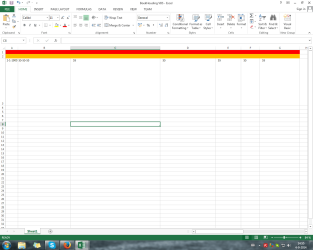
next question is why when i click the save button it saves row 3 and when i try to save another one it saves over row 3 again (i know why it saves on row 3 because i collored the other 2 rows in and filled them in)
 

Attachments

  • Naamloos3.png
    Naamloos3.png
    32.8 KB · Views: 0

My Computer

Computer type
PC/Desktop
Computer Manufacturer/Model Number
unknown
OS
Windows 8.1 x64
CPU
Intel(R) Core(TM) I3-3220 3.30GHZ
Motherboard
unknown
Memory
4 gb ram
Graphics Card(s)
AMD Radeon 6570
Screen Resolution
1280 x1024
Hard Drives
500 gb
Keyboard
Logitec k120
Mouse
MaxXrer
Internet Speed
30 MB p/s
Antivirus
avira,avg (both free)
Browser
google chrome
I think I've helped you all I can via this method. Any chance you could save the excel file somewhere where I could download it and look at it? Do you have a DropBox account?
 

My Computer

Computer type
PC/Desktop
Computer Manufacturer/Model Number
Home Built desktop, Dell G15 5511 Gaming laptop,MS Surface Pro 7 tablet
OS
W10 Pro desktop, W11 laptop, W11 Pro tablet (all 64-bit)
CPU
3.7Ghz 8700K i7, i7-11800H, i7-1065G7
Motherboard
ASUS TUF Z370-Pro Gaming in desktop
Memory
16G desktop, 16G laptop, 4G tablet
Graphics Card(s)
AMD Radeon RX580, RTX 3060, Intel Iris Plus
Sound Card
High Definition Audio (Built-in to mobo)
Monitor(s) Displays
Samsung U32J59 32" (2x), 15.6", 12"
Screen Resolution
3840x2160, 3840x2160, 1920x1080, 2160x1440
Hard Drives
500G SSD for OS; 2T, 10T & 15T HDDs for Data on Desktop, 1TB SSD laptop, 128G SSD tablet.
PSU
Corsair CX 750M
Case
Antec 100
Cooling
CM 212+
Keyboard
IBM Model M - used continuously since 1986
Mouse
Microsoft Pro IntelliMouse
Internet Speed
400M down 8M up
Antivirus
Windows Defender
Browser
FireFox
Other Info
Built my first computer (8Mhz 8088cpu, 640K RAM, 20MB HDD, 2 360K floppy drives) in 1985 and have been building them for myself, relatives and friends ever since.
I think I've helped you all I can via this method. Any chance you could save the excel file somewhere where I could download it and look at it? Do you have a DropBox account?

nope not yet will make one now and be back with the file in 3 min
 

My Computer

Computer type
PC/Desktop
Computer Manufacturer/Model Number
unknown
OS
Windows 8.1 x64
CPU
Intel(R) Core(TM) I3-3220 3.30GHZ
Motherboard
unknown
Memory
4 gb ram
Graphics Card(s)
AMD Radeon 6570
Screen Resolution
1280 x1024
Hard Drives
500 gb
Keyboard
Logitec k120
Mouse
MaxXrer
Internet Speed
30 MB p/s
Antivirus
avira,avg (both free)
Browser
google chrome

My Computer

Computer type
PC/Desktop
Computer Manufacturer/Model Number
unknown
OS
Windows 8.1 x64
CPU
Intel(R) Core(TM) I3-3220 3.30GHZ
Motherboard
unknown
Memory
4 gb ram
Graphics Card(s)
AMD Radeon 6570
Screen Resolution
1280 x1024
Hard Drives
500 gb
Keyboard
Logitec k120
Mouse
MaxXrer
Internet Speed
30 MB p/s
Antivirus
avira,avg (both free)
Browser
google chrome
I downloaded your worksheet and added the text 'abc' to cell A1 and the text 'def' to cell A2 then ran your form. The first time it put the values from the form into row 3, the next time I ran it, row 4 and so on. Seems to be working for me.

As I said, you need to put at least a value in cell A1 in order for it to work or else it will attempt to go past the last row in the worksheet.
 

My Computer

Computer type
PC/Desktop
Computer Manufacturer/Model Number
Home Built desktop, Dell G15 5511 Gaming laptop,MS Surface Pro 7 tablet
OS
W10 Pro desktop, W11 laptop, W11 Pro tablet (all 64-bit)
CPU
3.7Ghz 8700K i7, i7-11800H, i7-1065G7
Motherboard
ASUS TUF Z370-Pro Gaming in desktop
Memory
16G desktop, 16G laptop, 4G tablet
Graphics Card(s)
AMD Radeon RX580, RTX 3060, Intel Iris Plus
Sound Card
High Definition Audio (Built-in to mobo)
Monitor(s) Displays
Samsung U32J59 32" (2x), 15.6", 12"
Screen Resolution
3840x2160, 3840x2160, 1920x1080, 2160x1440
Hard Drives
500G SSD for OS; 2T, 10T & 15T HDDs for Data on Desktop, 1TB SSD laptop, 128G SSD tablet.
PSU
Corsair CX 750M
Case
Antec 100
Cooling
CM 212+
Keyboard
IBM Model M - used continuously since 1986
Mouse
Microsoft Pro IntelliMouse
Internet Speed
400M down 8M up
Antivirus
Windows Defender
Browser
FireFox
Other Info
Built my first computer (8Mhz 8088cpu, 640K RAM, 20MB HDD, 2 360K floppy drives) in 1985 and have been building them for myself, relatives and friends ever since.
I downloaded your worksheet and added the text 'abc' to cell A1 and the text 'def' to cell A2 then ran your form. The first time it put the values from the form into row 3, the next time I ran it, row 4 and so on. Seems to be working for me.

As I said, you need to put at least a value in cell A1 in order for it to work or else it will attempt to go past the last row in the worksheet.


Okay so maybe its some thing i need to instal or chance in the settings ?
 

My Computer

Computer type
PC/Desktop
Computer Manufacturer/Model Number
unknown
OS
Windows 8.1 x64
CPU
Intel(R) Core(TM) I3-3220 3.30GHZ
Motherboard
unknown
Memory
4 gb ram
Graphics Card(s)
AMD Radeon 6570
Screen Resolution
1280 x1024
Hard Drives
500 gb
Keyboard
Logitec k120
Mouse
MaxXrer
Internet Speed
30 MB p/s
Antivirus
avira,avg (both free)
Browser
google chrome
Back
Top