Exiting PXE ROM

MarianSony

New member
Local time
10:11 PM
Messages
6
my brother tried to reinstall Windows 7 on his laptop ( Lenovo B570) but it gave an error when he tried to format the C: partition ( primary partition): Windows cannot be installed to this disk. The selected disk is not of the GPT partition style.

after that, he deleted the partition by mistake

it didn't want to do anything anymore...so he restarted...then, this error: ( well, it's the last line but you can understand it, I think) Exiting PXE ROM. I read somewhere that it wants to boot from the NIC, Ethernet card. In Bios, first two options for booting are DVD Rw and HDD ( Realtek is the last one- 7th or so and can't disable it, only change the order of devices to boot) yet this is the only device the laptop chooses to boot from.
Oh, he asked for someone's help and somehow the laptop succeded to boot from dvd - then his friend launched command prompt and cleaned the drive ( meaning he deleted the all partitions, right?)

I put a Win 7 dvd (bootable) inside the dvd wr - I can see its attempt to boot from it but no , goes to that error
If I change the order ( HDD first and DVD wr second) still the same error.

My brother went to some repair shop and they say it's easy as we should install a licensed windows ( up to now I only had "other types of windows" installed.
 

My Computer My Computer

At a glance

windows 7 ultimateIntel core2duo e7500Kingmax 2Gb 800 MHzMSi GTS 250
OS
windows 7 ultimate
CPU
Intel core2duo e7500
Motherboard
MSi p43 Neo-F
Memory
Kingmax 2Gb 800 MHz
Graphics Card(s)
MSi GTS 250
Sound Card
Realtek
Monitor(s) Displays
Acer X2233HQ
PSU
REcom 550W
If the disk is GPT it means the install was to UEFI (Unified Extensible Firmware Interface) - Install Windows 7 with - Windows 7 Forums.

Secure Boot must be disabled in BIOS (as it would be for Win7 anyway) while some level of CSM or Legacy BIOS may need to be enabled. Set the SATA controller to AHCI in BIOS setup.


The installer must be booted as a UEFI device. So you'd set the UEFI DVD drive as first device to boot in BIOS setup Boot tab, or trigger it from the one-time BIOS Boot menu key at boot which is F12 on Lenovo or using the tiny rescue button next to the Power Button to start the PC directly to BIOS menu.

If these fail then report back the exact settings choices in BIOS Setup Advanced, Security and Boot tabs relating to Secure Boot, CSM, Legacy BIOS and BIOS Boot priority order. Pictures will help. Screenshots and Files - Upload and Post in Seven Forums - Windows 7 Forums
 
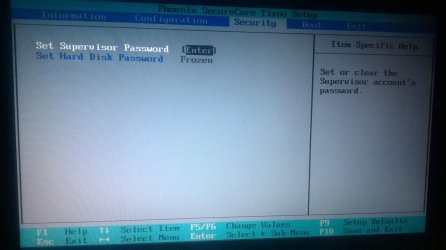
There is no secure boot option in Bios
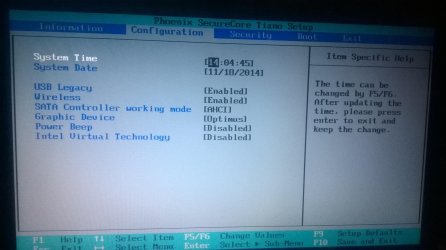
SAta already set to AHCI

Boot priority: ATA HDD , CD/DVD and PCI lan

No such thing as efi or Uefi options in Bios

This is freaking great :(

Also, I read somewhere that if I deleted all the partitions through the clean command, it would mean that I deleted the boot record and needs to be recovered. Is is true? Because I have no recovery disk and no licensed windows. :(

Question: Would it work if I made a uefi bootable windows on an USB flash?
 

Attachments

  • WP_20141118_001.jpg
    WP_20141118_001.jpg
    326.5 KB · Views: 0
  • WP_20141118_002.jpg
    WP_20141118_002.jpg
    306.7 KB · Views: 0
  • WP_20141118_003.jpg
    WP_20141118_003.jpg
    304.2 KB · Views: 0
  • WP_20141118_004.jpg
    WP_20141118_004.jpg
    320.7 KB · Views: 0
  • WP_20141118_005.jpg
    WP_20141118_005.jpg
    319 KB · Views: 0

My Computer My Computer

At a glance

windows 7 ultimateIntel core2duo e7500Kingmax 2Gb 800 MHzMSi GTS 250
OS
windows 7 ultimate
CPU
Intel core2duo e7500
Motherboard
MSi p43 Neo-F
Memory
Kingmax 2Gb 800 MHz
Graphics Card(s)
MSi GTS 250
Sound Card
Realtek
Monitor(s) Displays
Acer X2233HQ
PSU
REcom 550W
Find a setting in the bios that is similar to "Do not boot using Ethernet" or something like that.
 

My Computer My Computer

At a glance

Windows 7 Home Premium 64-BITAMD A8 7200P8GB 1600mhzRadeon R5 (APU) + Radeon R5 M230 2GB Dual Gra...
Computer type
PC/Desktop
Computer Manufacturer/Model Number
ASUS X550ZE
OS
Windows 7 Home Premium 64-BIT
CPU
AMD A8 7200P
Motherboard
N/A
Memory
8GB 1600mhz
Graphics Card(s)
Radeon R5 (APU) + Radeon R5 M230 2GB Dual Graphics
Sound Card
Realtek ALC269 with SonicMaster
Monitor(s) Displays
Laptop Display
Screen Resolution
1920 x 1080 @60hz
Hard Drives
WDC WD50 00LPVX-80V0TT0 (500GB)
PSU
Laptop Charger
Mouse
ARMAGGEDON TEXTRON SCORPION 7
Internet Speed
100 mbps DOWN / 50 mbps UP
Antivirus
Windows Defender
Browser
Mozzila FireFox, Valve Steam in-game internet browser
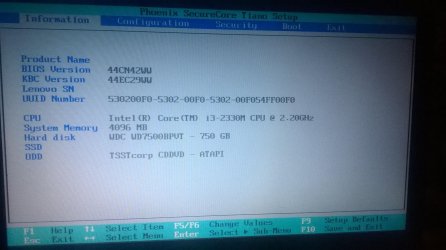
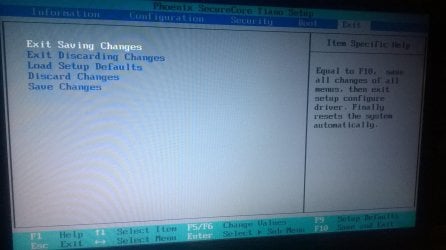
Nope. Those are all the options in Bios in the photos I took :(

Also, why the hell doesn't want to boot from the bootable windows DVD??

Can you see anything in that Bios that would say it has uefi or not? :(


So, is it safe to make a UEFI bootable USB flash?
What if it doesn't want to boot from that as well?

Sorry for asking so many questions but I really need it to get it work ( if it's possible)
 
Last edited:

My Computer My Computer

At a glance

windows 7 ultimateIntel core2duo e7500Kingmax 2Gb 800 MHzMSi GTS 250
OS
windows 7 ultimate
CPU
Intel core2duo e7500
Motherboard
MSi p43 Neo-F
Memory
Kingmax 2Gb 800 MHz
Graphics Card(s)
MSi GTS 250
Sound Card
Realtek
Monitor(s) Displays
Acer X2233HQ
PSU
REcom 550W
You don't have UEFI BIOS judging by the settings shown.

Work through the steps to Troubleshoot Windows 7 Installation Failures - Windows 7 Help Forums which resolve almost all installation errors.

You'll likely need to download a new ISO to burn your licensed version to disk since the disk won't boot. If a new disk still can't be made to boot using the BIOS Boot order or the BIOS one-time Boot Menu key, then try the flash stick install method.

Once you get it booted be sure to delete all partitions when you get to the drive selection screen, using the Drive Options pictured in Steps 7 and 8 of Clean Install Windows 7
http://www.sevenforums.com/tutorial...dows-7-installation-failures.html#post2714895
 
You don't have UEFI BIOS judging by the settings shown.

Work through the steps to Troubleshoot Windows 7 Installation Failures - Windows 7 Help Forums which resolve almost all installation errors.

You'll likely need to download a new ISO to burn your licensed version to disk since the disk won't boot. If a new disk still can't be made to boot using the BIOS Boot order or the BIOS one-time Boot Menu key, then try the flash stick install method.

Once you get it booted be sure to delete all partitions when you get to the drive selection screen, using the Drive Options pictured in Steps 7 and 8 of Clean Install Windows 7
http://www.sevenforums.com/tutorial...dows-7-installation-failures.html#post2714895

I think all the partitions were wiped as that friend of my brother's made that clean command in command prompt but after that...this error
So, I have to make a normal bootable USB windows, right?
Yet why that error while installing the windows before this error? saying that Windows cannot be installed to this disk. The selected disk is not of the GPT partition style.
What I found on Microsoft :
Windows cannot be installed to this disk. The selected disk is not of the GPT partition style”, it’s because your PC is booted in UEFI mode, but your hard drive is not configured for UEFI mode. You’ve got a few options:
Reboot the PC in legacy BIOS-compatibility mode. This option lets you keep the existing partition style. For more info, see Boot to UEFI Mode or Legacy BIOS mode.

Reformat the drive for UEFI by using the GPT partition style. This option lets you use the PC’s UEFI firmware features.

So how the hell it booted in uefi mode if it doesn't have any uefi options
 

My Computer My Computer

At a glance

windows 7 ultimateIntel core2duo e7500Kingmax 2Gb 800 MHzMSi GTS 250
OS
windows 7 ultimate
CPU
Intel core2duo e7500
Motherboard
MSi p43 Neo-F
Memory
Kingmax 2Gb 800 MHz
Graphics Card(s)
MSi GTS 250
Sound Card
Realtek
Monitor(s) Displays
Acer X2233HQ
PSU
REcom 550W
ok i Managed to boot the setup from a usb flash

now i'm in command prompt

As I said before, clean command was already done

should I convert the disk to gpt using command prompt? because I don't want to get the same error
Windows cannot be installed to this disk. The selected disk is not of the GPT partition style

6. At first installer screen Press Shift + F10, or enter System Recovery Options to open a Command Box, type:
DISKPART
LIST DISK
SELECT DISK 0 (after confirming Windows 7 target HD #)
CLEAN
CREATE PARTITION PRIMARY
FORMAT FS=NTFS LABEL="WINDOWS 7"
ACTIVE
EXIT
EXIT


sorry for double posting
 
Last edited:

My Computer My Computer

At a glance

windows 7 ultimateIntel core2duo e7500Kingmax 2Gb 800 MHzMSi GTS 250
OS
windows 7 ultimate
CPU
Intel core2duo e7500
Motherboard
MSi p43 Neo-F
Memory
Kingmax 2Gb 800 MHz
Graphics Card(s)
MSi GTS 250
Sound Card
Realtek
Monitor(s) Displays
Acer X2233HQ
PSU
REcom 550W
No you should not have to convert the disk as the Clean command will clear all formatting. If it persists with the error then you can try again and add Convert MBR as you want an MBR disk and not GPT.

The error prompts for GPT disk only when installing UEFI which it doesn't appear you have, so it may be anomalous. Just proceed and report back what happens.
 
OK

Formatted NTFS and created 2 partitions - one for windows and the rest...volume E

This is somehow solved ...I hope it's not temporary :D
 

My Computer My Computer

At a glance

windows 7 ultimateIntel core2duo e7500Kingmax 2Gb 800 MHzMSi GTS 250
OS
windows 7 ultimate
CPU
Intel core2duo e7500
Motherboard
MSi p43 Neo-F
Memory
Kingmax 2Gb 800 MHz
Graphics Card(s)
MSi GTS 250
Sound Card
Realtek
Monitor(s) Displays
Acer X2233HQ
PSU
REcom 550W
Back
Top