Explorer.exe - Details Cols when viewing pics as Icons?

ksdixon

New member
Member
Local time
9:16 AM
Messages
49
On Vista, I used to switch looking at images I'd created from being sorted by Name, to sorted by Date Modified (by use of the different Details Columns in Vista) whilst I was viewing the images as Icons. This was extremely useful to me.

Now in Win7, I have to first change them to Details View, then click on the column I want to arrange them by, and then switch back to Icons View. Is there any way to restore the details columns when looking at pictures as Icons?
 

My Computer My Computer

At a glance

Windows 7
OS
Windows 7
Right click a blank area, sort by. See the More... entry if necessary.
 

My Computer My Computer

At a glance

Windows 7 UltimateIntel Q95504x2GB HyperXATI HD3850 512
Computer Manufacturer/Model Number
Asus P5B
OS
Windows 7 Ultimate
CPU
Intel Q9550
Motherboard
Asus P5B
Memory
4x2GB HyperX
Graphics Card(s)
ATI HD3850 512
Sound Card
Creative X-Fi Platinum
Monitor(s) Displays
Samsung 50 / Samsung 24
Screen Resolution
1920*1080 / 1920*1200
Hard Drives
Multiple RAID volumes
PSU
ThermalTake ToughPower
Case
Armor
Cooling
Liquid
Keyboard
$6 2.4 gHz desktop
Internet Speed
Just this side of fast enough.
I do this, but it's sort of a long-way around. I'm looking more for the columns to be available when viewing as Icons.
 

My Computer My Computer

At a glance

Windows 7
OS
Windows 7
Explorer is what it is.

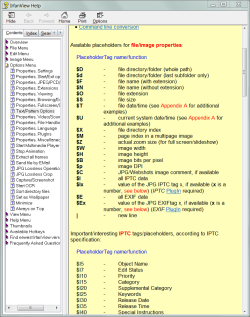
IrfanView Thumbnail browser may support this.

.
 

Attachments

  • Capture.PNG
    Capture.PNG
    38.3 KB · Views: 11

My Computer My Computer

At a glance

Windows 7 UltimateIntel Q95504x2GB HyperXATI HD3850 512
Computer Manufacturer/Model Number
Asus P5B
OS
Windows 7 Ultimate
CPU
Intel Q9550
Motherboard
Asus P5B
Memory
4x2GB HyperX
Graphics Card(s)
ATI HD3850 512
Sound Card
Creative X-Fi Platinum
Monitor(s) Displays
Samsung 50 / Samsung 24
Screen Resolution
1920*1080 / 1920*1200
Hard Drives
Multiple RAID volumes
PSU
ThermalTake ToughPower
Case
Armor
Cooling
Liquid
Keyboard
$6 2.4 gHz desktop
Internet Speed
Just this side of fast enough.
Back
Top