
- Local time
- 8:44 AM
- Messages
- 31
Hi, Wish you all good tidings. Have been using Win7 nearly 6 months with a recent sp1 update. In the explorer pane (LEFT) , as you move thru the folders , and click the thumbnail on a particular folder it opens the contents of the said folders on the RIGHT pane.Let me say that a particular folder is SNAPPED (can I have the exact terms please  ).
).
Ok I have snapped DIFX and am trying to expand Alwil software. Image-1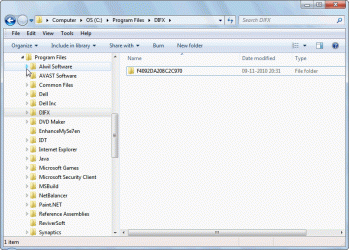
Alwil software expands as expected. Image-2.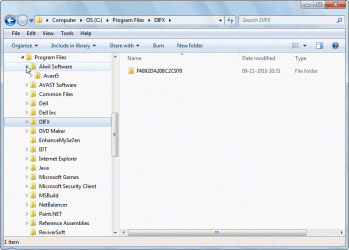
Next I snap ALwil software -Image -3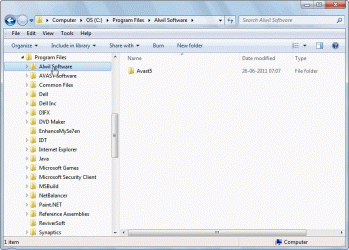
I try to expand the folder of Alwil software. It disgustingly goes and sits at the bottom. -Image -4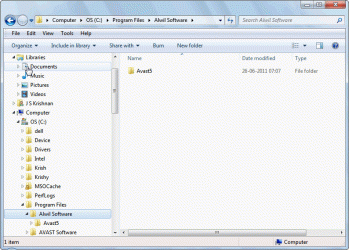
It happens everytime and if folder has still more folders it is still irritating. I have to compress the folder and expand it again , and only then it goes to the top. I have seen this behavior in Win 7 premium editions too.
). Ok I have snapped DIFX and am trying to expand Alwil software. Image-1
Alwil software expands as expected. Image-2.
Next I snap ALwil software -Image -3
I try to expand the folder of Alwil software. It disgustingly goes and sits at the bottom. -Image -4
It happens everytime and if folder has still more folders it is still irritating. I have to compress the folder and expand it again , and only then it goes to the top. I have seen this behavior in Win 7 premium editions too.
My Computer
- OS
- Windows 7 SP1 64

