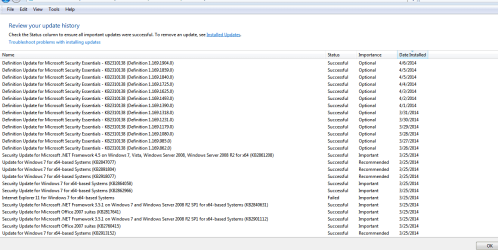
I have been using my external monitor along with my built in display for my laptop. I have had it set to Extended Desktop and all looked well. Now all of a sudden I went to plug in the external monitor into my laptop and it won't work. It's detected, but it's black. I've tried changing the resolution, restarting the computer, uninstalling the monitor and re-installing it, etc. Things were fine until I updated my computer with Windows Update, but now NO external monitor works. I've even tried the FN+F2 option for my MSi A6200. I checked the VGA port and it is just fine. The cables aren't torn either. The laptop is detecting the monitors and even installed the drivers for them, yet the external monitors are black. I tried Clone Display, and I tried using only the external monitor. I could really use some help. I've identified that there isn't physical damage to my laptop's VGA port, so I'm really puzzled here. Please help me out! <3  Thanks in advance.
Thanks in advance.My Computer
- Computer type
- PC/Desktop
- Computer Manufacturer/Model Number
- ASUSTeK Computer INC. M5A78L-M/USB3
- OS
- Windows 7 Professional 64-Bit
- CPU
- AMD FX-4300 Quad-Core Processor
- Motherboard
- ASUSTek Computer INC M5A78L-M/USB3
- Memory
- 8 GB DDR3 Single Channel 2008.8 MHz NB Frequency
- Graphics Card(s)
- NVIDIA GeForce GT 730 2GB
- Keyboard
- Standard PS/2 Keyboard
- Antivirus
- Microsoft Security Essentials, and a couple others
- Browser
- Google Chrome