External drive not in computer & disk mamagement need urgent help plz
Hello
I am trying to transfer a file from voice recording equipment that urgently needs to be sent off today
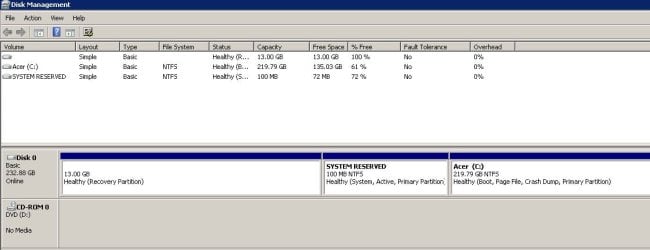
I successfully used the device and transferred from it two days ago, but now when connected via USB port, the drive does not show in 'computer' nor 'disk management' - I have tried other ports to no avail, and my mobile phone charges fine in them all.
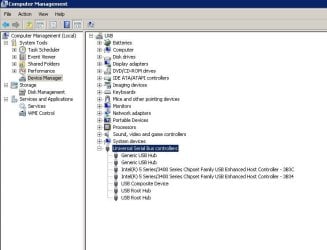
I have been and checked in device manage for yellow ticks by usb, but there are no alerts there.
Please can you help? I've been trying to sort this out for many hours now
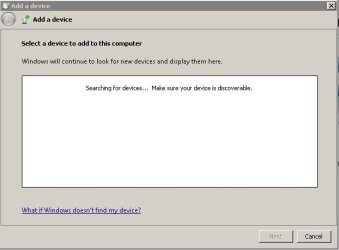
I'm adding screenshots below.
Thanks in advance
Hello
I am trying to transfer a file from voice recording equipment that urgently needs to be sent off today
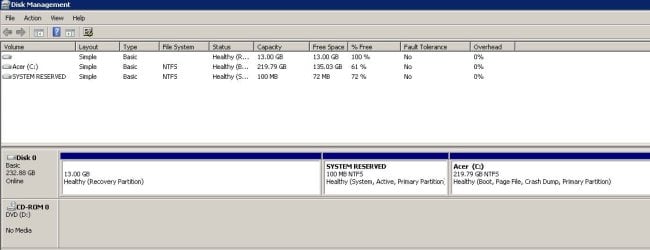
I successfully used the device and transferred from it two days ago, but now when connected via USB port, the drive does not show in 'computer' nor 'disk management' - I have tried other ports to no avail, and my mobile phone charges fine in them all.
I have been and checked in device manage for yellow ticks by usb, but there are no alerts there.
Please can you help? I've been trying to sort this out for many hours now
I'm adding screenshots below.
Thanks in advance
Attachments
My Computer
At a glance
Windows 7 Home Premium 64 bitIntel(R) Core(TM) i33.00
- Computer Manufacturer/Model Number
- Acer Aspire 5742
- OS
- Windows 7 Home Premium 64 bit
- CPU
- Intel(R) Core(TM) i3
- Memory
- 3.00
- Monitor(s) Displays
- Intel(R) HD Graphics [Display adapter]
- Hard Drives
- 235.99 Gigabytes Usable Hard Drive Capacity
198.74 Gigabytes Hard Drive Free Space
MATSHITA DVD-RAM UJ890AS [Optical drive]
Hitachi HTS545025B9A300 [Hard drive] (250.06 GB)