Hello I have WD My passport 1TB.After knowing that it had lot of bad factors I used HDD regenerator and at 95 percent it stopped working and I restarted my Pc and now my HDD is detecting but not showing up.So I went to disk management and tried this and it shows like this
So I am not able to find any solution.Any other solutions?
After knowing that it had lot of bad factors I used HDD regenerator and at 95 percent it stopped working and I restarted my Pc and now my HDD is detecting but not showing up
Bad sectors are physical defects and modern hard drives are designed to automatically fix them via a process called sector remapping. Basically what it does is to mark the original failing sector as bad in an internal table called "G-List" (growing defect list ) and allocate a spare good sector from the hidden sector reserve pool as a replacement to the failing one. This process is transparent to both user and OS.
The only way a bad sector will show up on your disk is if the pool has been completely used. In other words, your remapping pool is so full that it cannot take another bad sector and now the drive is throwing errors that it can’t read from a sector.This is a clear indication that the drive is in a very critical state, has been for quite awhile and is deteriorating at an alarming rate.
There is no point in trying to "fix" this disk. Even if you managed to create a partition, the disk will completely fail very soon.
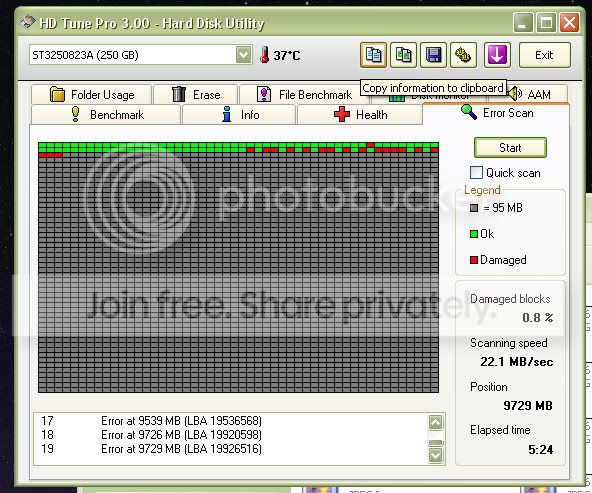
It depends on the the damage. If the disk's media is heavily damaged, only professional data recovery can help you. I would recommend a scanning the disk with "HDTunePro" to get an idea about the disk's condition.
1. Download trial version of "HDTunePro" from HD Tune website
2. Run the tool and select your external HDD for testing.
3. Go to the 'Error Scan" tab and press 'Scan" button. Don't select the "Quick Scan" option.
When the scan finishes, take a screenshot and post with next reply.
Try opening the case and connecting the HDD directly to a SATA port. WD has the bad habit of integrating the USB-SATA bridge to the PCB of HDD. In that case connecting to a SATA port won't be possible. In that case, only professional data recovery can help you.