
You are using an out of date browser. It may not display this or other websites correctly.
You should upgrade or use an alternative browser.
You should upgrade or use an alternative browser.
External Harddrive problems!
- Thread starter Debbie
- Start date

- Local time
- 2:47 AM
- Messages
- 5,915
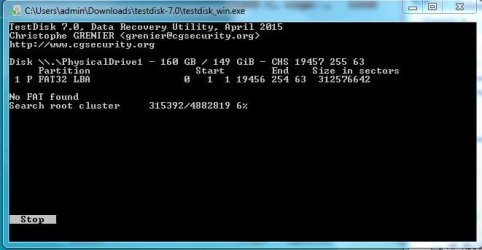
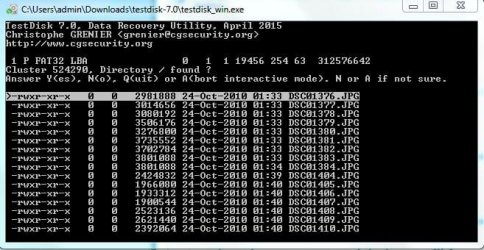
Did you see a Search command and clicked on it? Or it went to automatically search when you clicked on [BOOT]?
Press A to abort, close TestDisk.
Repeat with TestDisk. When Boot is highlighted just press enter and post the screenshort.
Press A to abort, close TestDisk.
Repeat with TestDisk. When Boot is highlighted just press enter and post the screenshort.
My Computer
- OS
- Windows 7 Home Premium 32 bit
- Local time
- 2:47 AM
- Messages
- 5,915
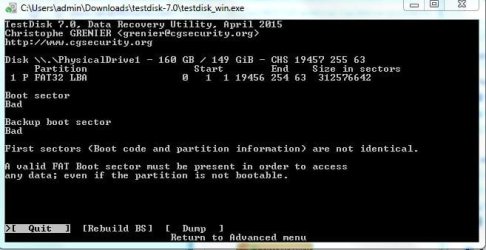
OK, both boot sectors, the original in-situ and the backup are bad. In the circumstances you have no other go except try your luck rebuilding boot sector. ( But don't worry. That does not affect your data in anyway)
So now highlight [Rebuild BS] and press Enter.
Post any screenshot that comes up.
So now highlight [Rebuild BS] and press Enter.
Post any screenshot that comes up.
My Computer
- OS
- Windows 7 Home Premium 32 bit
- Local time
- 2:47 AM
- Messages
- 5,915
OK, TestDisk dispensed. Let us now see whether at all your files are there.
Download, install and run the free trial version of GetDataBack Simple and scan your FAT 32 drive. Check whether it shows your files. You can also preview the files. https://www.runtime.org/data-recovery-software.htm Please read the documentation on that page too. It is very simple to use.
Download, install and run the free trial version of GetDataBack Simple and scan your FAT 32 drive. Check whether it shows your files. You can also preview the files. https://www.runtime.org/data-recovery-software.htm Please read the documentation on that page too. It is very simple to use.
My Computer
- OS
- Windows 7 Home Premium 32 bit

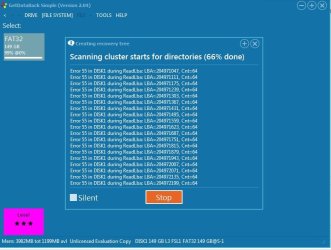
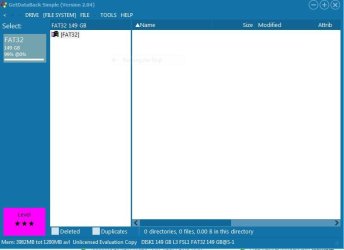
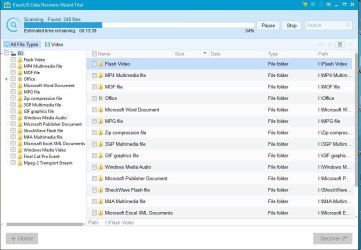
Is it possible to 1st clone the disk before trying data recovery? I mean if its a total lost cause then no worries, but if data can be recovered, I wouldn't chance it.
There are a few other "tools" you can try, Recuva Free, or Partedmagic have worked for me in the past.
There are a few other "tools" you can try, Recuva Free, or Partedmagic have worked for me in the past.
My Computer
- Computer type
- PC/Desktop
- Computer Manufacturer/Model Number
- Dell
- OS
- Windows 7 Ent. x64