Solved External HD - Partition Unallocated

hmm.... that is real bad luck.

Now your only chance of retrieving any data if it is there is by running PhotoRec. You will find photorec_win.exe in the same testdisk-7.0 folder.

Go to the topic RECOVERY in my thread Guide to using PhotoRec recovery software.
 

My Computer

OS
Windows 7 Home Premium 32 bit
hmm.... that is real bad luck.

Now your only chance of retrieving any data if it is there is by running PhotoRec. You will find photorec_win.exe in the same testdisk-7.0 folder.

Go to the topic RECOVERY in my thread Guide to using PhotoRec recovery software.

Thanks man. It somehow works. I have recovered some of the files.

However, it seems that I have encountered another issue.

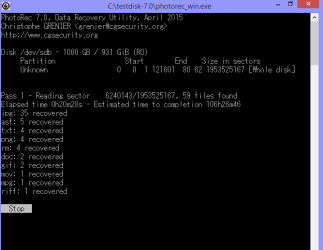
First:
Recovery.png

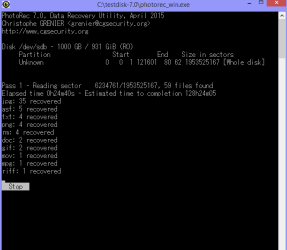
Second:
Recovery 2.png

First - Reading Sector: 6240143 [106h 26m 46]
Second - Reading Sector: 6234761 [128h 24m 05]

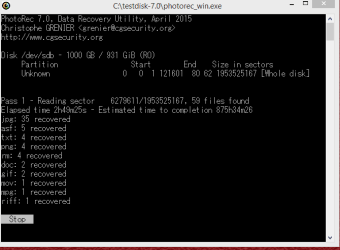
It was going well initially, but when it reaches to around 6200000+ range, it just progresses and regresses concurrently. The estimated time to completion increases indefinitely.

Do you think I should restart the whole processes again?

Thanks a lot man!
 

My Computer

Computer type
Laptop
Computer Manufacturer/Model Number
Fujitsu
OS
Windows 8.1 Pro 64-bit
CPU
Intel(R) Core(TM) i7-3632QM CPU
Memory
8GB
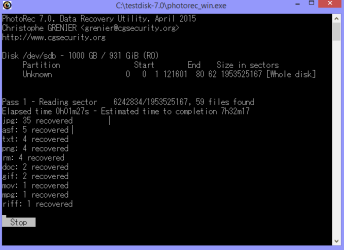
Anyway, I have restarted the whole process, and it shows this.

Recovery 3.png

Third - 6242834 [7h 32m 17]
 

My Computer

Computer type
Laptop
Computer Manufacturer/Model Number
Fujitsu
OS
Windows 8.1 Pro 64-bit
CPU
Intel(R) Core(TM) i7-3632QM CPU
Memory
8GB
Unlike TestDisk, PhotoRec is absolutely safe.

By default PhotoRec will save the files in the testDisk 7.0 folder. Do you have sufficient space on your C drive?

If not you can plugin another external drive before you start PhotoRec and copy the files to it. But you have to show it the correct Destination to save.

Copying files listed by TestDisk during Recovery: ( Also applies to PhotoRec)

My post #28 here My external hard drive suddenly became unllocated:
 

My Computer

OS
Windows 7 Home Premium 32 bit
Unlike TestDisk, PhotoRec is absolutely safe.

By default PhotoRec will save the files in the testDisk 7.0 folder. Do you have sufficient space on your C drive?

If not you can plugin another external drive before you start PhotoRec and copy the files to it. But you have to show it the correct Destination to save.

Copying files listed by TestDisk during Recovery: ( Also applies to PhotoRec)

My post #28 here My external hard drive suddenly became unllocated:

Yep. I don't have sufficient disk space on my C Drive, so I have already changed my recovery directory to my another external hard disk.

It shows "recup_dir.2" folder in my external hard disk, and it has some files in it.
 

My Computer

Computer type
Laptop
Computer Manufacturer/Model Number
Fujitsu
OS
Windows 8.1 Pro 64-bit
CPU
Intel(R) Core(TM) i7-3632QM CPU
Memory
8GB
OK, now you are on your own. Just make sure you have recovered all files you want to recover. And yes, you may not have the same folder structure and original file names but then something is better than nothing.

Just for the heck of it download and install GetDataback simple and scan the drive. Check whether it shows all your data with original folder structure and file names. https://www.runtime.org/data-recovery-software.htm
 

My Computer

OS
Windows 7 Home Premium 32 bit
OK, now you are on your own. Just make sure you have recovered all files you want to recover. And yes, you may not have the same folder structure and original file names but then something is better than nothing.

Just for the heck of it download and install GetDataback simple and scan the drive. Check whether it shows all your data with original folder structure and file names. https://www.runtime.org/data-recovery-software.htm

Okay. Thanks for the help man!

I doubt the files will be recovered.

Unallocated 14.png

I will try the GetDataback. If it doesn't work, I may need to format and clean the whole disk.

Thanks man!
 

My Computer

Computer type
Laptop
Computer Manufacturer/Model Number
Fujitsu
OS
Windows 8.1 Pro 64-bit
CPU
Intel(R) Core(TM) i7-3632QM CPU
Memory
8GB
Getbackdata is a gem! I recovered all my data back with its data structures intact!

Thank you so much for the guidance! :D
 

My Computer

Computer type
Laptop
Computer Manufacturer/Model Number
Fujitsu
OS
Windows 8.1 Pro 64-bit
CPU
Intel(R) Core(TM) i7-3632QM CPU
Memory
8GB
Glad after a bit - or is it a lot - of struggle , you were able to get everything with Getdataback Simple. But it is a paid software. Reason why I recommend it last when all else fails :). We have allalong got good reports about Getdataback.
 

My Computer

OS
Windows 7 Home Premium 32 bit
Back
Top