
intelguy77
New member
- Local time
- 2:59 PM
- Messages
- 12
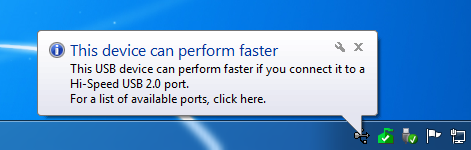
I have a Western Digital Elements 1 TB USB 2.0 External HDD. It doesn't matter what USB 2.0 header I connect it to, back or front of PC, an error message will eventually pop up in my tray/task bar telling me the device can perform faster, and the HDD disconnects/reconnects. Some times this will happen more than once. How can I stop this from happening?
My external HDD:
Amazon.com: WD Elements 1 TB USB 2.0 Desktop External Hard Drive WDBAAU0010HBK-NESN: Electronics
Error message:
My external HDD:
Amazon.com: WD Elements 1 TB USB 2.0 Desktop External Hard Drive WDBAAU0010HBK-NESN: Electronics
Error message:
My Computer
At a glance
Windows XP 32bit
- OS
- Windows XP 32bit

