External HDD initialize error

Mithras

New member
Local time
8:44 PM
Messages
8
Location
Gauteng
Hi guys

Im struggling with an external housing with a 2.5" HDD in. Im running windows 7 ultimate. I go into disk management and the it asks me to intialize the disk. There are 2 options to partition the disk, MBR and GPT.

I tried both but get the following error: "The device is not ready"

What can i do know to get the device ready?

thanks
 

My Computer

OS
Windows 7
Hi Mithras

In Disk Management - do the HDD-icons display a green colour?
 

My Computer

Computer Manufacturer/Model Number
Custom
OS
Win7 HP (x64)/Win7 Ultimate (x64)
CPU
Core i7 920
Motherboard
Intel X58
Memory
6 x 2GB Corsair XMS3
Graphics Card(s)
CF HD4890
Sound Card
Asus Xonar
Monitor(s) Displays
Dell 2408WFP
Screen Resolution
1920 x 1200
Hard Drives
2 x 150GB WDC Velociraptors (Raid 0)
1 x 1TB Seagate
1 x 1.5TB Seagate
PSU
Corsair HX1000W
Case
Antec 1200
Keyboard
Razer Lycosa/N52te
Mouse
Razer Lachesis
You probably have to change the jumper settings to slave or auto detect for the drive to be recognized. What is the make and model of drive?

A Guy
 

My Computer

Computer type
PC/Desktop
OS
Windows 10 Home x64
CPU
INTEL Core i5-750 Quad-Core 3.37GHz
Motherboard
ASUS P7P55D
Memory
HyperX Fury Black Series 8GB (2 x 4GB) 1866Mhz
Graphics Card(s)
EVGA GeForce GTX 750 Superclocked 1GB 128-Bit GDDR5
Monitor(s) Displays
LG 32MA68HY 32" IPS
Screen Resolution
1920 x 1080
Hard Drives
Samsung 840 Evo 120GB, SEAGATE 500GB Barracuda® 7200.12, SATA 3 Gb/s, 7200 RPM, 16MB cache
PSU
ANTEC TruePower New TP-550, 80 PLUS, 550W
Case
ANTEC Three Hundred Illusion
Cooling
COOLER MASTER Hyper 212 Plus, 4 x 120mm 1 x 140mm Noctua's
Internet Speed
85 + Mbps
Antivirus
Avast
Browser
Vivaldi
Hi Mithras

In Disk Management - do the HDD-icons display a green colour?


The icons apear grey. Should that be any problem?

You probably have to change the jumper settings to slave or auto detect for the drive to be recognized. What is the make and model of drive?

A Guy

Its a Hitachi Travelstar 80gb ATA/IDE 7200rpm. There are no jumper pins so I assume its running on auto select?
 

My Computer

OS
Windows 7
Hi Mithras

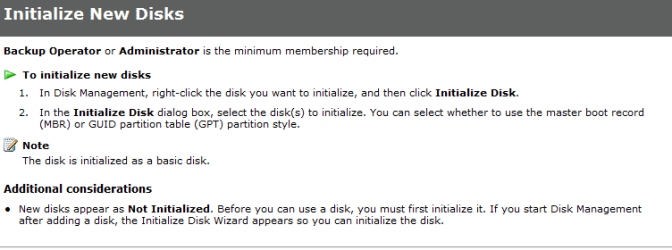
Have a look at the attached - its from the Windows Help File when in Disk Management

Hope this helps and regards
 

Attachments

  • Mithras.PNG
    Mithras.PNG
    19.8 KB · Views: 648

My Computer

Computer Manufacturer/Model Number
Custom
OS
Win7 HP (x64)/Win7 Ultimate (x64)
CPU
Core i7 920
Motherboard
Intel X58
Memory
6 x 2GB Corsair XMS3
Graphics Card(s)
CF HD4890
Sound Card
Asus Xonar
Monitor(s) Displays
Dell 2408WFP
Screen Resolution
1920 x 1200
Hard Drives
2 x 150GB WDC Velociraptors (Raid 0)
1 x 1TB Seagate
1 x 1.5TB Seagate
PSU
Corsair HX1000W
Case
Antec 1200
Keyboard
Razer Lycosa/N52te
Mouse
Razer Lachesis
Back
Top