External hdd problems

skald89

New member
Local time
5:13 PM
Messages
35
I have had my WD 1.5tb (WDBAAU0015HBK-NESN link [amazon.com] ) drive for over a year. I only use it to put stuff on and take stuff off the drive. I would say 99% of the time that I have owned the drive it has just sat there collecting dust and not plugged in.

The other day I was copying something off the drive and it dropped for the first time slowly from my coffee table, a 1.5 foot drop. The file transfer froze so I canceled it and took my drive out. Last night I tried plugging it in and on my second try it was recognized normally by my computer. It was running a little slow and i tried copying a file again and it froze in the middle. I closed everything from the drive and unplugged it.

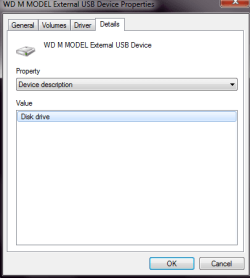
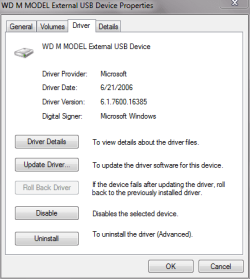
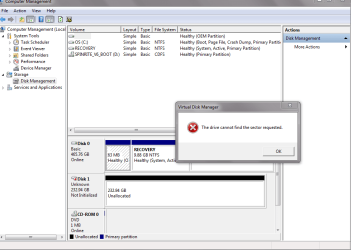
I tried putting it back in and this where all the problems began. It wouldnt show up in My Computer. If I put my ear on the drive I can hear it spinning, grinding a little and making clanking noises. I can only hear the noises if I put my ear next to it even when I take it out of the enclosure. The drive continues to make regular whining noises and in a few minutes starts to slow down and I can hear it just stop. It does show up on Device Manager.

I have tried Data Lifeguard Diagnostic for Windows from WD website. It sometimes recognizes the drive and sometimes does not. When it does it seems to only recognize around 300gb as the drive size which may be the size of data I have stored. I ran the tests and it failed in the first minute with too many bad sectors.

Whenever I have the external drive plugged in:
-Any other usb or external drive does not show up either.
-While turning on the computer it gets stuck at the windows logo.

I just tried Spinrite and it doesnt even recognize my External drive.

What can i do??? I just want a few stuff from the drive and the rest I could live with out worse comes to worse.
 

Attachments

  • after pressing populate.PNG
    after pressing populate.PNG
    7.7 KB · Views: 3
  • details.PNG
    details.PNG
    7.4 KB · Views: 3
  • disk management.PNG
    disk management.PNG
    30.7 KB · Views: 6
  • driver.PNG
    driver.PNG
    10.6 KB · Views: 2
  • General.PNG
    General.PNG
    7.7 KB · Views: 3
  • initalize.PNG
    initalize.PNG
    27.9 KB · Views: 8
  • policies- properties from disk management.PNG
    policies- properties from disk management.PNG
    8.1 KB · Views: 3
  • Volumes.PNG
    Volumes.PNG
    9.5 KB · Views: 4
Last edited:

My Computer

OS
windows 7 64bit
Copy whatever valuable data may be on the disk to another disk ASAP.

Then continue with diagnostics from WD or other tools. Does it pass SMART tests?

Sounds as if you had a head crash of some type when you dropped it and it's going out of business, however slowly. Chalk it up to clumsiness and bad luck.
 

My Computer

Computer type
PC/Desktop
Computer Manufacturer/Model Number
Ignatz Special; 4 speed manual gearbox; factory air conditioning; one of one
OS
Windows 7 Home Premium SP1, 64-bit
CPU
Intel Skylake i5-6600K, not overclocked
Motherboard
AsRock Z170M Extreme 4, micro ATX
Memory
8 GB HyperX DDR4-2666 (2 x 4 GB)
Graphics Card(s)
none; graphics are integrated on CPU
Sound Card
onboard: Realtek ALC1150; external: USB Behringer UF0-202
Monitor(s) Displays
Dell S2340M 23 inch IPS
Screen Resolution
1600 x 900
Hard Drives
System: Crucial MX100 series SSD, 128 GB;
Data: Samsung Spinpoint 103SJ, 1 TB;
Backup: WD Caviar Green WD30EZRX-00D8PB0, 3 TB
PSU
Rosewill SilentNight 500 watt fanless, semi-modular
Case
Antec Solo II
Cooling
Noctua NH-U12S; Noctua F12 intake, Noctua S12A exhaust
Keyboard
Microsoft 200 6JH-00001 USB
Mouse
Dell or Microsoft optical wired; USB
Antivirus
Microsoft Security Essentials and Malwarebytes Premium
Browser
Pale Moon
Other Info
All fans PWM; speeds at idle: CPU circa 500 rpm; intake circa 600 rpm; exhaust circa 600 rpm; CPU temps 27 idle and 47 C load in a warm room (27 C/81 F) when running Intel Extreme Tuning Utility stress test.
I cant get access to the hard drive files at all. It fails all the WD tests

Whenever I have the external drive plugged in:
-Any other usb or external drive does not show up either.
-While turning on the computer it gets stuck at the windows logo.
 

My Computer

OS
windows 7 64bit
Then it looks kaput to me. If you can't access it, your other choice is to pay somewhere north of $500 or $1000 to get your data off it. I gather it is not a backup drive, so you don't have other copies of the files in question.

You have to decide if data recovery cost is worthwhile.

I have heard of homegrown heroic methods of drive resuscitation involving freezers, but don't know if they would apply in your case.

You might try diagnostics from sources other than HD, but I wouldn't have high hopes. If you can't access it, you are probably out of luck.
 

My Computer

Computer type
PC/Desktop
Computer Manufacturer/Model Number
Ignatz Special; 4 speed manual gearbox; factory air conditioning; one of one
OS
Windows 7 Home Premium SP1, 64-bit
CPU
Intel Skylake i5-6600K, not overclocked
Motherboard
AsRock Z170M Extreme 4, micro ATX
Memory
8 GB HyperX DDR4-2666 (2 x 4 GB)
Graphics Card(s)
none; graphics are integrated on CPU
Sound Card
onboard: Realtek ALC1150; external: USB Behringer UF0-202
Monitor(s) Displays
Dell S2340M 23 inch IPS
Screen Resolution
1600 x 900
Hard Drives
System: Crucial MX100 series SSD, 128 GB;
Data: Samsung Spinpoint 103SJ, 1 TB;
Backup: WD Caviar Green WD30EZRX-00D8PB0, 3 TB
PSU
Rosewill SilentNight 500 watt fanless, semi-modular
Case
Antec Solo II
Cooling
Noctua NH-U12S; Noctua F12 intake, Noctua S12A exhaust
Keyboard
Microsoft 200 6JH-00001 USB
Mouse
Dell or Microsoft optical wired; USB
Antivirus
Microsoft Security Essentials and Malwarebytes Premium
Browser
Pale Moon
Other Info
All fans PWM; speeds at idle: CPU circa 500 rpm; intake circa 600 rpm; exhaust circa 600 rpm; CPU temps 27 idle and 47 C load in a warm room (27 C/81 F) when running Intel Extreme Tuning Utility stress test.
Then it looks kaput to me. If you can't access it, your other choice is to pay somewhere north of $500 or $1000 to get your data off it. I gather it is not a backup drive, so you don't have other copies of the files in question.

You have to decide if data recovery cost is worthwhile.

I have heard of homegrown heroic methods of drive resuscitation involving freezers, but don't know if they would apply in your case.

You might try diagnostics from sources other than HD, but I wouldn't have high hopes. If you can't access it, you are probably out of luck.

I dont get why it recognizes it as being connected as a WD drive but it doesnt show up in my computer or let me access the files. It even comes up as one of the drives to safely remove.
 

My Computer

OS
windows 7 64bit
Well, it's one thing to be recognized/seen and another to have access to the data. It still receives electricity and spins, the motors still work, etc, but that doesn't mean it isn't damaged.
 

My Computer

Computer type
PC/Desktop
Computer Manufacturer/Model Number
Ignatz Special; 4 speed manual gearbox; factory air conditioning; one of one
OS
Windows 7 Home Premium SP1, 64-bit
CPU
Intel Skylake i5-6600K, not overclocked
Motherboard
AsRock Z170M Extreme 4, micro ATX
Memory
8 GB HyperX DDR4-2666 (2 x 4 GB)
Graphics Card(s)
none; graphics are integrated on CPU
Sound Card
onboard: Realtek ALC1150; external: USB Behringer UF0-202
Monitor(s) Displays
Dell S2340M 23 inch IPS
Screen Resolution
1600 x 900
Hard Drives
System: Crucial MX100 series SSD, 128 GB;
Data: Samsung Spinpoint 103SJ, 1 TB;
Backup: WD Caviar Green WD30EZRX-00D8PB0, 3 TB
PSU
Rosewill SilentNight 500 watt fanless, semi-modular
Case
Antec Solo II
Cooling
Noctua NH-U12S; Noctua F12 intake, Noctua S12A exhaust
Keyboard
Microsoft 200 6JH-00001 USB
Mouse
Dell or Microsoft optical wired; USB
Antivirus
Microsoft Security Essentials and Malwarebytes Premium
Browser
Pale Moon
Other Info
All fans PWM; speeds at idle: CPU circa 500 rpm; intake circa 600 rpm; exhaust circa 600 rpm; CPU temps 27 idle and 47 C load in a warm room (27 C/81 F) when running Intel Extreme Tuning Utility stress test.
Well, it's one thing to be recognized/seen and another to have access to the data. It still receives electricity and spins, the motors still work, etc, but that doesn't mean it isn't damaged.

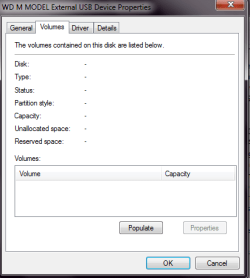
In the first picture isnt that sign that it can read some data from it?
 

My Computer

OS
windows 7 64bit
Well, it's one thing to be recognized/seen and another to have access to the data. It still receives electricity and spins, the motors still work, etc, but that doesn't mean it isn't damaged.

In the first picture isnt that sign that it can read some data from it?

I don't think so.

I don't see anything in any of the pix that indicates something is being read FROM THE SPINNING DISCS INSIDE THE DRIVE.

I don't see D: or C:

Drives have a bunch of info built into them on various chips on the circuit board. I'm not a drive engineer, but it seems to me that all the info in your pix comes from those chips as opposed to the discs in the drive--which is what you need to access.

I'm not saying you are completely out of luck, but I can't think of anything short of heroics and expense.
 

My Computer

Computer type
PC/Desktop
Computer Manufacturer/Model Number
Ignatz Special; 4 speed manual gearbox; factory air conditioning; one of one
OS
Windows 7 Home Premium SP1, 64-bit
CPU
Intel Skylake i5-6600K, not overclocked
Motherboard
AsRock Z170M Extreme 4, micro ATX
Memory
8 GB HyperX DDR4-2666 (2 x 4 GB)
Graphics Card(s)
none; graphics are integrated on CPU
Sound Card
onboard: Realtek ALC1150; external: USB Behringer UF0-202
Monitor(s) Displays
Dell S2340M 23 inch IPS
Screen Resolution
1600 x 900
Hard Drives
System: Crucial MX100 series SSD, 128 GB;
Data: Samsung Spinpoint 103SJ, 1 TB;
Backup: WD Caviar Green WD30EZRX-00D8PB0, 3 TB
PSU
Rosewill SilentNight 500 watt fanless, semi-modular
Case
Antec Solo II
Cooling
Noctua NH-U12S; Noctua F12 intake, Noctua S12A exhaust
Keyboard
Microsoft 200 6JH-00001 USB
Mouse
Dell or Microsoft optical wired; USB
Antivirus
Microsoft Security Essentials and Malwarebytes Premium
Browser
Pale Moon
Other Info
All fans PWM; speeds at idle: CPU circa 500 rpm; intake circa 600 rpm; exhaust circa 600 rpm; CPU temps 27 idle and 47 C load in a warm room (27 C/81 F) when running Intel Extreme Tuning Utility stress test.
I'm not saying you are completely out of luck, but I can't think of anything short of heroics and expense.

and by expense you mean data recovery companies?

Yes.

That and heroics. Regarding heroics, just wait for more comment in this thread. There are various kinds of "recovery" tools, including partition recovery tools, but I am not well-versed in them. Ultimately, I'd think any consumer-level recovery tool would have to access the drive--which is exactly what you can't do at this time.

I'm assuming you've done obvious things like checking cables, etc.
 

My Computer

Computer type
PC/Desktop
Computer Manufacturer/Model Number
Ignatz Special; 4 speed manual gearbox; factory air conditioning; one of one
OS
Windows 7 Home Premium SP1, 64-bit
CPU
Intel Skylake i5-6600K, not overclocked
Motherboard
AsRock Z170M Extreme 4, micro ATX
Memory
8 GB HyperX DDR4-2666 (2 x 4 GB)
Graphics Card(s)
none; graphics are integrated on CPU
Sound Card
onboard: Realtek ALC1150; external: USB Behringer UF0-202
Monitor(s) Displays
Dell S2340M 23 inch IPS
Screen Resolution
1600 x 900
Hard Drives
System: Crucial MX100 series SSD, 128 GB;
Data: Samsung Spinpoint 103SJ, 1 TB;
Backup: WD Caviar Green WD30EZRX-00D8PB0, 3 TB
PSU
Rosewill SilentNight 500 watt fanless, semi-modular
Case
Antec Solo II
Cooling
Noctua NH-U12S; Noctua F12 intake, Noctua S12A exhaust
Keyboard
Microsoft 200 6JH-00001 USB
Mouse
Dell or Microsoft optical wired; USB
Antivirus
Microsoft Security Essentials and Malwarebytes Premium
Browser
Pale Moon
Other Info
All fans PWM; speeds at idle: CPU circa 500 rpm; intake circa 600 rpm; exhaust circa 600 rpm; CPU temps 27 idle and 47 C load in a warm room (27 C/81 F) when running Intel Extreme Tuning Utility stress test.
Yes.

That and heroics. Regarding heroics, just wait for more comment in this thread. There are various kinds of "recovery" tools, including partition recovery tools, but I am not well-versed in them. Ultimately, I'd think any consumer-level recovery tool would have to access the drive--which is exactly what you can't do at this time.

I'm assuming you've done obvious things like checking cables, etc.

Yeah i checked the cables nothing is loose. I tried it with another laptop running windows 7 and a computer running xp. I also took it out of the enclosure when I wanted to try to connect it to the computer.
 

Attachments

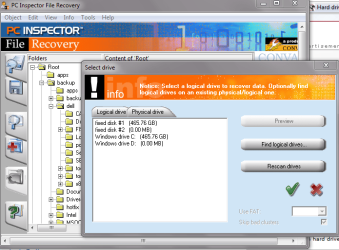
  • pci inspector.PNG
    pci inspector.PNG
    59 KB · Views: 6
Last edited:

My Computer

OS
windows 7 64bit
Back
Top