
Solved Extremely basic question about image handling in paint programs

Clairvaux

New member
Pro User
VIP
Local time
1:14 AM
Messages
247
How does one tell a paint program : I give you this image to edit, then you give it back to me with exactly the same limits, and don't ask me where they are, the limits are those of the object I gave you to work with ?

Sorry this is so basic and clumsy a question I cant even find the words, but I've been struggling for years to do that and I STILL haven't found the solution.

It can be in Microsoft Paint, it can be in Paint.net, any desperately simple program to do the following :

- Take a snapshot out of the screen with MS Snipping Tool or somesuch. Or a plain photograph.

- Put it into a paint program.

- Do someting to the image. Something very simple. Usually draw a red rectangle onto it to show something. Or underline some words.

- And that's all. After that I want to "take out the image from the program" and put it elsewhere. Paste it into Word, anything.

- But I want the image and only the image. Not the stupid white thing behind it. They call it the canvas I think. I want the program to understand by itself it has to bring out of itself what I brought into it. Not less, not more. I dont want to draw a rectangle around it to show to the program where the photograph is. It knows that. It's obvious. I have already selected the zone when doing the snap, I don't want to do it again and struggle with the limits and risk putting in the image too little or too much. How does one do that ? There must be a way.
 

My Computer

Computer type
PC/Desktop
Computer Manufacturer/Model Number
Custom build
OS
Windows 7 Home Premium 64-bit (OEM)
CPU
AMD Athlon II X4 640 (3 GHz, 4 cores)
Motherboard
Asus M4A 89 GTD Pro/USB3
Memory
Patriot 16Gb DDR3 1600 (2 kits of 2)
Graphics Card(s)
ATI Radeon HD 4290 (integrated)
Sound Card
AMD + Realtek HD Audio (integrated)
Monitor(s) Displays
Hewlett-Packard ZR2440w (24")
Screen Resolution
1920 x 1200
Hard Drives
Internal : Samsung SSD 860 EVO 250 Gb (system), Seagate Barrcuda 1 Tb (data), Western Digital Caviar Blue 500 Gb (archives).
External (USB) : 2 x 1 Tb 2,5" Seagate Barracuda (backups).
PSU
Corsair VX 450 W
Case
Antec Solo
Cooling
Cooler Master Hyper 212 Plus, 2 Nexus Real Silent Case fans
Keyboard
Cherry KC 1000
Mouse
Logitech M 90
Internet Speed
Fiber, 300 Mbit/s down, 200 Mbit/s up
Antivirus
Microsoft Security Essentials
Browser
Vivaldi, Tor
Other Info
BIOS Date: 07/18/11 Ver: 08.00.15.
Modem-router : provided by ISP
Hi,
I believe at some point you enlarged the canvas = white back ground from a prior paste in paint I've done the same thing :)
All I ever had to do is crop it down to the new paste size which should be your screens resolution size

I often use the keyboard shortcut keys too which you might try to crop that screen shot too to reset the size as well as MS paints full screen screen shot operation size.
Paint.net is another issue not sure what's up with that unless you have a larger template you use in that program like I have in gimp which is pretty much the same size as my resolution 1920-1080 for a new project size canvas.
 

My Computer

Computer type
PC/Desktop
Computer Manufacturer/Model Number
Custom assembled by me :}
OS
Win-7-Pro64bit 7-H-Prem-64bit
CPU
i7-5930K 2nd i9-9940x both water blocked VRM's too
Motherboard
ASUS SABERTOOTH X99 2nd ASUS x299 Apex
Memory
Trident-z 3200C14 2nd Trident-z 3600C16
Graphics Card(s)
EVGA 1080ti ftw3 2nd Titan Xp both water blocked
Sound Card
Built-in Realtek
Monitor(s) Displays
1-AOC G2460PG 24"G-Sync 144Hz/ 2nd 1-ASUS VG248QE 24" 144Hz
Screen Resolution
1920 x 1080 144Hz
Hard Drives
2-Samsung M.2 Evo & Evo Plus
2-Samsung 850 EVO 500GB SSD's/ 3-2.5 W.D. Black 1tb-&3-1tb/3-3.5 WD Black 1tb hdd's
PSU
EVGA SuperNOVA 1000-P2 2nd 1200-P2
Case
2-Corsair Obsidian Series 450D Black ATX Mid Tower
Cooling
Custom water loops
Keyboard
Logitech G710+/ 2nd Logitech G910
Mouse
2-RedDragon M901 Perdition 16400 dpi Gaming mouse = wired
Internet Speed
Comcast Ping 19ms 89.31mbps download speed 6.12mbps upload
Antivirus
Malwarebytes Pro/ Superantispyware Pro
Browser
FireFox & Pale moon
Other Info
2nd ASUS X299 Apex/Intel i9-9940x with Custom water loop/7H-Prem-x64/Corsair 450D case/Ram Trident-z 3600C16 4x8gb / Samsung970Evo plus 500gb SSD/Dual ssd EZ swap evo/PSU EVGA SuperNova 1200w-P2 80+Platinum/GPU Titan Xp /8-ML-140 on push-pull on 2-280GTX rads
Thanks, ThrashZone. I finally found the solution, sort of. I'm not at all used to paint programs. It's a special logic you have to master, and it's not written anywhere. Not anywhere readily available at least. Apparently the thing to understand is you need to select an image (or part of it) before you can do anything to it.

Just in case it might be helpful, what I remembered I had to do in MS Paint was to minimize the canvas with the mouse to a very tiny size, before I paste the image. So that when I select the image, whatever size it might be, the canvas snaps up to its borders, which it would not do if it were larger.

And in Paint.net, apparently the image creates its own canvas to its size. You can then make the canvas bigger through the menus if you need to. Also you can't even draw a line on an image if you have not used the relevant command to select it beforehand. And it's unfortunately possible to draw shapes on an image which won't stick because the image is not selected.

Again this is to the best of my understanding, and I might be mistaken in some respects.
 

My Computer

Computer type
PC/Desktop
Computer Manufacturer/Model Number
Custom build
OS
Windows 7 Home Premium 64-bit (OEM)
CPU
AMD Athlon II X4 640 (3 GHz, 4 cores)
Motherboard
Asus M4A 89 GTD Pro/USB3
Memory
Patriot 16Gb DDR3 1600 (2 kits of 2)
Graphics Card(s)
ATI Radeon HD 4290 (integrated)
Sound Card
AMD + Realtek HD Audio (integrated)
Monitor(s) Displays
Hewlett-Packard ZR2440w (24")
Screen Resolution
1920 x 1200
Hard Drives
Internal : Samsung SSD 860 EVO 250 Gb (system), Seagate Barrcuda 1 Tb (data), Western Digital Caviar Blue 500 Gb (archives).
External (USB) : 2 x 1 Tb 2,5" Seagate Barracuda (backups).
PSU
Corsair VX 450 W
Case
Antec Solo
Cooling
Cooler Master Hyper 212 Plus, 2 Nexus Real Silent Case fans
Keyboard
Cherry KC 1000
Mouse
Logitech M 90
Internet Speed
Fiber, 300 Mbit/s down, 200 Mbit/s up
Antivirus
Microsoft Security Essentials
Browser
Vivaldi, Tor
Other Info
BIOS Date: 07/18/11 Ver: 08.00.15.
Modem-router : provided by ISP
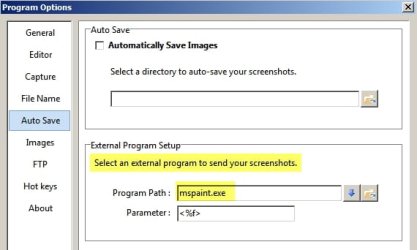
Maybe take a look a GreenShot

You need a stable release though and there are a few builds available.

If you use custom install options you can include / exclude some plugins. You can also send captured screenshots to Paint for further editing via the file menu.
 

My Computer

Computer type
Laptop
Computer Manufacturer/Model Number
ASUS
OS
Microsoft Windows 7 Home Premium 64-bit 7601 Multiprocessor Free Service Pack 1
CPU
AMD C-60 APU with Radeon(tm) HD Graphics
Motherboard
ASUSTeK COMPUTER INC. X501U
Memory
4.00 GB
Graphics Card(s)
AMD Radeon HD 6290 Graphics
Sound Card
(1) AMD High Definition Audio Device (2) Realtek High Defi
Screen Resolution
1366 x 768 x 32 bits (4294967296 colors) @ 60 Hz
Hard Drives
Hitachi HTS545050A7E380 SATA Disk Device
Antivirus
Comodo CIS & FW, SecureAplus App Whitelisting, Threatfire
Browser
Cyberfox 64bit, Opera 64bit, Airfox
Other Info
Spy-The-Spy, HitmanPro.Alert, Norton Connect Safe, MJRegWatcher, BitDefender TrafficLight, Voodoo Shield, Zemana AntiMalware
Hi,
With gimp and I believe paint.net you can right click on a separate layer and click on merge down to combine the 2 or three layers
Just have them moved where you want them first :)
GIMP also has right click and select new from visible which is sort of self explanatory :)
 

My Computer

Computer type
PC/Desktop
Computer Manufacturer/Model Number
Custom assembled by me :}
OS
Win-7-Pro64bit 7-H-Prem-64bit
CPU
i7-5930K 2nd i9-9940x both water blocked VRM's too
Motherboard
ASUS SABERTOOTH X99 2nd ASUS x299 Apex
Memory
Trident-z 3200C14 2nd Trident-z 3600C16
Graphics Card(s)
EVGA 1080ti ftw3 2nd Titan Xp both water blocked
Sound Card
Built-in Realtek
Monitor(s) Displays
1-AOC G2460PG 24"G-Sync 144Hz/ 2nd 1-ASUS VG248QE 24" 144Hz
Screen Resolution
1920 x 1080 144Hz
Hard Drives
2-Samsung M.2 Evo & Evo Plus
2-Samsung 850 EVO 500GB SSD's/ 3-2.5 W.D. Black 1tb-&3-1tb/3-3.5 WD Black 1tb hdd's
PSU
EVGA SuperNOVA 1000-P2 2nd 1200-P2
Case
2-Corsair Obsidian Series 450D Black ATX Mid Tower
Cooling
Custom water loops
Keyboard
Logitech G710+/ 2nd Logitech G910
Mouse
2-RedDragon M901 Perdition 16400 dpi Gaming mouse = wired
Internet Speed
Comcast Ping 19ms 89.31mbps download speed 6.12mbps upload
Antivirus
Malwarebytes Pro/ Superantispyware Pro
Browser
FireFox & Pale moon
Other Info
2nd ASUS X299 Apex/Intel i9-9940x with Custom water loop/7H-Prem-x64/Corsair 450D case/Ram Trident-z 3600C16 4x8gb / Samsung970Evo plus 500gb SSD/Dual ssd EZ swap evo/PSU EVGA SuperNova 1200w-P2 80+Platinum/GPU Titan Xp /8-ML-140 on push-pull on 2-280GTX rads
Maybe take a look a GreenShot.
Hi, Callender, how are you ?

I agree that a screen shot program with editing capabilities is (in principle) the best option for what I'm trying to do. I have Greenshot installed, as well as Pic Pick and Ashampoo Snap 8. I tried (and uninstalled) many others. None of them fits the bill. There's always something (very basic) lacking. I almost always end up using Windows 7 Snipping Tool, which does almost nothing, but does it perfectly.

Which is much better than pretending to do a score of things, and getting half of them right.

Greenshot has one brilliant feature : you can order it to do automatically what you wish with your screen grab, as soon as it has been cut off the screen. Copy to the clipboard, copy into Word, save in some pre-set place, save to a cloud service...

And it has a rotten disability : it's not high DPI-aware, so that its embedded editor is practically useless. Its icons are so small that editing the screenshot in Greenshot is out of the question.

It also has a stupid, smart-alecky anti-feature : if you try to delineate the zone you want to grab starting from top left, and going downwards to the right, as is customary, then you get a label with the cursor coordinates right where you need to look carefully, in order to adjust the top left corner of your screen shot. So instead to help you, it gets in the way as though it were nagging you. The solution to that is to start on bottom right, and extend the capture upwards and left.

This is so unnatural that I have only discovered this solution a few minutes ago.

Oh, and also, Greenshot is green. This is hideous, and they should be prosecuted for that. This slimy green it uses to identify the selected zone is incredibly ugly. Also, it's inverted : it's the selected area which is coloured, whereas the correct thing to do is to put a layer of colour on the unselected area, so you can see the selected zone as you want it and as it will be : with its actual borders, and no added colour or effect.
 

My Computer

Computer type
PC/Desktop
Computer Manufacturer/Model Number
Custom build
OS
Windows 7 Home Premium 64-bit (OEM)
CPU
AMD Athlon II X4 640 (3 GHz, 4 cores)
Motherboard
Asus M4A 89 GTD Pro/USB3
Memory
Patriot 16Gb DDR3 1600 (2 kits of 2)
Graphics Card(s)
ATI Radeon HD 4290 (integrated)
Sound Card
AMD + Realtek HD Audio (integrated)
Monitor(s) Displays
Hewlett-Packard ZR2440w (24")
Screen Resolution
1920 x 1200
Hard Drives
Internal : Samsung SSD 860 EVO 250 Gb (system), Seagate Barrcuda 1 Tb (data), Western Digital Caviar Blue 500 Gb (archives).
External (USB) : 2 x 1 Tb 2,5" Seagate Barracuda (backups).
PSU
Corsair VX 450 W
Case
Antec Solo
Cooling
Cooler Master Hyper 212 Plus, 2 Nexus Real Silent Case fans
Keyboard
Cherry KC 1000
Mouse
Logitech M 90
Internet Speed
Fiber, 300 Mbit/s down, 200 Mbit/s up
Antivirus
Microsoft Security Essentials
Browser
Vivaldi, Tor
Other Info
BIOS Date: 07/18/11 Ver: 08.00.15.
Modem-router : provided by ISP
Hi,
So the name GreenShot is literal for the interface :shock:
 

My Computer

Computer type
PC/Desktop
Computer Manufacturer/Model Number
Custom assembled by me :}
OS
Win-7-Pro64bit 7-H-Prem-64bit
CPU
i7-5930K 2nd i9-9940x both water blocked VRM's too
Motherboard
ASUS SABERTOOTH X99 2nd ASUS x299 Apex
Memory
Trident-z 3200C14 2nd Trident-z 3600C16
Graphics Card(s)
EVGA 1080ti ftw3 2nd Titan Xp both water blocked
Sound Card
Built-in Realtek
Monitor(s) Displays
1-AOC G2460PG 24"G-Sync 144Hz/ 2nd 1-ASUS VG248QE 24" 144Hz
Screen Resolution
1920 x 1080 144Hz
Hard Drives
2-Samsung M.2 Evo & Evo Plus
2-Samsung 850 EVO 500GB SSD's/ 3-2.5 W.D. Black 1tb-&3-1tb/3-3.5 WD Black 1tb hdd's
PSU
EVGA SuperNOVA 1000-P2 2nd 1200-P2
Case
2-Corsair Obsidian Series 450D Black ATX Mid Tower
Cooling
Custom water loops
Keyboard
Logitech G710+/ 2nd Logitech G910
Mouse
2-RedDragon M901 Perdition 16400 dpi Gaming mouse = wired
Internet Speed
Comcast Ping 19ms 89.31mbps download speed 6.12mbps upload
Antivirus
Malwarebytes Pro/ Superantispyware Pro
Browser
FireFox & Pale moon
Other Info
2nd ASUS X299 Apex/Intel i9-9940x with Custom water loop/7H-Prem-x64/Corsair 450D case/Ram Trident-z 3600C16 4x8gb / Samsung970Evo plus 500gb SSD/Dual ssd EZ swap evo/PSU EVGA SuperNova 1200w-P2 80+Platinum/GPU Titan Xp /8-ML-140 on push-pull on 2-280GTX rads
Hi,
With gimp and I believe paint.net you can right click on a separate layer and click on merge down to combine the 2 or three layers
I have just learned to use layers with Paint.net. The implementation is not bad. Although it does seem a bit like overkill to use layers for a few boxes and arrows on a screen grab.
 

My Computer

Computer type
PC/Desktop
Computer Manufacturer/Model Number
Custom build
OS
Windows 7 Home Premium 64-bit (OEM)
CPU
AMD Athlon II X4 640 (3 GHz, 4 cores)
Motherboard
Asus M4A 89 GTD Pro/USB3
Memory
Patriot 16Gb DDR3 1600 (2 kits of 2)
Graphics Card(s)
ATI Radeon HD 4290 (integrated)
Sound Card
AMD + Realtek HD Audio (integrated)
Monitor(s) Displays
Hewlett-Packard ZR2440w (24")
Screen Resolution
1920 x 1200
Hard Drives
Internal : Samsung SSD 860 EVO 250 Gb (system), Seagate Barrcuda 1 Tb (data), Western Digital Caviar Blue 500 Gb (archives).
External (USB) : 2 x 1 Tb 2,5" Seagate Barracuda (backups).
PSU
Corsair VX 450 W
Case
Antec Solo
Cooling
Cooler Master Hyper 212 Plus, 2 Nexus Real Silent Case fans
Keyboard
Cherry KC 1000
Mouse
Logitech M 90
Internet Speed
Fiber, 300 Mbit/s down, 200 Mbit/s up
Antivirus
Microsoft Security Essentials
Browser
Vivaldi, Tor
Other Info
BIOS Date: 07/18/11 Ver: 08.00.15.
Modem-router : provided by ISP
My Computer

Computer type
Laptop
Computer Manufacturer/Model Number
ASUS
OS
Microsoft Windows 7 Home Premium 64-bit 7601 Multiprocessor Free Service Pack 1
CPU
AMD C-60 APU with Radeon(tm) HD Graphics
Motherboard
ASUSTeK COMPUTER INC. X501U
Memory
4.00 GB
Graphics Card(s)
AMD Radeon HD 6290 Graphics
Sound Card
(1) AMD High Definition Audio Device (2) Realtek High Defi
Screen Resolution
1366 x 768 x 32 bits (4294967296 colors) @ 60 Hz
Hard Drives
Hitachi HTS545050A7E380 SATA Disk Device
Antivirus
Comodo CIS & FW, SecureAplus App Whitelisting, Threatfire
Browser
Cyberfox 64bit, Opera 64bit, Airfox
Other Info
Spy-The-Spy, HitmanPro.Alert, Norton Connect Safe, MJRegWatcher, BitDefender TrafficLight, Voodoo Shield, Zemana AntiMalware
Yeah... now that you mention it... Pic Pick. That's a beautiful application. You had me fetching it again from my Systray... play with it... and that's probably the solution. It has a very nice embedded editor.

I guess it's the very concepts of a paint program I did not grasp : canvas, select... I miraculously dug up some notes I had jotted down about Paint.net, then forgot. Don't know where I found the material, though, because when I visited Paint.net site yesterday, I could not find any help worthy of the name. Plenty of instruction lists, plenty of "tutorials" on very specific achievements, but no manual, no explanation of concepts, no overview of the product.
 

My Computer

Computer type
PC/Desktop
Computer Manufacturer/Model Number
Custom build
OS
Windows 7 Home Premium 64-bit (OEM)
CPU
AMD Athlon II X4 640 (3 GHz, 4 cores)
Motherboard
Asus M4A 89 GTD Pro/USB3
Memory
Patriot 16Gb DDR3 1600 (2 kits of 2)
Graphics Card(s)
ATI Radeon HD 4290 (integrated)
Sound Card
AMD + Realtek HD Audio (integrated)
Monitor(s) Displays
Hewlett-Packard ZR2440w (24")
Screen Resolution
1920 x 1200
Hard Drives
Internal : Samsung SSD 860 EVO 250 Gb (system), Seagate Barrcuda 1 Tb (data), Western Digital Caviar Blue 500 Gb (archives).
External (USB) : 2 x 1 Tb 2,5" Seagate Barracuda (backups).
PSU
Corsair VX 450 W
Case
Antec Solo
Cooling
Cooler Master Hyper 212 Plus, 2 Nexus Real Silent Case fans
Keyboard
Cherry KC 1000
Mouse
Logitech M 90
Internet Speed
Fiber, 300 Mbit/s down, 200 Mbit/s up
Antivirus
Microsoft Security Essentials
Browser
Vivaldi, Tor
Other Info
BIOS Date: 07/18/11 Ver: 08.00.15.
Modem-router : provided by ISP

My Computer

Computer type
PC/Desktop
Computer Manufacturer/Model Number
Mellon Labs (custom build)
OS
Win 7 Pro x64/Win 10 Pro x64 dual boot
CPU
AMD FX 8350 Vishera @ 4200
Motherboard
ASUS M5A97 R2.0
Memory
16 GB Mushkin Blackline DDR3-2400 @ 1866 (9-10-10-10-31)
Graphics Card(s)
XFX Radeon R9 280 Double D Black Edition
Sound Card
Realtek HD Audio on MB. Sounds great.
Monitor(s) Displays
Acer 24", Acer 22"
Screen Resolution
3840 x 1080
Hard Drives
1 x Mushkin Chronos 120 GB SSD (Win 10)
1 x Samsung 850 EVO 250 GB SSD (Win 7)
1 x WD 1TB SATA Blue
1 x WD 1TB SATA Green
PSU
Corsair TX-750
Case
CoolerMaster HAF 912+
Cooling
Coolermaster Seidon 240M Liquid AIO. 6 case fans
Keyboard
Logitech G710+
Mouse
Logitech G500s
Internet Speed
Much better since I got fiber, but still way overpriced.
Antivirus
MSE, Malware Bytes for scanning
Browser
Firefox
Other Info
Corsair VOID USB headphones.

A Mellon Labs X-1 - LCD Smartie driven system status display.

Brought to you by the letter E
Thank you, Mellon Head... That's exactly the sort of information I could not find on Paint.net site. Small things such as :
By importing a photo, the image size will automatically determine the canvas size.
Which make all the difference. That's why, when selecting software, the existence of things such as a proper help file, knowledge base, user forum with developers chiming in are at least as important to me as the features themselves.
 

My Computer

Computer type
PC/Desktop
Computer Manufacturer/Model Number
Custom build
OS
Windows 7 Home Premium 64-bit (OEM)
CPU
AMD Athlon II X4 640 (3 GHz, 4 cores)
Motherboard
Asus M4A 89 GTD Pro/USB3
Memory
Patriot 16Gb DDR3 1600 (2 kits of 2)
Graphics Card(s)
ATI Radeon HD 4290 (integrated)
Sound Card
AMD + Realtek HD Audio (integrated)
Monitor(s) Displays
Hewlett-Packard ZR2440w (24")
Screen Resolution
1920 x 1200
Hard Drives
Internal : Samsung SSD 860 EVO 250 Gb (system), Seagate Barrcuda 1 Tb (data), Western Digital Caviar Blue 500 Gb (archives).
External (USB) : 2 x 1 Tb 2,5" Seagate Barracuda (backups).
PSU
Corsair VX 450 W
Case
Antec Solo
Cooling
Cooler Master Hyper 212 Plus, 2 Nexus Real Silent Case fans
Keyboard
Cherry KC 1000
Mouse
Logitech M 90
Internet Speed
Fiber, 300 Mbit/s down, 200 Mbit/s up
Antivirus
Microsoft Security Essentials
Browser
Vivaldi, Tor
Other Info
BIOS Date: 07/18/11 Ver: 08.00.15.
Modem-router : provided by ISP
I use PaintdotNet a lot. If you "copy" an image, any image, click on "new",or 'file - new' or ctrl-N, a new file opens with the same dimensions as your 'copied' file. Then click on 'paste'/or ctrl-V, walla, , , PDN default size is 800x600.

-c-

edit: (fwiw, I use Graphics Workshop & occasionally mspaint, copying an image in any of these 3 (PDN also) progs, you can paste to/in the other two)
 
Last edited:

My Computer

Computer type
Laptop
Computer Manufacturer/Model Number
toshiba 505
OS
Windows 7 Home Premium bit
CPU
amd?
Motherboard
?
Memory
4 gig
Monitor(s) Displays
Samsung S27D360 &S24D300 - Acer K222HQL - Eizo 21" (4x3)
Screen Resolution
1280 x 720 -1600x900 - (eizo 1024x768
Hard Drives
240 ssd
PSU
amd (?)
Mouse
logitech tackball
Antivirus
360 total security
Browser
firefox portable 29.0.1
Back
Top