Hi all
I am struggling a little bit with my homegroup security settings and cannot seem to find a solution hope you can help...
ill try and explain my problem the best I can
I have got a Desktop computer running Windows 7 64bit
with two hard drives C and D
C: only contains software stuff
D: Contains Document Files only
On the homegroup I also have a Laptop when I view the D drive on the Desktop from the laptop but for some reason I cannot either copy or save edited files it comes up with "you need permisson to perform this action"
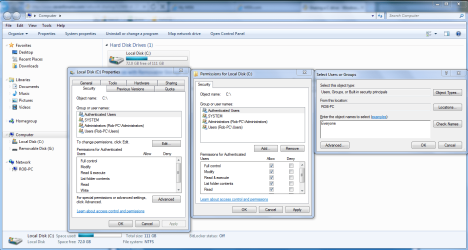
I have looked everywhere on the Desktop on the security tab but cannot find anything to help any ideas?
So in summery I have a Laptop I want to view and Edit files from the desktop but denies me access to do so
I am struggling a little bit with my homegroup security settings and cannot seem to find a solution hope you can help...
ill try and explain my problem the best I can
I have got a Desktop computer running Windows 7 64bit
with two hard drives C and D
C: only contains software stuff
D: Contains Document Files only
On the homegroup I also have a Laptop when I view the D drive on the Desktop from the laptop but for some reason I cannot either copy or save edited files it comes up with "you need permisson to perform this action"
I have looked everywhere on the Desktop on the security tab but cannot find anything to help any ideas?
So in summery I have a Laptop I want to view and Edit files from the desktop but denies me access to do so
My Computer
- OS
- Windows 7 64bit