
holleymc
New member
:shock:Hello all! I'm in hopes someone can offer some suggestions! I've searched for months and tried just about every tutorial I can find, now its all turned to mush. I have two desktops, one running W7 home premium 64bit that has an ethernet connection to a linksys e3000 wireless router. My other desktop is XP Pro SP3 with a Linksys wireless adapter. Both pcs can access the net, but cannot "see" each other.
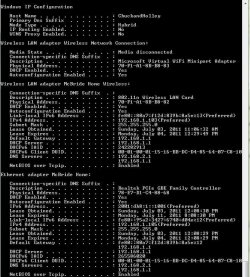
This is my Ipconfig /all
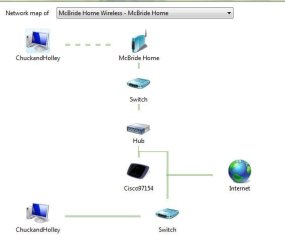
my network map
After going thru the tutorial in http://www.sevenforums.com/tutorials/53830-file-sharing-between-xp-w7-vice-versa.html#post779715 I was able to at least see one folder (Elements) while on the XP machine.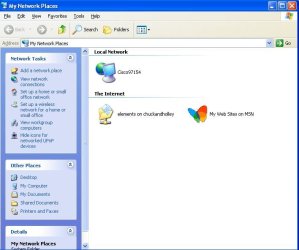 . But I still get the "Workgroup is not accessible. You might not have permission to use
this network resource. Contact the administrator of this server to
find out if you have access permission" No network path".
All firewalls have been disabled, TCIP Net Bios is enabled, no passwords, file sharing is enabled.
This is my Ipconfig /all
my network map
After going thru the tutorial in http://www.sevenforums.com/tutorials/53830-file-sharing-between-xp-w7-vice-versa.html#post779715 I was able to at least see one folder (Elements) while on the XP machine.
. But I still get the "Workgroup is not accessible. You might not have permission to usethis network resource. Contact the administrator of this server to
find out if you have access permission" No network path".
All firewalls have been disabled, TCIP Net Bios is enabled, no passwords, file sharing is enabled.
Last edited:
My Computer
At a glance
Windows 7 Home Premium (64-bit)AMD Phenom II x4 830 2.8 GHz8GBIntegrated ATI Radeon HD4200
- Computer Manufacturer/Model Number
- HP Pavilion P65401f
- OS
- Windows 7 Home Premium (64-bit)
- CPU
- AMD Phenom II x4 830 2.8 GHz
- Motherboard
- H-RS880-uATX (Aloe)
- Memory
- 8GB
- Graphics Card(s)
- Integrated ATI Radeon HD4200
- Sound Card
- Integrated Realtec ALC888S
- Hard Drives
- 1 TB internal SATA and 2 TB external WD
- PSU
- 250w
- Case
- Midsize ATX
- Internet Speed
- 10mg
