criminalist
New member
- Local time
- 2:28 AM
- Messages
- 37
Regardless of browser, if I choose "print" and then "save as pdf", the document is saved as "Firefox PDF Document". It is the only choice in the printer dialogue box.
The other option simply reads "All Files".
How do I get rid of the "Firefox PDF Document" when saving documents, such as confirmations of purchases.
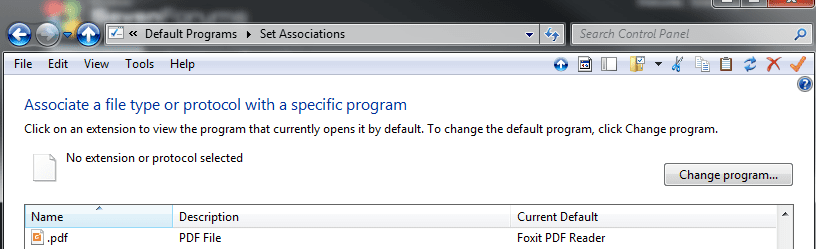
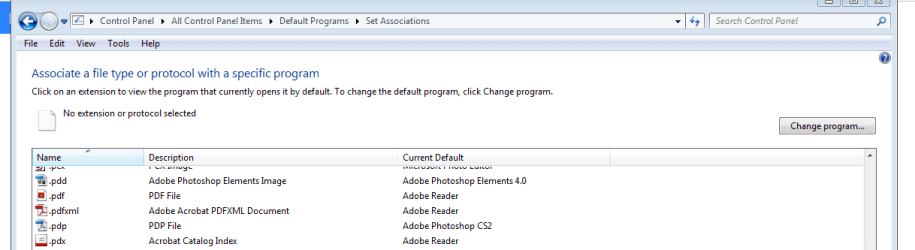
Yes, I have researched this, but I'm beginning to think that I am the only one with the issue. All I could get from search engines was to visit about:config and change browser.download.open_pdf_attachments_inline to false in the firefox browser. That is not the issue. Granted, the pdf opens in firefox, if I'm using the browser, but I don't use it often. (Yes, I have gone into "default programs" on my PC and verified that Adobe is the default program for pdf.)
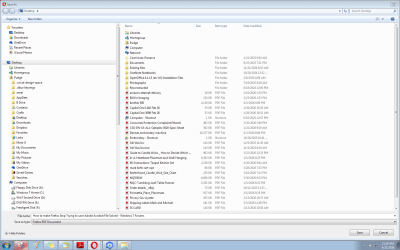
To show what I mean, I "printed" a page from the forum. I clicked "Save as PDF" and then took a screenshot.
The other option simply reads "All Files".
How do I get rid of the "Firefox PDF Document" when saving documents, such as confirmations of purchases.
Yes, I have researched this, but I'm beginning to think that I am the only one with the issue. All I could get from search engines was to visit about:config and change browser.download.open_pdf_attachments_inline to false in the firefox browser. That is not the issue. Granted, the pdf opens in firefox, if I'm using the browser, but I don't use it often. (Yes, I have gone into "default programs" on my PC and verified that Adobe is the default program for pdf.)
To show what I mean, I "printed" a page from the forum. I clicked "Save as PDF" and then took a screenshot.
Attachments
My Computers
-
At a glance
Windows 7 Professional 64AMD Phenom II X4 840 3.2GHzBallistix Sport 16GB (2 x 8GB) DDR3 1600NVIDIA GeForce GT 610- Computer type
- PC/Desktop
- Computer Manufacturer/Model Number
- Me
- OS
- Windows 7 Professional 64
- CPU
- AMD Phenom II X4 840 3.2GHz
- Motherboard
- MSI 970A-G43 Plus
- Memory
- Ballistix Sport 16GB (2 x 8GB) DDR3 1600
- Graphics Card(s)
- NVIDIA GeForce GT 610
- Hard Drives
- ST2000DM 008-2FR102 SATA Disk Device
-
At a glance
Windows 10i5-45908GB DDR3Intel HD 4600- Computer type
- PC/Desktop
- System Manufacturer/Model Number
- Dell Optiplex 3020
- OS
- Windows 10
- CPU
- i5-4590
- Motherboard
- 0WMJ54
- Memory
- 8GB DDR3
- Graphics Card(s)
- Intel HD 4600
- Monitor(s) Displays
- Samsung
- Hard Drives
- WD5000AAKX ATA Device