

I can'y find this answer so I am falling back on the best forum ever...this one.
During Flash playback I will normally watch in "full screen" works great. In the last months more and more videos are playing with the "Press ESC to exit full screen mode" message always displayed. Now it's happening on YouTube. This is the last straw. I can't take it. It does not disappear like it's supposed to.
I have tried the Flash Player settings manager and adjusted every setting to see if this is the problem. No help. I think it may be the hosting site but I don't know. Some YouTube videos work like normal and some don't. This happens on other sites too. Have you had this problem and fixed it? Do you know how to fix it. Please help me out here. I have searched the net and no solutions exist that I can find.
I found an article on "issues" for Flash full screen. They said to update drivers. I updated to 191.07 (latest Nvidia driver) No help.
Tried IE8 and the latest flash plugin (for both IE and Chrome) No help.
Please....this is killing me.
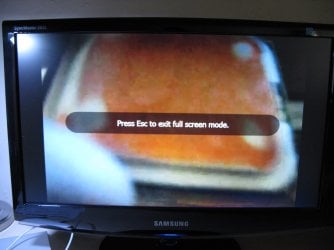
During Flash playback I will normally watch in "full screen" works great. In the last months more and more videos are playing with the "Press ESC to exit full screen mode" message always displayed. Now it's happening on YouTube. This is the last straw. I can't take it. It does not disappear like it's supposed to.
I have tried the Flash Player settings manager and adjusted every setting to see if this is the problem. No help. I think it may be the hosting site but I don't know. Some YouTube videos work like normal and some don't. This happens on other sites too. Have you had this problem and fixed it? Do you know how to fix it. Please help me out here. I have searched the net and no solutions exist that I can find.
I found an article on "issues" for Flash full screen. They said to update drivers. I updated to 191.07 (latest Nvidia driver) No help.
Tried IE8 and the latest flash plugin (for both IE and Chrome) No help.
Please....this is killing me.
Last edited:
My Computer
- Computer Manufacturer/Model Number
- Keeps changing - (Custom)
- OS
- Windows 7 Professional x64
- CPU
- Intel Core i7 860
- Motherboard
- Gigabyte GA-P55-UD4P
- Memory
- 4GB DDR3 Mushkin 1600Mhz @ 7-8-7-20
- Graphics Card(s)
- MSI GTS250 1GB DDR3 Twin Frozr
- Sound Card
- Onboard realtek
- Monitor(s) Displays
- Samsung SyncMaster 24" P2450 + Samsung 20" 2033
- Screen Resolution
- 1920 X 1080 and 1600 X 900 (#2 system 1440 X 900)
- Hard Drives
- Patriot Inferno 120GB SSD + 3 WD Blue 640GB drives
- PSU
- Corsair 750 HX Modular
- Case
- Lancool PC-K62
- Cooling
- Cooler Master TX3 CPU cooler and 4-140mm and 1-120mm case
- Keyboard
- Gigabyte USB keyboard
- Mouse
- Microsoft wireless laser mouse 5000
- Internet Speed
- 7 Mb down 1.5 up
- Other Info
- System #2: AMD Phenom II X6 1055T (Freezer 7 Pro cooler) - Gigabyte 880GMA-UD2H - WD 500GB Black - 9500GT (1GB) 500W OCZ modular PSU - Antec 200 case. System #3 (LapTop) Core 2 Duo T6670 - 320GB 7200RPM HD - 4GB DDR3 RAM.
