Here’s a very bizarre one:
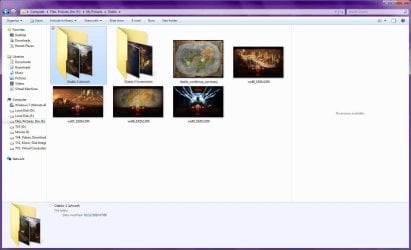
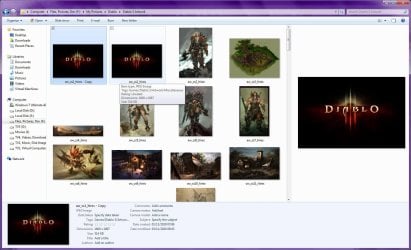
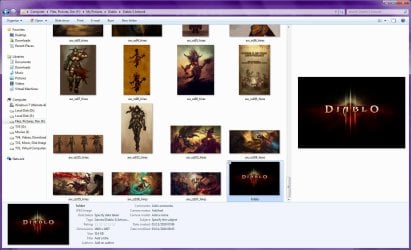
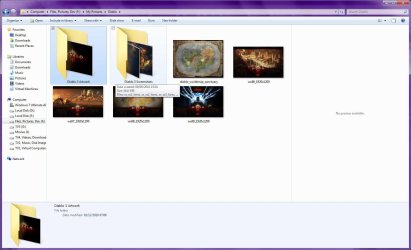
I’m using the Customize features in the Folder Properties in Windows 7. I have a whole lot of images of old cars arranged in folders by manufacturer. Each folder image is the manufacturer’s logo, which looks very cool. All very well and good. But now once in a while when I make a new folder, rename it, or sometimes just move it, one of those images will show up on the icon of the new folder! It can be any of them at random. Mind you, the image isn’t in the folder itself, it’s getting it from somewhere else. I can make it go away by using the Restore Default button, but it’s very annoying. Is a bug? What’s going on?
Darrell Leland
I’m using the Customize features in the Folder Properties in Windows 7. I have a whole lot of images of old cars arranged in folders by manufacturer. Each folder image is the manufacturer’s logo, which looks very cool. All very well and good. But now once in a while when I make a new folder, rename it, or sometimes just move it, one of those images will show up on the icon of the new folder! It can be any of them at random. Mind you, the image isn’t in the folder itself, it’s getting it from somewhere else. I can make it go away by using the Restore Default button, but it’s very annoying. Is a bug? What’s going on?
Darrell Leland
My Computer
At a glance
Windows 7 Professional 64 biti7 9206 gigabytesnVidia Quadro FX 1800
- Computer Manufacturer/Model Number
- Custom machine
- OS
- Windows 7 Professional 64 bit
- CPU
- i7 920
- Motherboard
- ASUS P6T Deluxe V2
- Memory
- 6 gigabytes
- Graphics Card(s)
- nVidia Quadro FX 1800
- Sound Card
- Creative SB Audigy 2
- Monitor(s) Displays
- IBM 21" CRT
- Screen Resolution
- 1600 x 1200
- Hard Drives
- Hitachi 1 TB Main Drive
Western Digital 1 TB Storage
Western Digital 2 TB Projects
- Keyboard
- Logitec Access 600
- Mouse
- Logitec M100