Folder Levels - selecting folders

amanxman

New member
Local time
10:42 AM
Messages
4
Hey,

Sorry if this is in wrong place but none of others seem to match either...!

Wierd problem...

I'm browsing for a folder to select - for example in Dreamweaver I set a folder as the root folder for a site... so click the Browse... button

If I navigate in to:
D:\My Sites\Site A

and click Select, the selected folder ends up being D:\My Sites, ignoring the sub level I was in.

To set it as D:\My Sites\Site A, I need to navigate to D:\My Sites\Site A\Sub Folder and hit select...

Now it sets the folder as D:\My Sites\Site A

So it's like it's always stepping back one folder.

Happens elsewhere when this Select Folder option is used - Dreamweaver just an example.

Any ideas?!

Cheers
 

My Computer

OS
Windows 7
Are you quite sure you're in the target folder at the point where you think you've selected it, as opposed to being in the parent folder and only highlighting the intended destination folder?

Notepad example:
- I want to save a text file in D:\ABC\XYZ.
- I type up my masterpiece in Notepad and click File | Save As...
- I double-click the D:\ABC folder. I'm now "in it", and I can see the XYZ folder in there.
- I have to double-click XYZ in order to "be in there" at the point where I save the file. Otherwise, if I'm in ABC with the XYZ folder highlighted, the file will end up in D:\ABC.

The fact that the folder is highlighted is ignored for the purposes of that particular dialog box. However, that same dialog (in comctl32.dll) is used by a whole bunch of apps, so they'll all behave the same way.
 

My Computer

Computer Manufacturer/Model Number
Multiple machines in various stages of decomposition.
OS
Win7x64
Yup, definately "IN" the directory rather than just looking at it from above :)

Made a 'sequence' with attached images

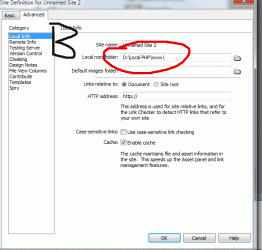
a) Within folder D:\Local PHP\www\Dot Dev I - Z
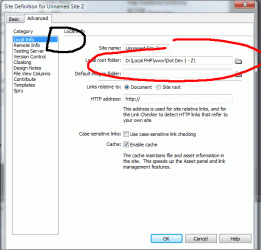
b) Once hit submit, the Local Root folder is only D:\Local PHP\www\
c) So now go within folder D:\Local PHP\www\Dot Dev I - Z\Mannifestlive which itself is within D:\Local PHP\www\Dot Dev I - Z
d) After submit, now, we see the Local Root folder is only D:\Local PHP\www\Dot Dev I - Z

Hope that's clear! It's very odd...

Ive just noticed, if you look at image A - at the bottom, it STILL says "select: www", not the folder we're in (Dot Dev I - Z)... so it's not updating as you go into the folder.

If I then go into a sub folder of this, and then back up again to Dot Dev I - Z, select now says "select: Dot Dev I - Z".

So it's like it's not refreshing as I navigate up/in...

Humz
 

Attachments

  • a.gif
    a.gif
    30.2 KB · Views: 6
  • b.gif
    b.gif
    20.8 KB · Views: 7
  • c.gif
    c.gif
    26.7 KB · Views: 9
  • d.gif
    d.gif
    24.3 KB · Views: 8

My Computer

OS
Windows 7
Back
Top