
Hey guys! I would like to know how i can get a folder to automatically name itself the name of the folder it's created in...when i create it.
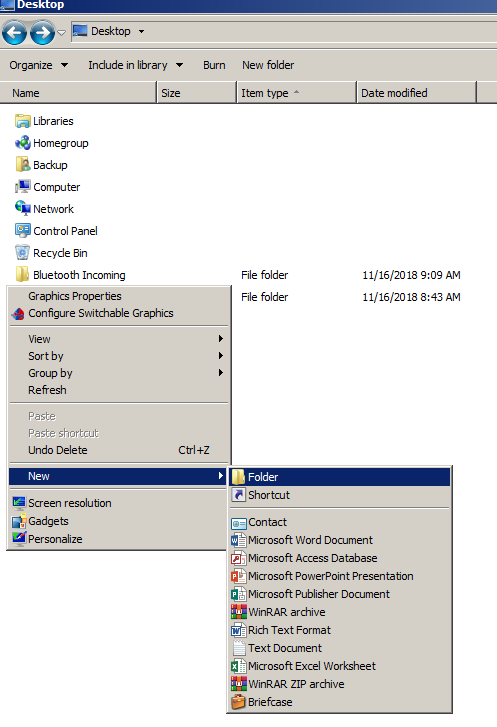
You know how when you right click in a folder and select "New > Folder" and it creates a folder and names it "New Folder" with the name already highlighted and ready to be renamed. Like this:
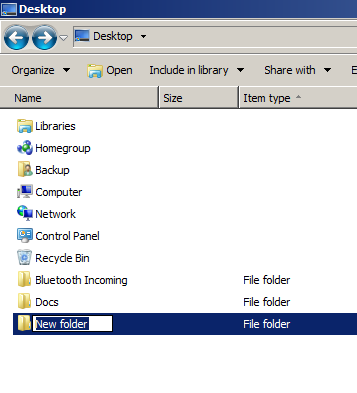
Well, instead of "New Folder", i want it to be the name of the folder it's in. So in the example above it would be "Desktop". Actually, I would also like it to include - for lack of a better term - it's grandparents name, in it's name, separated by and underscore between each parent. So continuing with the example above, it would be "Backup_Desktop".
Now obviously it could keep on going back to the hard disk partition name which would make it look like this "C_Users_Backup_Desktop", but i'd like to have an option to set a limit as to how far back it goes ack.
Here is an example of what i'm looking for:
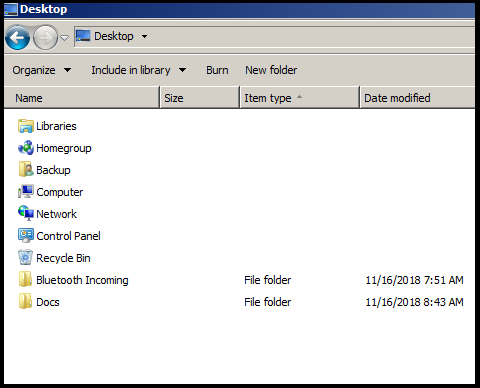
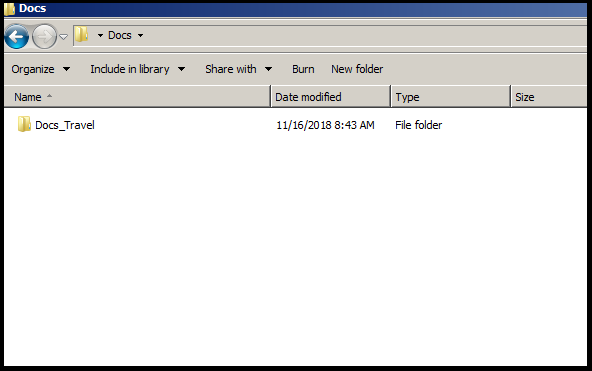
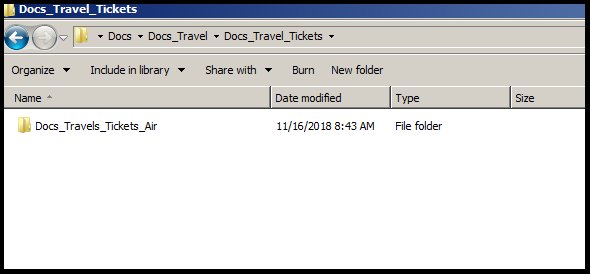

Much appreciate any point in the right direction!
You know how when you right click in a folder and select "New > Folder" and it creates a folder and names it "New Folder" with the name already highlighted and ready to be renamed. Like this:
Well, instead of "New Folder", i want it to be the name of the folder it's in. So in the example above it would be "Desktop". Actually, I would also like it to include - for lack of a better term - it's grandparents name, in it's name, separated by and underscore between each parent. So continuing with the example above, it would be "Backup_Desktop".
Now obviously it could keep on going back to the hard disk partition name which would make it look like this "C_Users_Backup_Desktop", but i'd like to have an option to set a limit as to how far back it goes ack.
Here is an example of what i'm looking for:
Much appreciate any point in the right direction!
My Computer
At a glance
Windows 7 Home Premium 64bitIntel Core i5 430M @ 2.27GHz4.00GB Dual-Channel DDR3 @ 532MHz (7-7-7-20)ATI Mobility Radeon HD 5650 (1366x768@60Hz)
- Computer type
- PC/Desktop
- Computer Manufacturer/Model Number
- dv6-3042ee
- OS
- Windows 7 Home Premium 64bit
- CPU
- Intel Core i5 430M @ 2.27GHz
- Motherboard
- HP 144A 1066 MHz
- Memory
- 4.00GB Dual-Channel DDR3 @ 532MHz (7-7-7-20)
- Graphics Card(s)
- ATI Mobility Radeon HD 5650 (1366x768@60Hz)
- Hard Drives
- 1T TOSHIBA MQ04ABF100 ATA Device (HDD)
- Antivirus
- Avast
- Browser
- Opera


