From what I can tell from a quick Google search, I think that DMI info has something to do with your motherboard and your hard drive. I can't find anything that tells you how to get rid of it, though. But these two pages might be able to help you, I don't know:
What is DMI Pool Data? and
Boot - What is DMI Pool Data and why is it verified? Sorry, I'm not familiar enough with this to help much with that coming up. Could you post a screenshot of the message it gives you?
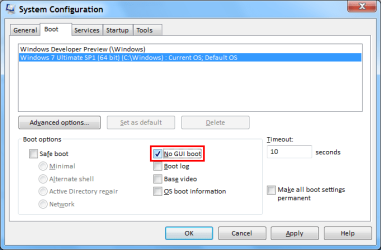
For the Windows insignia, if you mean the four red, yellow, green, and blue dots that swirl around and form the windows logo at boot, there's no way to really speed that up. Basically, the computer has to take time to load all of the drivers and settings for your computer into memory, and perform other housekeeping tasks at boot up. That little animation just gives you something to look at while it does all this. If you were to actually remove that animation, you would just get a bunch of DOS-like text scrolling across your screen that tells you what the computer is doing to boot up. (and I think there should be a setting somewhere in your BIOS called "verbose boot" or something similar that you can enable to do this, if you really want). But you can't just remove it and make it go straight to your login screen. The computer is going to take the same amount of time to boot up regardless. However, there are way to change that animation to something else if you want. I'll find you a link to doing that if you're interested, but it probably won't be very easy.
As for changing BIOS settings to speed it up, it should be in more or less the optimal configuration already. You might be able to overclock it, but that's probably not going to do you much good for the amount of time it will take to set up properly. If you're interested in that, these forums have an
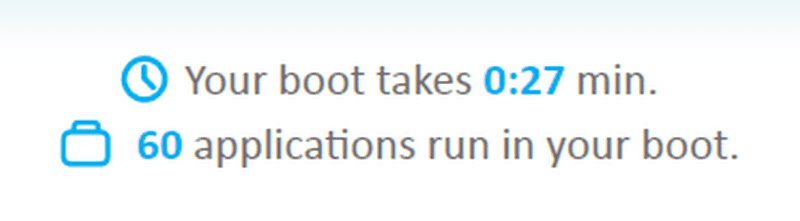
Overclocking section where you can get help with that. But Soluto is gonna be the biggest asset to significant boot speed reductions. Much anything else is going to take a lot of effort, and will only be shaving off seconds or fractions of a second.
If you really want improved boot times, you can buy a Solid State Hard Drive (SSD) because those offer greatly enhanced access speeds. But they're really expensive and don't hold a lot of space.
Hope this helps