Frozen at Windows Resume Loader.

baboun

New member
Local time
4:20 AM
Messages
2
My PC has been stuck on this screen for weeks upon weeks. I've tried plugging an PS2 Keyboard but it doesn't work. For some reason the arrow keys don't work, but instead it uses Caps Lock, End, Delete, ; or * on my num pad. I have literally no idea what's going on. I've looked at other solutions and they seem to be either to get a PS2 Keyboard which i have, or accessing the Advanced Boot Menu, which i cannot access.

What do I do?
 

My Computer My Computer

OS
Windows 7
You mean the Resuming Windows screen shown after starting up from hibernate? Otherwise explain what "Loader" you mean.

I would first boot the Win7 DVD Repair console or Repair CD to run Startup Repair several times. Post back what it reports.
 
As my computer turns on, it automatically goes to this screen. I'm able to go to boot menu, etc but i'm not able to select anything. I'm able to cycle through the options with my Ps/2 keyboard, but not with the arrow keys, and as mentioned earlier, it substitutes the arrow keys with caps lock and others, but I can't exactly choose any option because when i press enter, it doesn't respond. I would try to use your recommendation, but my keyboard doesn't exactly work.

Sorry for the late reply, as my internet cut out for a couple of days
 

My Computer My Computer

OS
Windows 7
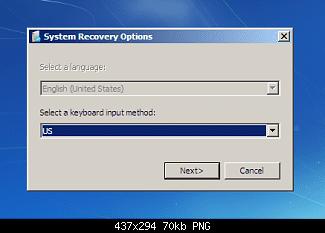
Boot into DVD Repair console or System Repair Disk, select the correct keyboard, then run Startup Repair repeatedly.

repair_CD_01.png

I gave you the step earlier to boot into the DVD/Repair CD and you ignored it. Why? If you want help here you need to follow all of the steps given and report back results for each step, or questions on how to get them done.
 
Last edited by a moderator:
Back
Top