Full Surround Sound Not Working!

Sanzone

New member
Local time
3:45 AM
Messages
19
Hello, recently I upgraded my computer OS from Vista to Windows 7 and I gotta say I'm impressed. But what I'm not impressed about is the sound problem I'm dealing with now. I recently downloaded the latest RealTek Hd Audio Manager program (2.44) for my computer and for my 5.1 speakers I only get sound from the from the front two speakers, the center speaker and my subwoofers. So basically the two speakers behind me have no audio coming out of them what so ever. It's not the speakers or the sound card, because when I do the test play on the RT HD Audio Manager ( the blue play button in the box ) I get sound confirmation from each peripheral. So I also e-mailed RealTek's tech support and haven't gotten any reply. So I was wondering if anyone else had this problem and is there anyway to solve it with options here and there. Thank you so very much.
 

My Computer

OS
Windows 7
I have the same problem any ideas about how to fix it?
 

My Computer

OS
windows
Hello, recently I upgraded my computer OS from Vista to Windows 7 and I gotta say I'm impressed. But what I'm not impressed about is the sound problem I'm dealing with now. I recently downloaded the latest RealTek Hd Audio Manager program (2.44) for my computer and for my 5.1 speakers I only get sound from the from the front two speakers, the center speaker and my subwoofers. So basically the two speakers behind me have no audio coming out of them what so ever. It's not the speakers or the sound card, because when I do the test play on the RT HD Audio Manager ( the blue play button in the box ) I get sound confirmation from each peripheral. So I also e-mailed RealTek's tech support and haven't gotten any reply. So I was wondering if anyone else had this problem and is there anyway to solve it with options here and there. Thank you so very much.

Its either a driver issue, or a configuration issue. Was the driver you downloaded a win 7 driver or vista driver? what ever driver worked for you in vista will work here in win 7. It will need to be installed in "compatibility" mode.
To install in compat>right click the installer>properties>compatibility>check vista.

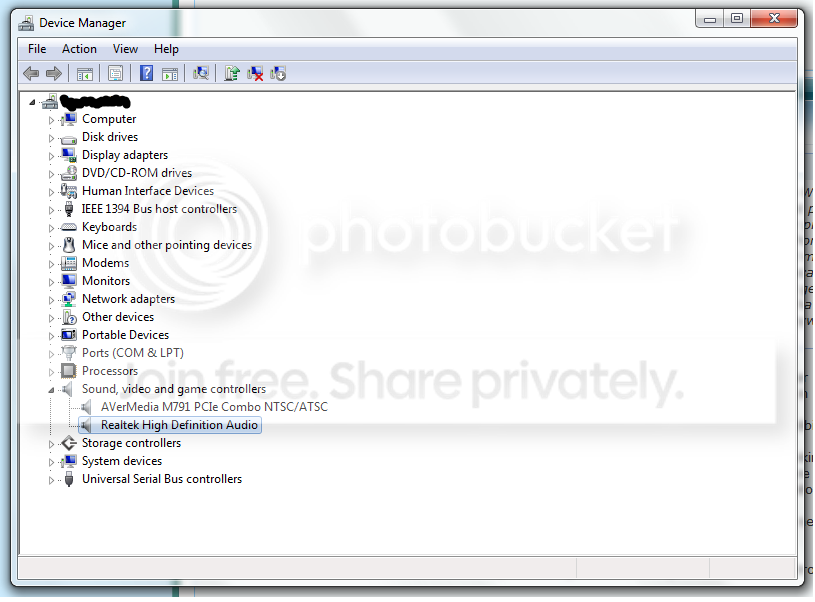
You can check to see if your current driver is installed and working by going into device manager. type device manager in search>go to the sound tab. make sure there are no yellow triangles (not working) on it. Also check to see if there are any unknown devices with yellow triangles on them

Sometimes it helps to un-install the driver and let win 7 find a new one.


If that doesnt help we can go and re-configure the sound control panel settingws.


Let us know if you need help with this

Ken
 

My Computer

Computer Manufacturer/Model Number
HP Pavillion dv-7 1005 Tx
OS
Win 8 Release candidate 8400
CPU
[email protected]
Memory
4 gigs
Graphics Card(s)
Nvidia 9600M
Sound Card
HD built-in
Monitor(s) Displays
17" Wxga
Screen Resolution
1440x900
Cooling
none
Internet Speed
45Mb down 5Mb up
Updating the audio driver might help :)
 

My Computer

Computer type
PC/Desktop
Computer Manufacturer/Model Number
Custom Build
OS
Windows 10 Pro x64, Arch Linux
CPU
Intel Core 2 Quad Q8200 OC'd 3.08GHz
Motherboard
Asus Rampage formula LGA775
Memory
8GB DDR2 900Mhz
Graphics Card(s)
MSI GT730 2GB GDDR5 (Kepler)
Sound Card
Supreme FX2
Monitor(s) Displays
Samsung LS22F350 LED
Screen Resolution
1080P
Hard Drives
Kingston SSDNow UV400 120GB, 500GB Hitachi, 2TB Samsung, 500GB Seagate FreeAgent, 640GB Samsung, 160GB Toshiba (Arch)
PSU
AeroCool 500W Bronze
Cooling
Cooler Master V6 + 3X fans
Keyboard
Prolink keyboard
Mouse
Logitech M705
Internet Speed
1MiB/s
Browser
Chrome Beta
Hello, recently I upgraded my computer OS from Vista to Windows 7 and I gotta say I'm impressed. But what I'm not impressed about is the sound problem I'm dealing with now. I recently downloaded the latest RealTek Hd Audio Manager program (2.44) for my computer and for my 5.1 speakers I only get sound from the from the front two speakers, the center speaker and my subwoofers. So basically the two speakers behind me have no audio coming out of them what so ever. It's not the speakers or the sound card, because when I do the test play on the RT HD Audio Manager ( the blue play button in the box ) I get sound confirmation from each peripheral. So I also e-mailed RealTek's tech support and haven't gotten any reply. So I was wondering if anyone else had this problem and is there anyway to solve it with options here and there. Thank you so very much.

Its either a driver issue, or a configuration issue. Was the driver you downloaded a win 7 driver or vista driver? what ever driver worked for you in vista will work here in win 7. It will need to be installed in "compatibility" mode.
To install in compat>right click the installer>properties>compatibility>check vista.

You can check to see if your current driver is installed and working by going into device manager. type device manager in search>go to the sound tab. make sure there are no yellow triangles (not working) on it. Also check to see if there are any unknown devices with yellow triangles on them

Sometimes it helps to un-install the driver and let win 7 find a new one.


If that doesnt help we can go and re-configure the sound control panel settingws.


Let us know if you need help with this

Ken

Hi Ken,
I tried both methods but still can't get my rear speakers to work.
Devicemanager.png

Here's a picture of the Device Manager method.

Compatibility.png

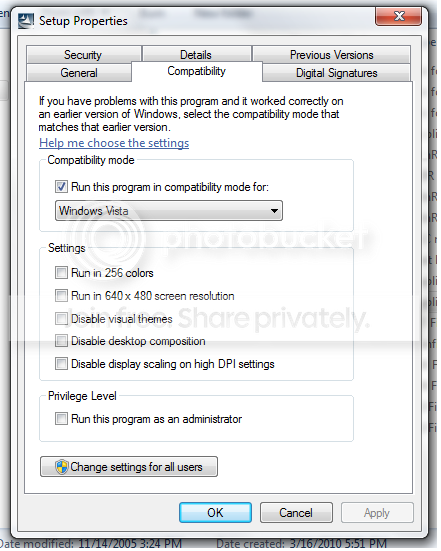
And, here's a picture of when I tried to run it in compatibility.
I'm not sure if i followed your instructions properly for this step but I right clicked the Setup.exe , went to properties, then went to Compatibility tab and switched it to Windows Vista. Then I ran the Setup.exe again, and it made no difference.

I downloaded the driver update from RealTek's website:
Realtek
And it's up to date and says it's for both Vista and Windows 7.

Please help with the next step.
 

My Computer

OS
Windows 7
Have you tried digging a little bit deeper into the Speakers and Headphones Properties, there is an Enhancements tab which you can tick/untick.
 

My Computer

OS
Windows XP - Now Windows 7 Home Premium (64-bit).
Have you tried digging a little bit deeper into the Speakers and Headphones Properties, there is an Enhancements tab which you can tick/untick.

Yes I have. The only options I get under the Enhancements tab are:
Environment
Voice Cancellation
Pitch Shift
Equalizer
Swap Center/Subwoofer Speaker
Loudness Equalization
Bass Management
Room Correction
 

My Computer

OS
Windows 7
what are you using that you hear the sound? i think it may not be a problem with the driver so much as it may be the program or other things. you really did not give too much info.
 

My Computer

Computer Manufacturer/Model Number
The Cloud Windfoot Omega Build. Codename: Outpost
OS
Windows 7 Pro 64bit
CPU
Amd 550BE unlocked to Quadcore 3.1GHZ
Motherboard
GA-770TA-UD3 Rev 1.0
Memory
4GB OCZ platinum 1333
Graphics Card(s)
ATI 3850 512MB Asus
Sound Card
creative Xfi music
Monitor(s) Displays
samsung syncmaster T220+ Dell P780
Screen Resolution
1680x1050, 1280x960
Hard Drives
WD 250GB
segate 500GB
PSU
Ultra 500 watt
Case
some random case
Cooling
Coolmaster TX3
Keyboard
Microsoft natural ergonomic 4000
Mouse
Logitech G9
Internet Speed
Teksavvy 5Mbps down 700Kbps up
Other Info
there is a 80mm(8cm) intake fan on the side of the case and a 120mm(12cm) fan as exaust
Surround sound fix

I had similar problems with 5.1 surround with win7. I finally found a setting call speakers fill that needed to be checked and all of them started working.
 

My Computer

Computer Manufacturer/Model Number
Custom built by me
OS
Windows 7 prof. 64 bit
CPU
I7-860
Motherboard
Asus Sabertooth 55i
Memory
8 gig kingston 1333
Graphics Card(s)
EVGA Geforce gt220/ 1gig mem
Sound Card
onboard
Monitor(s) Displays
Asus 25"
Hard Drives
500 gig Western Digital sata
PSU
Corsair TX650W
Case
Aluminus
Cooling
2/ 120mm internal fans
what are you using that you hear the sound? i think it may not be a problem with the driver so much as it may be the program or other things. you really did not give too much info.

I'm using Realtek HD Audio Manager. Audio Driver Version: 6.0.1.6066

I had similar problems with 5.1 surround with win7. I finally found a setting call speakers fill that needed to be checked and all of them started working.

Where did you find this option to check? I've searched all over.

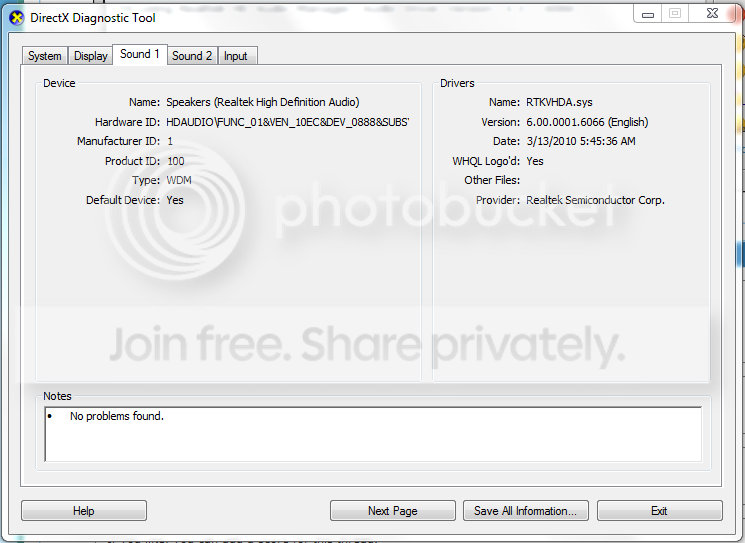
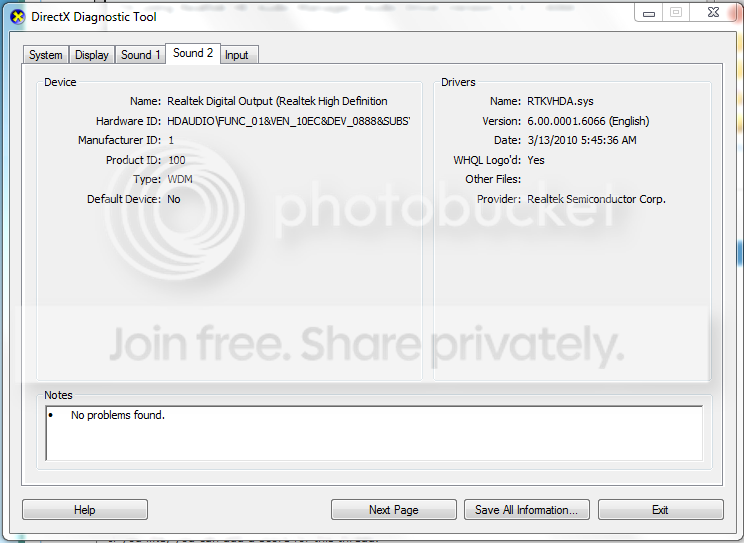
I just ran a "dxdiag" in run and found that apparently I have two sound options.

sound1.png

sound2.png


Any further help from here on out?
 

My Computer

OS
Windows 7
Did u get this resolved in the end?
 

My Computer

OS
Windows XP - Now Windows 7 Home Premium (64-bit).
Back
Top