
[Solved] Gadgets annoyance
I have set up two different internet connections for 3G and as soon as I reach data limit for one provider, I switch to other.
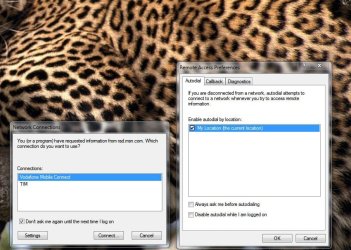
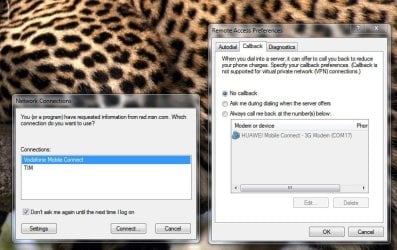
Every time Windows Gadgets ask me which connection to use to access the net.
How to set them use automatically active connection and stop bothering me? :shock: I can only tick the box for "do not ask till I log on again". How to set it do not ask more never! and use active connection.
Help needed
I have set up two different internet connections for 3G and as soon as I reach data limit for one provider, I switch to other.
Every time Windows Gadgets ask me which connection to use to access the net.
How to set them use automatically active connection and stop bothering me? :shock: I can only tick the box for "do not ask till I log on again". How to set it do not ask more never! and use active connection.
Help needed
Last edited:
My Computer
- Computer Manufacturer/Model Number
- IBM
- OS
- Windows 7 x64
- CPU
- Intel Core 2 T8100 @ 2.10GHz
- Memory
- 3 GB SO-DIMM DDR2-800
- Graphics Card(s)
- Nvidia GeForce Go 7300
- Sound Card
- SteelSeries Siberia 7.1 3D
- Screen Resolution
- 1680x1050
- Mouse
- Logitech MX

 Did disable Windows gadgets and installed Yahoo sidebar, problem solved. Going back to XP this weekend as I also did found out hardware profiles were removed in 7.


