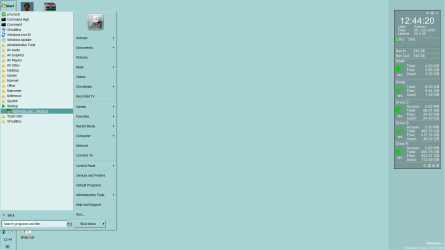
gadgets or anythin

weichi

New member
Local time
3:43 AM
Messages
11
Guys, i'm lookin for a gadget, smth medium in size which displays the date and cpu stats at the same time, i prefer smth like the rainmeter's arc, but then i dont really know how to utilize the rainmeter (newbie here)
 

My Computer

OS
windows 7 (7100)
I am a long-time Rainer. Just today, I dumped Windows Gadgets for Rainmeter skins. Smaller memory footprint, way more customization. See the new home of RainMeter at rainmeter - Google Code

Skins are abundant. Google Rainmeter skins
 
hey, hm yeah i have installed rainmeter and enigma too, deleted enigma already tho, i only utilise the big clock which the call it the arc. Because its a bunch of codes which i am afraid i might screw up
 

My Computer

OS
windows 7 (7100)
Try Xpert 1.0 or TransGrey - it is so very easy to add/remove items. Just edit the text file.
 
downloaded Xpert 1.0 so, what do i do with the .ini files?
 

My Computer

OS
windows 7 (7100)
Once done, rt click the Rainmeter systray icon, select Xpert 1.0 and one of the skin names
 
Thanks! Antman for ur rainmeter tips, you just made my life easier, btw, my rainmeter has to be activated manually everytime my pc restarts, eventho i has rainmeter as the admin under the privileges, any tips?
 

My Computer

OS
windows 7 (7100)
...rainmeter has to be activated manually everytime my pc restarts, eventho i has rainmeter as the admin under the privileges, any tips?
Not sure what you mean. I am aware that some users report startup issues and I can provide you some info there- first, let's clarify.

Did you place a shortcut to Rainmeter in your startup folder?

I disable UAC, so I might need a few reboots to help you.
 
Hmm, no i did not place a shortcut, but everytime i reboot my pc, i have to run rainmeter so that all my configs will appear
 

My Computer

OS
windows 7 (7100)
Locate Rainmeter and create a shortcut. Move that shortcut to the startup folder in your Start Menu (under All Programs). There are many ways to do this.

I have tested this with UAC turned on and it works for me.
 
anymore cool skins to suggest?
 

My Computer

OS
windows 7 (7100)
oh pin under start menu? was there all along
 

My Computer

OS
windows 7 (7100)
lawl thanks, so sorry for the blunder, im just learning customization
 

My Computer

OS
windows 7 (7100)
gadget

Guys, i'm lookin for a gadget, smth medium in size which displays the date and cpu stats at the same time, i prefer smth like the rainmeter's arc, but then i dont really know how to utilize the rainmeter (newbie here)

There is this

K
 
Last edited:

My Computer

Computer Manufacturer/Model Number
HP Pavillion dv-7 1005 Tx
OS
Win 8 Release candidate 8400
CPU
[email protected]
Memory
4 gigs
Graphics Card(s)
Nvidia 9600M
Sound Card
HD built-in
Monitor(s) Displays
17" Wxga
Screen Resolution
1440x900
Cooling
none
Internet Speed
45Mb down 5Mb up
btw thanks, because of you now i know how to install skins XD
 

My Computer

OS
windows 7 (7100)
anymore cool skins to suggest?

I cannot suggest cool skins. I am a reductionist/minimalist and strip all the GUI stuff out as much as possible.

I am going to use the XPert1.0 skin as a baseline and modify it to suit my needs. In Windows XP, I use ShellInit to resize a 68 pixel sliver from my desktop (at the bottom) and run a Rainmeter skin there with comprehensive system settings shown.

I need to run SpeedFan in my XP config to get fan speeds shown with temps.
 
Back
Top