Geforce 8600m gt problem

loukasz

New member
Local time
5:23 AM
Messages
7
hello,

i have nvidia geforce 8600m gt on dell vostro 1500
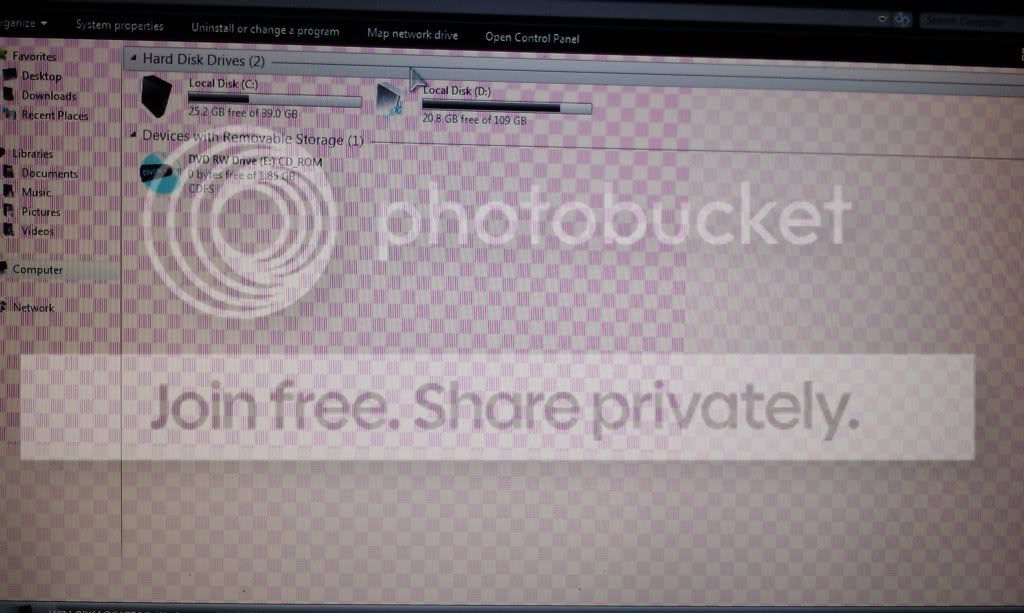
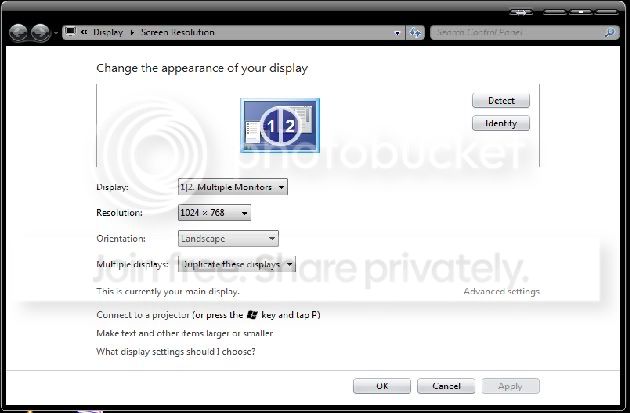
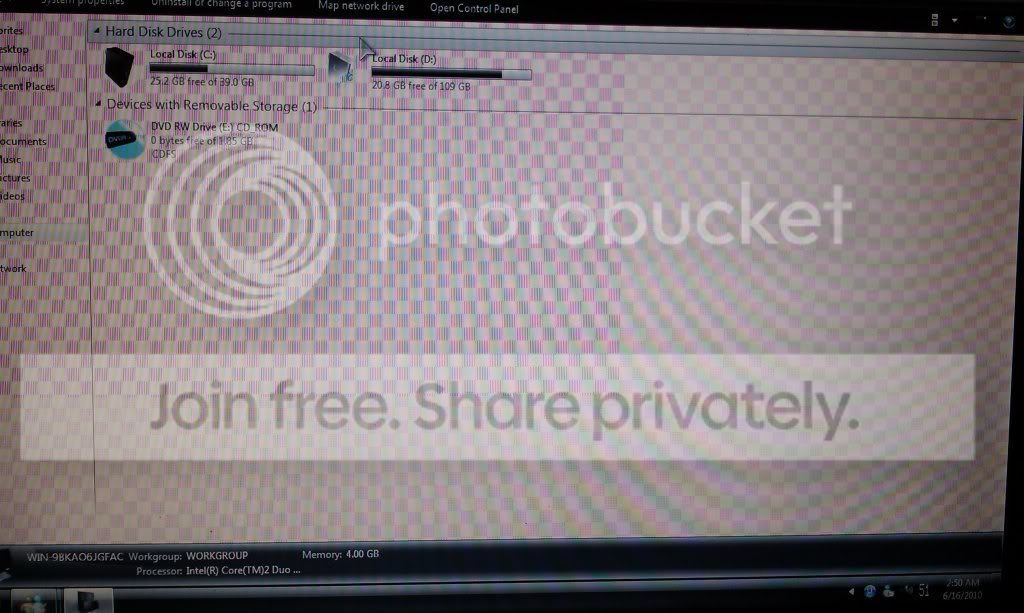
i dont know how to describe the problem so i upload an image

when i install the drivers my screen look like this..
IMAG0002.jpg

IMAG0001.jpg


if i flash bios may correct the problem?
 

My Computer

Computer Manufacturer/Model Number
Vostro 1500
OS
Win 7 32 bit
CPU
2.2GHz T7500
Memory
4gb
Graphics Card(s)
nvidia 8600m gt
Are you overclocking? If so, reset to automatic standard settings.

Do you just get this effect in Windows, or is it present before Windows has booted? What does the screen look like if you restart and go into your BIOS? If it is normal in your BIOS, try booting up a live version of Linux (if you have one) to see if the problem manifests itself there as well as in Windows. If that is OK, then it could be a driver or configuration issue.

Are you using the latest driver? NVIDIA DRIVERS 257.21 WHQL
 

My Computer

Computer type
PC/Desktop
Computer Manufacturer/Model Number
Dwarf Dwf/11/2012 r09/2013
OS
Windows 8.1 Pro RTM x64
CPU
Intel Core-i5-3570K 4-core @ 3.4GHz (Ivy Bridge) (OC 4.4GHz)
Motherboard
ASRock Z77 Extreme4-M
Memory
4 x 4GB DDR3-1600 Corsair Vengeance CMZ8GX3M2A1600C9B (16GB)
Graphics Card(s)
MSI GeForce GTX770 Gaming OC 2GB
Sound Card
Realtek High Definition on board solution (ALC 898)
Monitor(s) Displays
ViewSonic VA1912w Widescreen (VGA)
Screen Resolution
1440x900
Hard Drives
OCZ Agility 3 SSD 120GB SATA III x2 (RAID 0)
Samsung HD501LJ 500GB SATA II x2
Hitachi HDS721010CLA332 1TB SATA II
Iomega 1.5TB Ext USB 2.0
WD 2.0TB Ext USB 3.0
PSU
XFX Pro Series 850W Semi-Modular
Case
Gigabyte IF233
Cooling
1 x 120mm Front Inlet 1 x 120mm Rear Exhaust
Keyboard
Microsoft Comfort Curve Keyboard 3000 (USB)
Mouse
Microsoft Comfort Mouse 3000 for Business (USB)
Internet Speed
NetGear DG834Gv3 ADSL Modem/Router (Ethernet) ~4.0 Mb/s (O2)
Antivirus
Avast! 8.0.1497
Browser
IE 11
Other Info
Optical Drive: HL-DT-ST BD-RE BH10LS30 SATA Bluray
Lexmark S305 Printer/Scanner/Copier (USB)
WEI Score: 8.1/8.1/8.5/8.5/8.25
Asus Eee PC 1011PX Netbook (Windows 7 x86 Starter)
Did you update the drivers from DELL, nVidia or a third party. Laptop GPU's are extremely finicky especially OEM ones like DELL. If the driver is not from DELL I'd uninstall it and the video in Control Panel, shut down and reboot. You may need to download CCleaner and Drivesweeper to clean any nVidia driver info, then download the latest driver release from DELL for your laptop.
 

My Computer

Computer Manufacturer/Model Number
DELL XPS Studio 435T
OS
Vista 64 Ultimate, Windows 7 64 Ultimate, Ubuntu 9.10
CPU
i7 975 3.3 GHz Extreme (Factory OC'd to 3.6 GHz)
Motherboard
DELL provided
Memory
18 Gb Tri-Channel 1066
Graphics Card(s)
ATI 5970 2048 Mb
Sound Card
X-Fi Extreme Gamer
Monitor(s) Displays
Vizio 37" HD-TV
Screen Resolution
1920 x 1080
Hard Drives
1.5 Tb HDD
1.5 Tb HDD
2.0 Tb Network Drive
512 Gb Crucial SSD
PSU
DELL Provided 475 watts
Case
DELL
Cooling
3 fans
Keyboard
Logitech Performance K350 Wireless
Mouse
Logitech Performance MX Wireless
Internet Speed
3 Mb up 750 Kb down
Other Info
Bamboo Fun Tablet, Belkin N+ Wireless router, Pioneer Dolby System Wireless Headphones, Bose 5.1 Dolby Surround Sound System, LifeCam VX 3000 Webcam, Blu-Ray/Hi Def DVD +RW combo and Blu-ray +RW,l 15 in 1 media card reader, Logitech Rumblepad 2, Hauppauge 2250 DTV Tuner with MS Media Center Remote

Laptop:Alienware M17x, Q9100 CPU, 8Gb RAM, 1920x1200 WUXGA LCD driven by 4870's in CrossFireX, Bl
If it is anything to do with the defective Nvidia G84 and G86 laptop video chips,

Figuring out which NVIDIA GPUs are defective -- it's a lot -- Engadget

then all the drivers in the world won't help. Here was one of Dell's responses to this issue,

http://en.community.dell.com/dell-b...ate-limited-warranty-enhancement-details.aspx

If that is what it is and if you have any warranty left on your laptop, I would be contacting Dell and see what they have to say. If it is now out of warranty, start with making sure that the fan and intake and output air vents are clear of dust, and also see if they offered the bios "fix" (great "fix" in that all it does is increase the fan speed).
 

My Computer

Computer type
PC/Desktop
Computer Manufacturer/Model Number
Me
OS
Win 7 Ultimate x64
CPU
FX-8350 @ 4.6 GHz so far
Motherboard
Asus M5A97 EVO
Memory
ADATA XPG V1 Series Black 8GB DDR3 1600
Graphics Card(s)
Sapphire R9 270x Dual-X
Sound Card
Xonar DGX w/ Corsair Vengence 1300
Monitor(s) Displays
Acer S232HL Abid
Screen Resolution
1920x1080
Hard Drives
120 GB OCZ Vertex 3
500 GB Seagate 7200.12
PSU
Antec Earthwatts 650W Green
Case
Antec Three Hundred
Cooling
Cooler Master 212 EVO
Keyboard
Logitech G510
Mouse
Logitech G500s
Internet Speed
35000/3000
Hi!

I got the same notebook with the same video card as you working very well with official NVIDIA drivers.
Did the problem occur when you installed video drivers? Which driver version did you install?
How long do you use the notebook and when did you get this problem?

As fishnbanjo I can recommend you booting into safe mode and running Driver Sweeper.
Reboot and install the latest official NVIDIA drivers, the ones from DELL are out of date.

Did you flash any modified BIOS recently?
 

My Computer

OS
Windows 7 (x64)
Ouch! Hope the OP has warranty left....
 

My Computer

Computer Manufacturer/Model Number
DELL XPS Studio 435T
OS
Vista 64 Ultimate, Windows 7 64 Ultimate, Ubuntu 9.10
CPU
i7 975 3.3 GHz Extreme (Factory OC'd to 3.6 GHz)
Motherboard
DELL provided
Memory
18 Gb Tri-Channel 1066
Graphics Card(s)
ATI 5970 2048 Mb
Sound Card
X-Fi Extreme Gamer
Monitor(s) Displays
Vizio 37" HD-TV
Screen Resolution
1920 x 1080
Hard Drives
1.5 Tb HDD
1.5 Tb HDD
2.0 Tb Network Drive
512 Gb Crucial SSD
PSU
DELL Provided 475 watts
Case
DELL
Cooling
3 fans
Keyboard
Logitech Performance K350 Wireless
Mouse
Logitech Performance MX Wireless
Internet Speed
3 Mb up 750 Kb down
Other Info
Bamboo Fun Tablet, Belkin N+ Wireless router, Pioneer Dolby System Wireless Headphones, Bose 5.1 Dolby Surround Sound System, LifeCam VX 3000 Webcam, Blu-Ray/Hi Def DVD +RW combo and Blu-ray +RW,l 15 in 1 media card reader, Logitech Rumblepad 2, Hauppauge 2250 DTV Tuner with MS Media Center Remote

Laptop:Alienware M17x, Q9100 CPU, 8Gb RAM, 1920x1200 WUXGA LCD driven by 4870's in CrossFireX, Bl
i had a 8600m gt in my asus g2s, and it was a PAIN. this same problem happened to me when i overclocked the memory frequency or something. The thing is, if you are not overclocking, then MAYBE, your GPU is overheating and it slows the memory frequency down, causing this weirdness in your monitor. Check the temps.
 

My Computer

Computer Manufacturer/Model Number
Custom Built
OS
Windows 7 Professional x64
CPU
Intel Core i7 2600k - 3.4 GHz
Motherboard
Asus Maximus IV Z68 - Extreme
Memory
4x4 Ripjaws X79 Series 2133 MHz (9-11-10-28)
Graphics Card(s)
1x eVGA GTX 580 - 3GB Classified
Sound Card
Realtek ALC 889 HD Audio
Monitor(s) Displays
Full HD Philips TV 32"
Screen Resolution
1920x1080
Hard Drives
1x Crucial m4 SSD 512 GB
PSU
800W Coolermaster Silentpro Gold
Case
Sentey - Renegade GS-6200
Cooling
Stock
Keyboard
Logitech K800 Wireless
Mouse
Logitech Performance MX Laser
Internet Speed
10MB Internet Connection
the problem disappear when i connect to tv via scart , and i think beat with static electricity..

Dwarf:i install drivers and it work perfect for 5-10..
in bios work fine. i try ubuntu live cd and i have the same problem but its less than the image.

fishnbanjo: i try it but no result..
i didnt use Driver-Sweeper..i will try it later

stormy13: not my model :cry:

xsmile: no i didnt. i have the default bios

3-1.jpg


this photo is after i install drivers, and i havent connect it with any external monitor..

AlexRD: GPU temp 65 max 70

Thanks everyone for answers
 

My Computer

Computer Manufacturer/Model Number
Vostro 1500
OS
Win 7 32 bit
CPU
2.2GHz T7500
Memory
4gb
Graphics Card(s)
nvidia 8600m gt
Just to be sure, please check the cable connection leading to the monitor.
Here is the instruction on how to open the hinge cover just above the keyboard. Its pretty easy if done correctly. Look for the blue strap as you can see here.

VOSTRO Documentation
 

My Computer

OS
Windows 7 (x64)
Back
Top