General Battery Question

synth

New member
Member
VIP
Local time
12:37 PM
Messages
100
I have purchased a replacement battery for my HP G42 laptop that is not an original HP mainly because its a lot less cheaper. So my question is would this battery have any effect on the other hardware components of my laptop? Btw, I noticed that sometimes it randomly shuts down as if you have physically removed the battery without shutting it down..
 

My Computer

OS
Windows 7 Ultimate x64
A generic battery will work in your laptop with no adverse effects provided the specifications are an EXACT match to the original OEM battery's specs.

The important part is: Output voltage.

After that the important thing is to buy batteries from a seller with good reviews and a good rep. There are just some poorly manufacturered batteries out there.
 

My Computer

Computer type
PC/Desktop
Computer Manufacturer/Model Number
Home Built - Jan 2013
OS
Windows 7 64 Bit Home Premium SP1
CPU
i7-3820
Motherboard
Asus P9X79-PRO - Bios 4608
Memory
GSkill F3-14900CL9Q - 16GB
Graphics Card(s)
EVGA GeForce GTX660 - Driver 352.86
Sound Card
On board Realtek ALC898
Monitor(s) Displays
Acer S271HL
Screen Resolution
1920 x 1080
Hard Drives
#1- Samsung 840 Pro Series
#2- Western Digital WD1002FAEX Sata3 Black
#3- Western Digital WD1002FAEX Sata3 Black
PSU
Corsair CMPSU-850TX-V2 - 850 watt (by Seasonic)
Case
Corsair Obsidian 550D
Cooling
Standard 3 120mm case fans, Cooler Master Hyper 212 EVO
Keyboard
MS KC-0405
Mouse
Intellimouse 5-button
Internet Speed
56 Mbits/Sec (on a good day)
Antivirus
Avast & Malwarebytes
Browser
Firefox
Other Info
Asus DVD - DRW-24B1ST 24X
Ok, will check on the info. But the thing is, it shuts down on me when its around 40% below. And when I boot it up again, it asks me if I would want to boot in safe mode or start it normally, I know you understand what im saying, and I know that that msg comes up when you werent able to shut down your cpmputer properly, and because of that I am a bit worried that it may affect my laptop in general..
 

My Computer

OS
Windows 7 Ultimate x64
Yes, there is something wrong with that battery. The laptop should not just shut off without the 10% warning first. You are putting the PC at risk until you solve this.
 

My Computer

Computer type
PC/Desktop
Computer Manufacturer/Model Number
Home Built - Jan 2013
OS
Windows 7 64 Bit Home Premium SP1
CPU
i7-3820
Motherboard
Asus P9X79-PRO - Bios 4608
Memory
GSkill F3-14900CL9Q - 16GB
Graphics Card(s)
EVGA GeForce GTX660 - Driver 352.86
Sound Card
On board Realtek ALC898
Monitor(s) Displays
Acer S271HL
Screen Resolution
1920 x 1080
Hard Drives
#1- Samsung 840 Pro Series
#2- Western Digital WD1002FAEX Sata3 Black
#3- Western Digital WD1002FAEX Sata3 Black
PSU
Corsair CMPSU-850TX-V2 - 850 watt (by Seasonic)
Case
Corsair Obsidian 550D
Cooling
Standard 3 120mm case fans, Cooler Master Hyper 212 EVO
Keyboard
MS KC-0405
Mouse
Intellimouse 5-button
Internet Speed
56 Mbits/Sec (on a good day)
Antivirus
Avast & Malwarebytes
Browser
Firefox
Other Info
Asus DVD - DRW-24B1ST 24X
Look in the bios and or lappy manual, many lappys have a feature for calibrating the battery and you want to perform this function so the system can identify the condition and capacity of it's new battery.
 

My Computer

Computer type
PC/Desktop
Computer Manufacturer/Model Number
A blend of brains, brawn and dumb luck.
OS
Windows 7 Ultimate 64
CPU
i7 3770k OC'd 4.6 @ 1.17v, also FX 8120 & i5 miniITX
Motherboard
MSI P67A-GD80 b3
Memory
32 gb G.Skill Sniper DDR3 10-12-12-31 @ 2133
Graphics Card(s)
XFX Radeon 7870 2GB DDR5
Sound Card
Sound Blaster Z Series Card
Monitor(s) Displays
(2) LG LED 23" 1920 x 1080 2ms Monitors via mini d-port
Screen Resolution
1680 X 1050 p
Hard Drives
Samsung 256 gb 830 SSD sata III
(1) 1 tb WD Black
(2) 1 tb Hitachi deskmates/sata II
(2) 1 tb WD green/sata II
(2) 3 tb Seagate Barracuda
(1) 120 gb OCZ Vertex SS
(1) Drobo 5N w/5 Seagate 3tb
PSU
EVGA modular 1000G2 80% gold rating & APC 1200 RS
Case
CoolerMaster Storm Styker
Cooling
7 case fans 140mm & 120mm, NZXT Kraken X60
Keyboard
(2) Logitech Illuminated Keyboards (1) usb (1) wireless
Mouse
Logitech G700 & T-BC21 - nano nx for the laptop
Internet Speed
Basic 120mbps down
Antivirus
Trend Micro Titanium Max Security & Malwarebytes Premium
Browser
Chrome and IE 10
Other Info
5 Noctua case fans + 3 Noctua in p/p on NZXT cooler
Integrated hot swap drive bays for 2.5" Drives
(2) Lite-on dvd/cd/Blu Ray optical 22X
Integrated fan controller and led on/off
HP Officejet Pro 8630 all-n-one
Hot-swappable 3.5" hard drive bay
Netgear Nighthawk router
Asus USB 3 & sata 6 PCIe card
Vantec IDE to sata adptr./Ultra sata adptr
Lenovo L420 i5 lappy with m sata
Drobo 5N advanced NAS
I see. Ok, I will try this and give a feedback. Btw, I dont hace access to my manuals and wont have anytime soon, so can you at least point me to where to look for the calibration in the bios? I hacr an HP G42-476TX.
 

My Computer

OS
Windows 7 Ultimate x64
I see. Ok, I will try this and give a feedback. Btw, I dont hace access to my manuals and wont have anytime soon, so can you at least point me to where to look for the calibration in the bios? I hacr an HP G42-476TX.

Hi synth, Try here http://h20000.www2.hp.com/bizsuppor...Id=135&prodTypeId=321957&prodSeriesId=4346229 for the manuals and if you need the drivers at any time go here HP G42-400 Notebook PC series -  Download drivers and software - HP Business Support Center :)
 

My Computer

Computer type
PC/Desktop
Computer Manufacturer/Model Number
self build
OS
win 7 ultimate32bit, Win8.1pro wmc 32bit
CPU
amd phenom x4 9600
Motherboard
asus m2n32-sli deluxe
Memory
corsair twinxs 2x2gb
Graphics Card(s)
2x nvidia 1gb 8500gt
Sound Card
onboard
Monitor(s) Displays
23" PB Viseo 233d
Screen Resolution
1920x1080
Hard Drives
maxtor sata 500gb
maxtor sata 320gb
fujitsu sata200gb
PSU
oryxx tornado 750w
Case
thermaltake xaser lll
Cooling
artic freezer64 pro + 7 case fans

Attachments

  • battery.JPG
    battery.JPG
    39.6 KB · Views: 7

My Computer

Computer type
PC/Desktop
Computer Manufacturer/Model Number
Self Built
OS
Win 10 Pro x64
CPU
Intel I5-2500K @3.3GHz
Motherboard
Asrock P67 Extreme4
Memory
16GB G.Skill Ripjaws X (4x4GB)
Graphics Card(s)
EVGA GeForce 750 Ti SC 2GB
Sound Card
ASUS Xonar DG 5.1 Channels 24-bit 96KHz PCI Interface Sound
Monitor(s) Displays
auria eq2367
Screen Resolution
1920 x 1080
Hard Drives
250GB Samsung 850 EVO SSD
1TB WD Blue
1TB Hitachi
PSU
SeaSonic X 650W 80 Plus Gold
Case
Corsair Obsidian 750D
Cooling
Corsair H60, Three 140mm case fans
Keyboard
Logitech Wireless Keyboard K520
Mouse
Logitech Wireless Mouse M310
Internet Speed
Wave Broadband ~ 100 dn 5 up
Antivirus
Windows Defender, Malwarebytes Premium
Browser
Edge, IE11, Chrome
Other Info
Laptop specs: HP g7-1365dx /
CPU: AMD A6-3420M APU with Radeon(tm) HD Graphics /
RAM: Crucial 8Gb (2x4Gb) /
SSD: Crucial M4-CT128M4SSD2 ATA Device/ FW 000F /
GFX: AMD Radeon HD 6520G /
OS: Windows 10 Pro x64
@derekimo

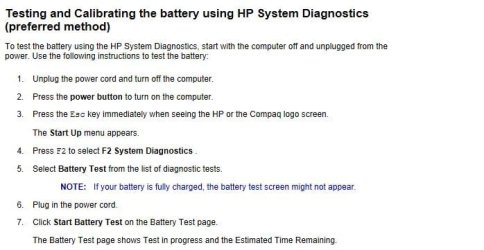
Thanks man, but in my bios, battery test does not show up and my battery percentege is at 75%. And when I try using HP Support Assistant, it does check it but it only gives a blank screen after the test..

Is it because this battery is NOT an original HP?
 

My Computer

OS
Windows 7 Ultimate x64
Ok, so anyways, here's a photo of the two batteries:
DSC_0366.jpg


Top battery is the replacement non-HP battery I bought recently.
Bottom battery is the Original HP that came with this laptop.

If you can zoom in, you can see the voltage and capacity.

Replacement battery specs: 10.8V, 5200mAh
Original HP Battery specs: 10.8V, 4200mAh

Basically the replacement battery should be able to hold more charge than the original one since it has more mAh right? Anyways, I ran the HP Support Assistant Battery test on the original HP battery that has problems and this is what i got:
battery%20test.JPG


So, what do you guys think? And is there any other way I can calibrate this replacement battery?
 

My Computer

OS
Windows 7 Ultimate x64
A laptop battery has a controller board inside of it that will have some number of chips that perform various functions. Most likely the HP software and diagnostics interact with one of these chips inside an HP OEM battery. Your replacement battery most likely does not have an HP controller board and does not respond to the HP utilities.

This does not mean the battery will not function as intended, just that it will not work with HP software.

Here is a manual procedure to calibrate a battery in Windows:
How to Recalibrate Your Laptop Battery
You could try this and see if it will get Windows to correctly report the battery levels.

I take it that other than running out of power before the battery gauge gets down to zero, the battery and laptop function fine?
 

My Computer

Computer type
PC/Desktop
Computer Manufacturer/Model Number
Home Built - Jan 2013
OS
Windows 7 64 Bit Home Premium SP1
CPU
i7-3820
Motherboard
Asus P9X79-PRO - Bios 4608
Memory
GSkill F3-14900CL9Q - 16GB
Graphics Card(s)
EVGA GeForce GTX660 - Driver 352.86
Sound Card
On board Realtek ALC898
Monitor(s) Displays
Acer S271HL
Screen Resolution
1920 x 1080
Hard Drives
#1- Samsung 840 Pro Series
#2- Western Digital WD1002FAEX Sata3 Black
#3- Western Digital WD1002FAEX Sata3 Black
PSU
Corsair CMPSU-850TX-V2 - 850 watt (by Seasonic)
Case
Corsair Obsidian 550D
Cooling
Standard 3 120mm case fans, Cooler Master Hyper 212 EVO
Keyboard
MS KC-0405
Mouse
Intellimouse 5-button
Internet Speed
56 Mbits/Sec (on a good day)
Antivirus
Avast & Malwarebytes
Browser
Firefox
Other Info
Asus DVD - DRW-24B1ST 24X
@TVeblen

Will try this. And yes, other than that, its fine.

I am stronly considering returning the battery and get a refubd and prolly buy the OEM Battery.
 

My Computer

OS
Windows 7 Ultimate x64
Another option would be to buy a refurbished OEM battery - these they just replace the Lithium Ion cells inside the original casing.

Or find an aftermarket battery that states clearly that it is an HP (Model#) replacement. This is, of course, a matter of trust. You need a reliable, reputable dealer.
 

My Computer

Computer type
PC/Desktop
Computer Manufacturer/Model Number
Home Built - Jan 2013
OS
Windows 7 64 Bit Home Premium SP1
CPU
i7-3820
Motherboard
Asus P9X79-PRO - Bios 4608
Memory
GSkill F3-14900CL9Q - 16GB
Graphics Card(s)
EVGA GeForce GTX660 - Driver 352.86
Sound Card
On board Realtek ALC898
Monitor(s) Displays
Acer S271HL
Screen Resolution
1920 x 1080
Hard Drives
#1- Samsung 840 Pro Series
#2- Western Digital WD1002FAEX Sata3 Black
#3- Western Digital WD1002FAEX Sata3 Black
PSU
Corsair CMPSU-850TX-V2 - 850 watt (by Seasonic)
Case
Corsair Obsidian 550D
Cooling
Standard 3 120mm case fans, Cooler Master Hyper 212 EVO
Keyboard
MS KC-0405
Mouse
Intellimouse 5-button
Internet Speed
56 Mbits/Sec (on a good day)
Antivirus
Avast & Malwarebytes
Browser
Firefox
Other Info
Asus DVD - DRW-24B1ST 24X
I will prolly do that. I ended up getting a refund for the battery and they deducted like 30% of what I payed for which sucks.. But thats fine if ut saves my whole computer.. I dont know, but I just cant trust those class a things.. Specially when it comes to electronics..
 

My Computer

OS
Windows 7 Ultimate x64
Back
Top