Getting Ready for RC

XGUNTHERC

I Click Home Too Much
Power User
VIP
Local time
5:40 PM
Messages
440
Location
Viva Las Vegas
Hey guys, I am trying to get ready for the RC to be officially released so I can start running Windows 7.

I never installed Build 7000 back when it was up for download. and recently I was just told to wait till the RC comes out. and get that.

I currently am just checking HD space, and trying to decide what I will do. I've been looking at getting another HD recently. Either a second 500GB 32mb cache 7200.11 for Raid0, or I think I might just get a WD 1TB Black Edition. I don't know.

Anyways. My current 500GB HD has 145GB Free of 465GB. I was watching z3r010 "How to Dual Boot Windows 7 BETA & Vista" Video. and I was trying to make a partition like in his video. and it wont let me. Basically I go to My Computer, click Manage, then select disk management. When I click and choose Shrink, It only gives me 508MB of space to shrink... How is that? Not even 1GB and I have 145gb free?

Why would it do that? I've actually never partitioned a HD. (Sad I know). lol so I'm not sure what to do from here.

How big of a Hard Drive should I have, or partition should I make, to run Windows 7? I think I might just get another 500GB and throw Windows 7 on that. and then I can just use either HD and either operating system. Then set up Raid0 later.

What does everyone think here?

Thanks!
 

My Computer

OS
Windows 7 Ultimate Edition x64
CPU
Q9650 E0 @ 4.0 GHz 1.304v
Motherboard
eVGA 750i FTW!
Memory
2x2GB Corsair Dominator PC2-8500C5D 1100 Mhz 5-5-5-15
Graphics Card(s)
eVGA/Gigabyte GTX 480's SLI
Sound Card
X-Fi XtremeGamer
Monitor(s) Displays
Dell U2410 24" IPS Panel (Beautiful)
Screen Resolution
1900 x 1200 & 1680 x 1050
Hard Drives
WD Caviar Black 640GB AALS x2 (Raid0) + Seagate Pro 500GB External x2
PSU
Enermax Revolution 85+ 1050w PSU
Case
Cooler Master HAF 932 H20
Cooling
Apogee GTZ, Feser 360, D5 Vario, Scythe GT 1850's
Keyboard
Logitech G11
Mouse
Logitech MX-518 / G9
Internet Speed
Fast!
Other Info
Nikon D40 DSLR 18-105mm VR - Nikon 35mm f/1.8 & 55-200mm VR
Bose Companion 3 - 16GB Patriot Xporter USB - ATH AD900's & UR Triple.Fi 10 Custom Phones w/ 32GB iPod Touch 3rd Gen -
Google Nexus One (Phone Rocks!) w/ Kingston 16GB MicroSDHC Class 10 running Amon RA1.7 and Cyan 5.06.1
Personally, I have 5 hard drives right now.
I would never go back to having just one hard drive.
I keep a C drive for windows and any applications that I need to install.
My other hard drives are storage drives which i have organized.

I highly would advise getting the second HD, and not running any sort of raid. Just keep your documents and important files on your second drive. That way you can format the drive with your OS / Applications and won't have to worry about your documents ever again

Also, I'm not entirely sure, but one reason windows won't let you resize your partition .. there could be files near the end of that partition, and maybe windows doesn't automatically move files to keep the partitions separate.
 

My Computer

OS
Win

My Computer

Computer Manufacturer/Model Number
Gigabyte
OS
Windows 7 Ultimate
CPU
Intel Core(TM)2 Quad- Q9550, 2.83GHz
Motherboard
G31M-ES2L
Memory
4GB
Graphics Card(s)
ATI Radeon HD4600
Sound Card
On Board:
Monitor(s) Displays
Acer AL2223W, Acer AL1916
Screen Resolution
1680 x 1050, 1280 x 1024
Hard Drives
160GB
350GB
250GB
250GB
PSU
600W
Case
Cooler Master
Keyboard
Microsoft Laser 6000
Mouse
Logitech Optical Trackman
Internet Speed
1.5MB
Other Info
I am also running a quasar gamatron flux capacitor with twin pulse tronic phasers......jk, I have no such stuff.
Personally, I have 5 hard drives right now.
I would never go back to having just one hard drive.
I keep a C drive for windows and any applications that I need to install.
My other hard drives are storage drives which i have organized.

I highly would advise getting the second HD, and not running any sort of raid. Just keep your documents and important files on your second drive. That way you can format the drive with your OS / Applications and won't have to worry about your documents ever again

Also, I'm not entirely sure, but one reason windows won't let you resize your partition .. there could be files near the end of that partition, and maybe windows doesn't automatically move files to keep the partitions separate.

My philosophy is the same. I also have 5 HDs and prefer actual HDs to partitions. I would also recommend getting a second HD to put win7 on it. Having more than one OS on the same HD is never a comfortable feeling. Either one could go down leaving the HD in a mess.
 

My Computer

Computer Manufacturer/Model Number
self built
OS
Windows 7 Professional 64-bit
CPU
Intel E8400 3GHz
Motherboard
Intel DX48BT2
Memory
Kingston PC3-10700H 4Gb
Graphics Card(s)
XFX Radeon HD 5850 BlackEd.
Sound Card
Asus Xonar DG
Monitor(s) Displays
2x Samsung SM-T220HD 22"
Screen Resolution
1680x1050 on two monitors
Hard Drives
OCZ Vertex 2 120gb 3.5" (OS)
Seagate Momentus XT 500gb
Samsung F3 1Tb (games)
2x Samsung F1 1Tb
PSU
Thermaltake ToughPower 850w
Case
Thermaltake Armor
Cooling
Scythe Mugen II
Keyboard
Microsoft Comfort Curve USB
Mouse
Razer Diamondback 3G
Internet Speed
8128/443
Hi XGUNTHERC, I would definitly get another HD,you will be a lot happier and a lot better off in my opinion.
 

My Computer

Computer Manufacturer/Model Number
Self Build 64bit
OS
Vista Ult64, Win7600
CPU
Intel Core 2 Quad Q6600 @ 2400 MHz 64bit OS
Motherboard
Asus P5E3 Deluxe WiFi @p 64 bit OS
Memory
4096 MB DDR3-SDRAM
Graphics Card(s)
ATI Radeon HD 3870 Series x2 Crossfired
Sound Card
Realtek on board
Monitor(s) Displays
Samsung SyncMaster - 23 inches
Screen Resolution
1680x1050 pixels at 60 Hz in True Colors
Hard Drives
Hitachi (250 GB)/Samsung 750 GB. /Barracuda 160 GB.
My Book 1 TB external..
PSU
Cooler Master 1000w
Case
Cooler Master Cosmos 1000.
Cooling
Fans and fresh air,
Keyboard
Wireless
Mouse
Wireless
Internet Speed
Never fast enough
Other Info
I use a Magnum.
Windows 7 needs a good 7 to 9 GB. On the subject of external or network attached drives (NAS), I had the Lacie Bigdisk 1 TB and had put all my important photos, home movies and various documents on it. Well, it crashed one day. OMG I was totally in grieving mode for months. I lost everything! Fortunately I had most of it on CD's an DVD's. I was determined to not have that happen again. So, I purchased an Iomega StorCenter I TB NAS and formatted it to RAID 1 mirroring (duplicate writes of data to the two internal 500GB drives providing only 500GB of actual storage). I copied all my stuff on to it and now I have a much better chance of being able to recover if a drive breaks.
 

My Computer

Computer Manufacturer/Model Number
Dell Inspiron 1525 Notebook
OS
Windows 7
CPU
rocessor Intel(R) Pentium(R) Dual CPU T2390 @ 1.86GHz, 1867
Motherboard
Intel(R) ICH8 Family Chipset
Memory
Installed Physical Memory (RAM) 4 GB
Graphics Card(s)
Mobile Intel(R) 965 Express Chipset Family (Sux)
Sound Card
Intel(R) High Definition Audio HDMI
@XGUNTHERC I have a "Raid Ready" AMD Sata HD in my machine. I had a similar experience where it didn't want to let me shrink the C: partition in any meaningful way. I tried defragging with jkDefrag with Optimize. Same thing. Anyway, because of the fake RAID my Paragon Drive Backup Rescue CD wasn't recognizing the HD. I got Macrium Reflect full trial version and did a test backup and restore on C:. Not only did it work, but when I restored the MBR from the backup(which option it gives you at the end of the restore settings) after booting into Vista64 Disk Management told me I could shrink C: by 300 GB instead of 13. It must have fixed the partition table.

When you boot the install DVD and do the repair "fixmbr" it deliberately does not overwrite the partition table info in the MBR in case you don't have the default partition setup. So that fix won't fix your partition table. You could try the Macrium and see if it works for you. Make sure you test booting the Rescue CD before you do anything though. If you don't have RAID you're probably ok but I never assume anything anymore with the hardware changing so fast these days.

edit: oh yeah, another advantage is that the trial is fully functional for 30 days. If you have a chance to put W7 on and you don't like it, or it doesn't have the drivers you need, use the Macrium to just lay your image back on the way it was. IOW, make a backup before you do the partitioning.
 

My Computer

Computer Manufacturer/Model Number
HP Media Center
OS
Windows 7 32 bit
CPU
AMD 5200+ dual core
Memory
2 GB
Graphics Card(s)
NVidia GeForce 6150SE 128 MB
Monitor(s) Displays
CRT
Screen Resolution
1280x1024
Hard Drives
500 GB Sata internal :

SIIG USB 3.0 docking stations w/WD Caviar Black 6 Gb/s drives
Keyboard
PS/2
Mouse
PS/2 Wheel Mouse
Other Info
SIIG USB 3.0 PCIexpress card.
I highly would advise getting the second HD, and not running any sort of raid.
I go along with this ... I had way too many problems with this set up and Vista Ultimate.
 

My Computer

Computer type
PC/Desktop
Computer Manufacturer/Model Number
Bruce ... somewhere in his 40's
OS
Windows 7 Ultimate 32bit SP1
CPU
Intel(R) Core(TM)2 Quad CPU @ 2.40GHz, 2400 MHz
Motherboard
INTEL/D975XBX2
Memory
4 GB
Graphics Card(s)
ATI Radeon HD 2600 Pro
Monitor(s) Displays
Samsung SyncMaster 914v
Screen Resolution
1280 x 1024
Hard Drives
2/500GB each ... ST3500630AS ATA Device.
One is not connected
PSU
Rocketfish 700 W
Case
G.Skill Gigabyte Chassis
Keyboard
Standard PS/2 Keyboard
Mouse
Microsoft PS/2 Mouse
Internet Speed
DSL
Antivirus
Avira Internet Security
Browser
IE 11
Other Info
ATI HDMI Audio
It would be great to have another HD. If you want to try the partitioning again.....you might try defragnemting first. Also, the Easeus partitioning tool IS great. You should try that if you want to do it with one HD. I have personally had zero problems dual-booting Windows 7 on two separate systems, I used the Easeus on one and the Vista disk management tool on the other. Good luck.
 

My Computer

Computer Manufacturer/Model Number
Keeps changing - (Custom)
OS
Windows 7 Professional x64
CPU
Intel Core i7 860
Motherboard
Gigabyte GA-P55-UD4P
Memory
4GB DDR3 Mushkin 1600Mhz @ 7-8-7-20
Graphics Card(s)
MSI GTS250 1GB DDR3 Twin Frozr
Sound Card
Onboard realtek
Monitor(s) Displays
Samsung SyncMaster 24" P2450 + Samsung 20" 2033
Screen Resolution
1920 X 1080 and 1600 X 900 (#2 system 1440 X 900)
Hard Drives
Patriot Inferno 120GB SSD + 3 WD Blue 640GB drives
PSU
Corsair 750 HX Modular
Case
Lancool PC-K62
Cooling
Cooler Master TX3 CPU cooler and 4-140mm and 1-120mm case
Keyboard
Gigabyte USB keyboard
Mouse
Microsoft wireless laser mouse 5000
Internet Speed
7 Mb down 1.5 up
Other Info
System #2: AMD Phenom II X6 1055T (Freezer 7 Pro cooler) - Gigabyte 880GMA-UD2H - WD 500GB Black - 9500GT (1GB) 500W OCZ modular PSU - Antec 200 case. System #3 (LapTop) Core 2 Duo T6670 - 320GB 7200RPM HD - 4GB DDR3 RAM.
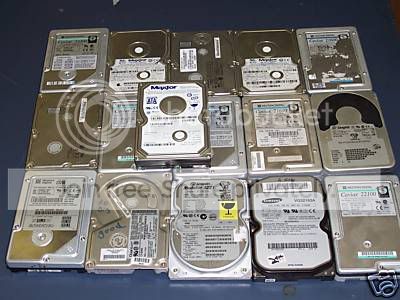
You can never have too many extra Hard Drives! ;)

LotofHardDrives.jpg
 

My Computer

Computer type
PC/Desktop
Computer Manufacturer/Model Number
Built them myself, Science Experiments !
OS
Win7 Enterprise, Win7 x86 (Ult 7600), Win7 x64 Ult 7600, TechNet RTM on AMD x64 (2.8Ghz)
CPU
AMD fx8350 4ghz, AMD-32 2400mhz, AMD-64 3200mhz, AMDx64 2.8G
Motherboard
SIS 755, ECS-K8M890M-M (Ult 7600), GigaByte & others
Memory
2gb, 4gb on the Ult 7600, 4gb on Technet RTM, 32gb on FX8350
Graphics Card(s)
Draw my own Graphics, several nVidia cards
Sound Card
on motherboard
Monitor(s) Displays
19" flat scr, 28" I-Inc widescr,22" Emprex Widescr, 23" Acer
Screen Resolution
1280 x 1024, 1440 x 900, 1920 x 1080
Hard Drives
6 pata Ide HD's & 2 Sata HD's
added 80gb external on Ult 7600 computer,
numerous extra 1tb, 2TB, 3Tb SATA HD's
A collection of ext HD Docks w/ HDs
PSU
430w, 550w, 600w, 700, 800, etc
Case
All Generic Full Towers
Cooling
Open Air & a few fans, some w/ colored LEDs
Keyboard
Compaq & Dell recycled from GoodWill
Mouse
Made in China Optical Wired Mouse
Internet Speed
Fast Cable InterNet
Antivirus
AVG Free on 24 different Desktops, NO Problems!
Browser
IE 8 is preferred, but use FireFox sometimes
Other Info
Linksys Routers, switches, & Hubs
Too Many USB Flash Drives to count, Biggest is 64GB !
Eight computers in my home network.
Sixteen computers at my business network.
Linked via TeamViewer !
Lots of old used spare computer parts everywhere!
Well I have a 20GB drive somewhere in the other room. and a 4GB. but that wont help.

There is an 80GB drive in and old machine I have but I think it died. I'm not sure..

Yea, I think I'll just get a second HD.. So why no Raid.. because the performance gain is not worth the risk??

Maybe I should just get a Velociraptor and install windows 7 to that.

Ya I think I'll just get a second HD.. but now I need to decide if I get another Seagate 500GB 32mb drive, or if I change to a 1TB drive.
 

My Computer

OS
Windows 7 Ultimate Edition x64
CPU
Q9650 E0 @ 4.0 GHz 1.304v
Motherboard
eVGA 750i FTW!
Memory
2x2GB Corsair Dominator PC2-8500C5D 1100 Mhz 5-5-5-15
Graphics Card(s)
eVGA/Gigabyte GTX 480's SLI
Sound Card
X-Fi XtremeGamer
Monitor(s) Displays
Dell U2410 24" IPS Panel (Beautiful)
Screen Resolution
1900 x 1200 & 1680 x 1050
Hard Drives
WD Caviar Black 640GB AALS x2 (Raid0) + Seagate Pro 500GB External x2
PSU
Enermax Revolution 85+ 1050w PSU
Case
Cooler Master HAF 932 H20
Cooling
Apogee GTZ, Feser 360, D5 Vario, Scythe GT 1850's
Keyboard
Logitech G11
Mouse
Logitech MX-518 / G9
Internet Speed
Fast!
Other Info
Nikon D40 DSLR 18-105mm VR - Nikon 35mm f/1.8 & 55-200mm VR
Bose Companion 3 - 16GB Patriot Xporter USB - ATH AD900's & UR Triple.Fi 10 Custom Phones w/ 32GB iPod Touch 3rd Gen -
Google Nexus One (Phone Rocks!) w/ Kingston 16GB MicroSDHC Class 10 running Amon RA1.7 and Cyan 5.06.1
I think I might just either get this.

WD Caviar Black 1TB
Newegg.com - Western Digital Caviar Black WD1001FALS 1TB 7200 RPM 32MB Cache SATA 3.0Gb/s 3.5" Hard Drive - Internal Hard Drives

or Samsung F1 1TB
Newegg.com - SAMSUNG Spinpoint F1 HD103UJ 1TB 7200 RPM 32MB Cache SATA 3.0Gb/s 3.5" Hard Drive - Internal Hard Drives

Or just get the same as I already have but bigger, a seagate 7200.11 1TB. it is the cheapest.
Newegg.com - Seagate Barracuda 7200.11 ST31000333AS 1TB 7200 RPM 32MB Cache SATA 3.0Gb/s 3.5" Hard Drive - Internal Hard Drives

How does the seagate 1TB compare to the WD 1TB.. Same performance I'm assuming. Also Seagate has fixed there Firmware problem by now right?
 

My Computer

OS
Windows 7 Ultimate Edition x64
CPU
Q9650 E0 @ 4.0 GHz 1.304v
Motherboard
eVGA 750i FTW!
Memory
2x2GB Corsair Dominator PC2-8500C5D 1100 Mhz 5-5-5-15
Graphics Card(s)
eVGA/Gigabyte GTX 480's SLI
Sound Card
X-Fi XtremeGamer
Monitor(s) Displays
Dell U2410 24" IPS Panel (Beautiful)
Screen Resolution
1900 x 1200 & 1680 x 1050
Hard Drives
WD Caviar Black 640GB AALS x2 (Raid0) + Seagate Pro 500GB External x2
PSU
Enermax Revolution 85+ 1050w PSU
Case
Cooler Master HAF 932 H20
Cooling
Apogee GTZ, Feser 360, D5 Vario, Scythe GT 1850's
Keyboard
Logitech G11
Mouse
Logitech MX-518 / G9
Internet Speed
Fast!
Other Info
Nikon D40 DSLR 18-105mm VR - Nikon 35mm f/1.8 & 55-200mm VR
Bose Companion 3 - 16GB Patriot Xporter USB - ATH AD900's & UR Triple.Fi 10 Custom Phones w/ 32GB iPod Touch 3rd Gen -
Google Nexus One (Phone Rocks!) w/ Kingston 16GB MicroSDHC Class 10 running Amon RA1.7 and Cyan 5.06.1
396662.jpeg

nop
 

My Computer

Computer Manufacturer/Model Number
Home made
OS
Win 7 7600 x64
CPU
AMD X2 4400+ S939 @ 2.7Ghz
Motherboard
DFI NF4 DR Expert
Memory
4x1GB OCZ 3200/Platium
Graphics Card(s)
HD4870 1GB
Sound Card
Creative X-Fi Elite Pro
Monitor(s) Displays
2x BenQ W2400
Screen Resolution
3840 x 1200
Hard Drives
a few TB here and there.
Case
Lian Li V2100B Plus
Keyboard
DiNovo Edge
Mouse
Logitech G5
Internet Speed
1gigabit/1gigabit
I think I might just either get this.

WD Caviar Black 1TB
Newegg.com - Western Digital Caviar Black WD1001FALS 1TB 7200 RPM 32MB Cache SATA 3.0Gb/s 3.5" Hard Drive - Internal Hard Drives

or Samsung F1 1TB
Newegg.com - SAMSUNG Spinpoint F1 HD103UJ 1TB 7200 RPM 32MB Cache SATA 3.0Gb/s 3.5" Hard Drive - Internal Hard Drives

Or just get the same as I already have but bigger, a seagate 7200.11 1TB. it is the cheapest.
Newegg.com - Seagate Barracuda 7200.11 ST31000333AS 1TB 7200 RPM 32MB Cache SATA 3.0Gb/s 3.5" Hard Drive - Internal Hard Drives

How does the seagate 1TB compare to the WD 1TB.. Same performance I'm assuming. Also Seagate has fixed there Firmware problem by now right?
Personally, I have (2) 250gb Seagate drives. The performance isn't all that great (I think I could only get 50 MB/s write speeds out of them), and I just narrowly avoided that huge firmware fiasco. They haven't been a problem, but to be honest, I am kind of afraid to buy Seagate these days. Look at the reviews.. they're practically split at 5 stars and 1 stars

I have two of those 1TB western digitals. Writing to the drives (copying data) I was getting 80-90 MB/s write speeds. I fully trust WD with my data. My C drive is a 640GB western digital.

I've never owned a samsung drive, so I can't comment
 

My Computer

OS
Win
Just out of interest, to get the Windows Disk management to work you have to remove the page file and the system restore information from the drive as these are, as was said already, placed at the end of the drive.

Personally I don't feel this is a good thing to do when messing with partitions so I use my 3rd party solutions
 

My Computers

System One System Two

  • Computer type
    PC/Desktop
    Computer Manufacturer/Model Number
    ChillBlast - Custom to my design
    OS
    Windows 11 Pro x64 [Latest Release and Release Preview]
    CPU
    Ryzen 9 5950X, 3.8 - 5.2 MHz
    Motherboard
    Asus Prime X570-Pro
    Memory
    64GB [2 x 32GB] DDR4 3200MHz
    Graphics Card(s)
    4GB NVIDIA GEFORCE GTX 1650 Ti
    Sound Card
    On-board SPDIF to 5.1 System + HDMI [5.1 system]
    Monitor(s) Displays
    32" UHD 32 Bit HDR Monitor + 43" UHD 4K 32Bit HDR TV
    Screen Resolution
    2 x 3840 x 2160 @60Hz
    Hard Drives
    1TB M2 SSD OS, 500GB Fast Access SSD, 2 x 8TB Data + Various Externals from 1TB to 4TB, 10TB NAS
    PSU
    NZXT C750 80 PLUS Gold 750W Modular PSU
    Case
    Workstation Case [Matt Black]
    Cooling
    NZXT Kraken X63 280mm CPU Cooler +2x Quiet Case fans
    Keyboard
    Logitech Wireless MX Keys & K400 + others
    Mouse
    Logitech Wireless MX Master 3S
    Internet Speed
    920 MB Down 50 MB Up
    Antivirus
    BitDefender Total Security Pro
    Browser
    Chrome (always run latest Non-Beta)
    Other Info
    Also run ...
    Laptop - Quad 8GB - Windows 10 Pro x64
    Nexus 7 Android tablet x2
    Samsung 10.2" tablet
    Blackview TAB 8 4G Android Tablet c/w Keyboard
    Wacom Intuos Pro Medium Pen Pad
    Wacom Intuos Pro Small Pen Pad
    Wacom Expresskeys Remote
    Loopdeck+ Graphics Controller
    Shuttle Pro v2 Control
  • Computer type
    Laptop
    System Manufacturer/Model Number
    Dell XPS 17 10750H
    OS
    Windows 11 Pro x64 Latest RP
    CPU
    Intel I7 10750H 5.0GHz
    Motherboard
    Dell XPS
    Memory
    32GB [2x16GB] DDR4 2933 MHz
    Graphics Card(s)
    nVidia GTX1650Ti 4 GB GDDR6
    Sound Card
    Stock [Realtek] 4 Speaker
    Monitor(s) Displays
    17" IPS UHD+ Infinity Edge Touchscreen
    Screen Resolution
    3840 x 2400
    Hard Drives
    2TB M2 NVMe, 4TB External + various 500GB & 1TB External NVMe (also have access to spinner HDD from
    PSU
    Stock
    Case
    Stock XPS Aluminium & Carbon Fibre
    Cooling
    Stock - Active Fan Control
    Keyboard
    Backlit + Various Logitech
    Mouse
    Stock Track Pad + Logitech MX Trackball
    Internet Speed
    72 MB Down 18MB Up
    Browser
    Chrome
    Other Info
    Also run ...
    Laptop - Quad 8GB - Windows 10 Pro x64
    Nexus 7 Android tablet x2
    10.2" tablet
    Sony Z3 Android Smartphone
    Wacom Intuos Pro Medium Pen Pad
    Wacom Intuos Pro Small Pen Pad
    Wacom Expresskeys Remote
    Loopdeck+ Graphics Controller
    Shuttle Pro v2 Control Pad
    10TB NAS
That is great info Barman... I'm not about to mess with windows Sysstem restore. I'd like that to stay there. I was simply just following z3r's guide. I guess that isn't the best way to go about it then. That is probably just the easiest.

Yea, I will NOT be doing a partition. I'll be getting another HD and running that with Windows 7.

So, Say I get another HD. and I install Windows 7 on it. and all is good. How do I switch between windows 7 and Vista, when each are on a different HD. Still Dual booting? is that the same thing, or different?

Thanks for the input guys.. I'll have to decide on what drive to use.
 

My Computer

OS
Windows 7 Ultimate Edition x64
CPU
Q9650 E0 @ 4.0 GHz 1.304v
Motherboard
eVGA 750i FTW!
Memory
2x2GB Corsair Dominator PC2-8500C5D 1100 Mhz 5-5-5-15
Graphics Card(s)
eVGA/Gigabyte GTX 480's SLI
Sound Card
X-Fi XtremeGamer
Monitor(s) Displays
Dell U2410 24" IPS Panel (Beautiful)
Screen Resolution
1900 x 1200 & 1680 x 1050
Hard Drives
WD Caviar Black 640GB AALS x2 (Raid0) + Seagate Pro 500GB External x2
PSU
Enermax Revolution 85+ 1050w PSU
Case
Cooler Master HAF 932 H20
Cooling
Apogee GTZ, Feser 360, D5 Vario, Scythe GT 1850's
Keyboard
Logitech G11
Mouse
Logitech MX-518 / G9
Internet Speed
Fast!
Other Info
Nikon D40 DSLR 18-105mm VR - Nikon 35mm f/1.8 & 55-200mm VR
Bose Companion 3 - 16GB Patriot Xporter USB - ATH AD900's & UR Triple.Fi 10 Custom Phones w/ 32GB iPod Touch 3rd Gen -
Google Nexus One (Phone Rocks!) w/ Kingston 16GB MicroSDHC Class 10 running Amon RA1.7 and Cyan 5.06.1
I would still find out why it's telling you that it can't be shrunk. If you turn off swap, defrag with an optimizing defragger, and temporarily disable system restore, and it still won't let you shrink it, there's something wrong. You don't actually have to shrink the partition to test the available shrink space. Esp. if you do an image save with Macrium Reflect then you should be safe. Something seems fishy to me dude. I wouldn't just go along hoping nothing bad happens.
 

My Computer

Computer Manufacturer/Model Number
HP Media Center
OS
Windows 7 32 bit
CPU
AMD 5200+ dual core
Memory
2 GB
Graphics Card(s)
NVidia GeForce 6150SE 128 MB
Monitor(s) Displays
CRT
Screen Resolution
1280x1024
Hard Drives
500 GB Sata internal :

SIIG USB 3.0 docking stations w/WD Caviar Black 6 Gb/s drives
Keyboard
PS/2
Mouse
PS/2 Wheel Mouse
Other Info
SIIG USB 3.0 PCIexpress card.
damn.. this is a pretty solid deal. I'm thinking I might buy this. Use it as my primary main drive. and use my current 500GB for the Windows 7 boot Drive.

FRYS.com | Seagate

What ya think, that is a solid deal.
 

My Computer

OS
Windows 7 Ultimate Edition x64
CPU
Q9650 E0 @ 4.0 GHz 1.304v
Motherboard
eVGA 750i FTW!
Memory
2x2GB Corsair Dominator PC2-8500C5D 1100 Mhz 5-5-5-15
Graphics Card(s)
eVGA/Gigabyte GTX 480's SLI
Sound Card
X-Fi XtremeGamer
Monitor(s) Displays
Dell U2410 24" IPS Panel (Beautiful)
Screen Resolution
1900 x 1200 & 1680 x 1050
Hard Drives
WD Caviar Black 640GB AALS x2 (Raid0) + Seagate Pro 500GB External x2
PSU
Enermax Revolution 85+ 1050w PSU
Case
Cooler Master HAF 932 H20
Cooling
Apogee GTZ, Feser 360, D5 Vario, Scythe GT 1850's
Keyboard
Logitech G11
Mouse
Logitech MX-518 / G9
Internet Speed
Fast!
Other Info
Nikon D40 DSLR 18-105mm VR - Nikon 35mm f/1.8 & 55-200mm VR
Bose Companion 3 - 16GB Patriot Xporter USB - ATH AD900's & UR Triple.Fi 10 Custom Phones w/ 32GB iPod Touch 3rd Gen -
Google Nexus One (Phone Rocks!) w/ Kingston 16GB MicroSDHC Class 10 running Amon RA1.7 and Cyan 5.06.1
damn.. this is a pretty solid deal. I'm thinking I might buy this. Use it as my primary main drive. and use my current 500GB for the Windows 7 boot Drive.

FRYS.com*|*Seagate

What ya think, that is a solid deal.


Go for it!!!!!
I have bought sooo...... much stuff from Frys stores & Frys.com I should have a frequent buyer express card. :geek:
 

My Computer

Computer type
PC/Desktop
Computer Manufacturer/Model Number
Built them myself, Science Experiments !
OS
Win7 Enterprise, Win7 x86 (Ult 7600), Win7 x64 Ult 7600, TechNet RTM on AMD x64 (2.8Ghz)
CPU
AMD fx8350 4ghz, AMD-32 2400mhz, AMD-64 3200mhz, AMDx64 2.8G
Motherboard
SIS 755, ECS-K8M890M-M (Ult 7600), GigaByte & others
Memory
2gb, 4gb on the Ult 7600, 4gb on Technet RTM, 32gb on FX8350
Graphics Card(s)
Draw my own Graphics, several nVidia cards
Sound Card
on motherboard
Monitor(s) Displays
19" flat scr, 28" I-Inc widescr,22" Emprex Widescr, 23" Acer
Screen Resolution
1280 x 1024, 1440 x 900, 1920 x 1080
Hard Drives
6 pata Ide HD's & 2 Sata HD's
added 80gb external on Ult 7600 computer,
numerous extra 1tb, 2TB, 3Tb SATA HD's
A collection of ext HD Docks w/ HDs
PSU
430w, 550w, 600w, 700, 800, etc
Case
All Generic Full Towers
Cooling
Open Air & a few fans, some w/ colored LEDs
Keyboard
Compaq & Dell recycled from GoodWill
Mouse
Made in China Optical Wired Mouse
Internet Speed
Fast Cable InterNet
Antivirus
AVG Free on 24 different Desktops, NO Problems!
Browser
IE 8 is preferred, but use FireFox sometimes
Other Info
Linksys Routers, switches, & Hubs
Too Many USB Flash Drives to count, Biggest is 64GB !
Eight computers in my home network.
Sixteen computers at my business network.
Linked via TeamViewer !
Lots of old used spare computer parts everywhere!
I have the 500gb Seagate 32mb Cache, it's fast around 80mb/s read. But with all my other seagate drives, they have been poorly constructed. I've had three of there drive tshe first one start making a ckicking noise,the second hard drives PATA pin smashed into the drive(was able to fix myself), and my third's hard drive (500gb 32mb cache) SATA port's plastic broke off.
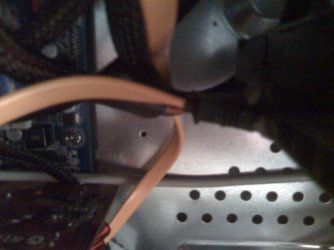
0426092330a.jpg
Held together with dental wax!
 

My Computer

Computer type
PC/Desktop
Computer Manufacturer/Model Number
twah
OS
Windows 7 Ultimate x64
CPU
AMD FX-8120
Motherboard
Biostar TA990FXE
Memory
8gb (4x2gb) DDR3 1600mHz
Graphics Card(s)
AMD 7850 2gb
Monitor(s) Displays
27"
Screen Resolution
1920x1080
Hard Drives
1TB HDD + 128GB SSD
Back
Top