Good Morning 
I am trying to solve a problem that has developed on my mother's laptop regarding Gmail. The laptop is running Windows 7 starter pack 32 bit, Internet Explorer 9 is the routine browser. There are three e-mail accounts being accessed through Windows Live Mail using POP3; the ISP account and two Gmail accounts.
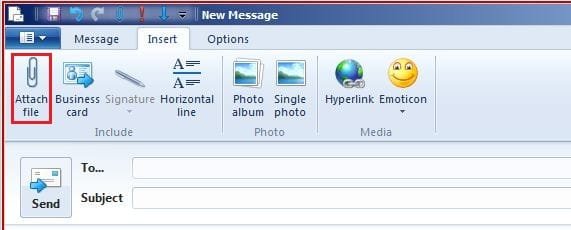
After a year of correct operation a fault developed; any attachment or priority flag in a SENT Gmail message would cause the mail to go to the Outbox and stay there. There are no on-screen error messages, except a small icon on the WLM window above task bar. E-mails without attachments are not affected at all.
The ISP e-mail account works perfectly. Incoming mail on the two Gmail accounts is not affected. I have set up a yahoo mail account, which has identical port and TLS/SSL smtp settings as Gmail and it works perfectly.
In the following experiments a simple jpeg attachments of 6Kb was used
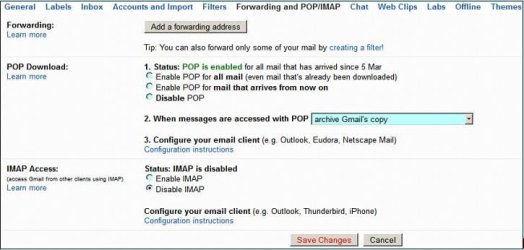
The Gmail accounts work well via webmail. Remembering incoming mail is not affected I have still checked the accounts are POP enabled, the POP and SMTP server settings, ports and TLS/SSL settings. There are no stacked folders on WLM. I uninstalled the anti-virus (Norton) and disabled the firewall with no effect, there are no other security products installed. All Windows, Drivers, Browser and Flash updates are up to date with no errors showing. Diagnostic Performance > Operational event viewer and Administrative Events show nothing relevant, in fact, the laptop is running well. I have uninstalled Windows Live and reinstalled but was aware that it picked up all the pre-uninstallation folders and settings.
I exported a working Gmail account from my PC's WLM and imported it into my mother's laptop, to find that the problem affected that account. I have swapped the Gmail accounts to IMAP and, at one stage, only ran a single e-mail account through WLM. I have swapped the Gmail account settings from the default Advanced to the Basic attachment features.
I temporarily installed Firefox with the 'simple mail' add-on to find that Gmails with attachments wouldn't send from there either, neither would a temporary installation of Thunderbird - logically the problem isn't exclusively WLM.
I temporarily installed SpyBot S&D but no MalWare or BHO were detected, I ran Windows Malicious Software tool but nothing was found.
Gmail aren't responding to bug reports
Does anyone have any idea ?
I am trying to solve a problem that has developed on my mother's laptop regarding Gmail. The laptop is running Windows 7 starter pack 32 bit, Internet Explorer 9 is the routine browser. There are three e-mail accounts being accessed through Windows Live Mail using POP3; the ISP account and two Gmail accounts.
After a year of correct operation a fault developed; any attachment or priority flag in a SENT Gmail message would cause the mail to go to the Outbox and stay there. There are no on-screen error messages, except a small icon on the WLM window above task bar. E-mails without attachments are not affected at all.
The ISP e-mail account works perfectly. Incoming mail on the two Gmail accounts is not affected. I have set up a yahoo mail account, which has identical port and TLS/SSL smtp settings as Gmail and it works perfectly.
In the following experiments a simple jpeg attachments of 6Kb was used
The Gmail accounts work well via webmail. Remembering incoming mail is not affected I have still checked the accounts are POP enabled, the POP and SMTP server settings, ports and TLS/SSL settings. There are no stacked folders on WLM. I uninstalled the anti-virus (Norton) and disabled the firewall with no effect, there are no other security products installed. All Windows, Drivers, Browser and Flash updates are up to date with no errors showing. Diagnostic Performance > Operational event viewer and Administrative Events show nothing relevant, in fact, the laptop is running well. I have uninstalled Windows Live and reinstalled but was aware that it picked up all the pre-uninstallation folders and settings.
I exported a working Gmail account from my PC's WLM and imported it into my mother's laptop, to find that the problem affected that account. I have swapped the Gmail accounts to IMAP and, at one stage, only ran a single e-mail account through WLM. I have swapped the Gmail account settings from the default Advanced to the Basic attachment features.
I temporarily installed Firefox with the 'simple mail' add-on to find that Gmails with attachments wouldn't send from there either, neither would a temporary installation of Thunderbird - logically the problem isn't exclusively WLM.
I temporarily installed SpyBot S&D but no MalWare or BHO were detected, I ran Windows Malicious Software tool but nothing was found.
Gmail aren't responding to bug reports
Does anyone have any idea ?
My Computer
At a glance
Windows 7 Pro 64 bit
- OS
- Windows 7 Pro 64 bit