Solved Gmail: Sending to "[email protected]" (with a dot) fails

Yaron

New member
Member
VIP
Local time
10:53 PM
Messages
122
Hello,

I'm using the old Gmail Chat.

A long time ago I added my own account to the Chat List so that I'd be able to send myself a message from that list.
I had to add a "." (dot) after the User Name; - instead of "[email protected]", "[email protected]".

In the last few days, whenever I send mail to "[email protected]" - I get a "Delivery to the following recipient failed permanently" message.


I'd appreciate your help.

Regards.
 

My Computer My Computer

At a glance

Windows 7 Ultimate x32
OS
Windows 7 Ultimate x32
Check the full content of the reject email. Servers explain the reasons of delivery failure there and let's you take appropriate actions.
 

My Computer My Computer

At a glance

Windows 7 Ultimate x64Intel Core i7-740QM8 GB DDR3NVIDIA GeForce 330GT
Computer type
Laptop
Computer Manufacturer/Model Number
Toshiba Sattelite A665-S6092
OS
Windows 7 Ultimate x64
CPU
Intel Core i7-740QM
Memory
8 GB DDR3
Graphics Card(s)
NVIDIA GeForce 330GT
Screen Resolution
1366x768
Hard Drives
Samsung 840 SSD 500GB
1TB USB3 external HD
Cooling
Coolermaster Notepal U3 notebook cooling pad
Internet Speed
3mbps ASDL
Antivirus
ClamWin 0.98.7
Browser
Opera 12.17 x86 (main), Firefox 38 (sec), IE11 (last resort)
Hi Alejandro85,

Thanks for replying. I appreciate it.

Technical details of permanent failure:
Internal parse error: Illegal envelope To: address (not valid RFC5321 syntax):

Any idea?

Regards.
 

My Computer My Computer

At a glance

Windows 7 Ultimate x32
OS
Windows 7 Ultimate x32
According to Wikipedia your email address is invalid (because it has a trailing dot). Not entirely sure, and without chances to test, but the email standard has the option to quote the account part of the address to deal with invalid addresses. So, what I would try is:

"MyAccount."@gmail.com

Including the quotes.
 

My Computer My Computer

At a glance

Windows 7 Ultimate x64Intel Core i7-740QM8 GB DDR3NVIDIA GeForce 330GT
Computer type
Laptop
Computer Manufacturer/Model Number
Toshiba Sattelite A665-S6092
OS
Windows 7 Ultimate x64
CPU
Intel Core i7-740QM
Memory
8 GB DDR3
Graphics Card(s)
NVIDIA GeForce 330GT
Screen Resolution
1366x768
Hard Drives
Samsung 840 SSD 500GB
1TB USB3 external HD
Cooling
Coolermaster Notepal U3 notebook cooling pad
Internet Speed
3mbps ASDL
Antivirus
ClamWin 0.98.7
Browser
Opera 12.17 x86 (main), Firefox 38 (sec), IE11 (last resort)
Thank you so much! Really clever.

It used to work without the quotes up until a few days ago. Weird.

and without chances to test
May I ask what you mean? Don't you have a Gmail account? :)

If you do (have an account), I have another question and your help might save me a lot of searching.

How do I remove the old [email protected] and replace it with "MyAccount."@gmail.com?
There used to be a simple option for that but it's gone now.

*I use the old Chat.*

Best regards.
 

Attachments

  • OldChat.PNG
    OldChat.PNG
    3.8 KB · Views: 24

My Computer My Computer

At a glance

Windows 7 Ultimate x32
OS
Windows 7 Ultimate x32
It used to work without the quotes up until a few days ago. Weird.

Maybe they just updated the server to make it more standard-compliant, and as a side-effect it began rejecting malformed addresses like yours. Just speculating, but no idea really.


and without chances to test
May I ask what you mean? Don't you have a Gmail account? :)

That is, I don't have a real email address ended with a dot to try my supposition. I happen to have a GMail account, but doesn't has an address like that, so, for this purpose, it's useless :p

How do I remove the old [email protected] and replace it with "MyAccount."@gmail.com?

You don't change anything in the mail configuration, what I mean was entirely client-sided. That is, when you're going to send an email, add the quotes there in the "to" field. I suspect the GMail server would latter interpret it as pointing to your account. At least it should do so according to the standard.
 

My Computer My Computer

At a glance

Windows 7 Ultimate x64Intel Core i7-740QM8 GB DDR3NVIDIA GeForce 330GT
Computer type
Laptop
Computer Manufacturer/Model Number
Toshiba Sattelite A665-S6092
OS
Windows 7 Ultimate x64
CPU
Intel Core i7-740QM
Memory
8 GB DDR3
Graphics Card(s)
NVIDIA GeForce 330GT
Screen Resolution
1366x768
Hard Drives
Samsung 840 SSD 500GB
1TB USB3 external HD
Cooling
Coolermaster Notepal U3 notebook cooling pad
Internet Speed
3mbps ASDL
Antivirus
ClamWin 0.98.7
Browser
Opera 12.17 x86 (main), Firefox 38 (sec), IE11 (last resort)
Thanks again. Appreciated.

My user-name does *not* include a dot either.
I wanted to be able to email myself with 2 clicks only (by adding my account to the Chat list), and a few years ago I read somewhere that I had to add a dot; - otherwise it was impossible to add yourself to your own Chat list.

So, you can actually test it yourself.
Send yourself a message with a dot after the user-name, and then try your clever workaround with the quotes. :)

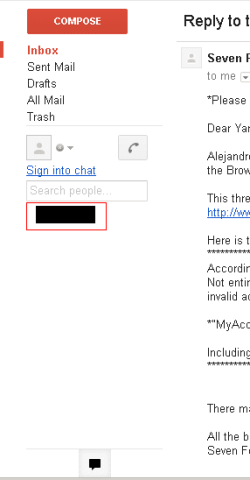
My last question was about editing the Chat list. - Removing an old contact and adding a new one (see the screenshot).

Our time zones are different. I have to retire now. :)

Best regards. To you and to Buenos Aires.
 

My Computer My Computer

At a glance

Windows 7 Ultimate x32
OS
Windows 7 Ultimate x32
Interesting...... Got it now.

Tried it adding a training dot to my own mail, and it failed with a message similar to yours. Then tried quoting my address and it worked! I got my email back at my own mailbox in fact, including the (quoted) dot in the destination. So at least for plain email it works as expected, now try it in your chat.

It seems that the GMail server just ignores dots in the email addresses and considers only letters and numbers to determine who is the destination. Wikipedia mentions something of this as an example, which could make sense to what you mentioned back in the first post.

I haven't tried the chat itself, so no idea here, or how to add or remove it. In fact it has been years since I last entered the GMail website :p
 

My Computer My Computer

At a glance

Windows 7 Ultimate x64Intel Core i7-740QM8 GB DDR3NVIDIA GeForce 330GT
Computer type
Laptop
Computer Manufacturer/Model Number
Toshiba Sattelite A665-S6092
OS
Windows 7 Ultimate x64
CPU
Intel Core i7-740QM
Memory
8 GB DDR3
Graphics Card(s)
NVIDIA GeForce 330GT
Screen Resolution
1366x768
Hard Drives
Samsung 840 SSD 500GB
1TB USB3 external HD
Cooling
Coolermaster Notepal U3 notebook cooling pad
Internet Speed
3mbps ASDL
Antivirus
ClamWin 0.98.7
Browser
Opera 12.17 x86 (main), Firefox 38 (sec), IE11 (last resort)
Hi Alejandro85,

Thanks again for your help.

It turns out that Gmail still accepts [email protected] (dot in the middle of the user-name).

Steps to easily email yourself:

1) Sign in to chat.
2) Type [email protected] in the chat search box.
3) In the popup select "Invite to chat".
4) Type again [email protected] in the chat search box.
5) In the popup select "Show in chat list".

Best regards.
 

My Computer My Computer

At a glance

Windows 7 Ultimate x32
OS
Windows 7 Ultimate x32
Back
Top