I can see two concerns,
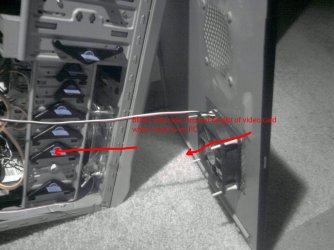
1. keeping your computer case in a small confined space with no air flow will make things worse, it will just circulate hot air.
...
Still can't see what case it is, can you tell us the brand and model?
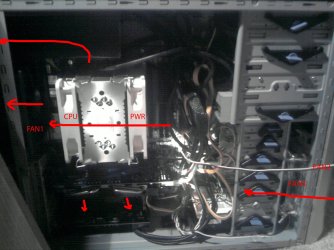
2. There are a lot of cables between the HDD cage and the motherboard, try and re-route these cables out of the air flow path, this will help.
Get some cable ties (zip ties) and secure them out of the way.
...
If your Son's computer is not OC'ed and hitting 90°C at 100% CPU usage, that indicates a CPU cooler problem.
If it is OC'ed, then I would lower the OC until the heat problem is taken care of.
Ok, I've pulled the system apart again. Reinstalled everything. I now have all the cables tucked neatly out of the way with cable ties. Only the cables going to the graphics card are in the path of the front fan.
I ran several tests over today. These are the results.
Ambient Room temp = 24 degrees celcius.
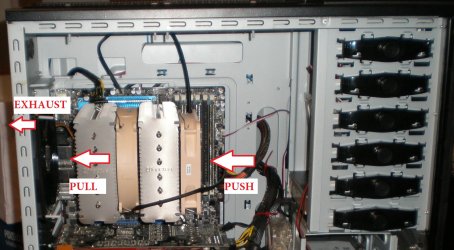
Side Fan PC Location HS Push Rear Case HS Pull Front Idle Temp Fan 1 Fan 2 Fan 3 Fan4 OFF OUT45142177213801819OFFIN45140389213951854INOUT45140989213951854ININ45140389413921854OUTOUT45136689513951839OUTIN45138986813921844PC consistenly runs 20 - 22 degrees above room temp
----
EDIT: This was a table from Excel.. did't paste properly. What it says is that the temp remained at 45 degrees though out a series of 8 tests of 1 hour each. Fan speeds varied slightly, but otherwise nothing changed.
---
The side fan is 80mm, all others are 120mm. The side fan is noisiest so I wanted to see how temps went without it.
OFF means side fan not connected. OUT means it is pulling air out of the case, and IN means it is pushing it into the case.
Other than slight variation in fan speeds there was absolutely no change in CPU temperature.
I have cleaned and re-applied paste. I've done this now more than half a dozen times in the last few days.
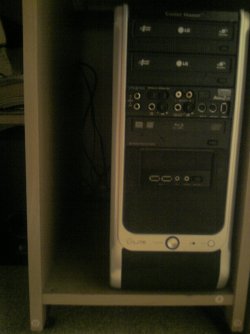
I also raised the case; which is a Coolermaster Elite 330
(http://www.digiconcepts.com/coolermaster_cases_45.htm)
It had raised feet on the bottom which were 8mm of the ground. I've added and extra 20mm to put the case 28mm of the ground.
I tried the system in two locations; completely out of the desk in the open room, and in the PC-cubby hole. Neither made any difference.
Yes, EIST was enabled all along - as soon as I built the system 18 months ago. Bugger about the electricity bills, then.

For no particular reason I took the opportunity to reinstall windows too. I was rebuilding the system from scratch so I figured what the heck. So this is for all intents and purposes a new system :shock:
My youngest son's PC is even more pecualiar. His runs at 46 degrees most of the time (in open space), then without him doing anything different, it shoots up to 73 and stays there until we take the side off and point a big pedestal fan at it.
The 90 degree problem was related to Source SDK. He created a map, and when he tried to compile it the system freaked. He sent the map to another person who compiled it without problems. Go figure.
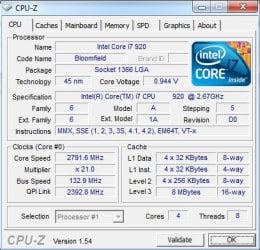
None of the systems are OC'd. The point of this thread initially was to get the temps down by 10 degrees so I could OC them.
It seems that short of running the PC from within my kitchen freezer, I am not going to get the temp down to what lots of people are saying they are running at. It's enough to make you cry

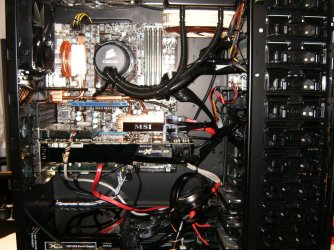
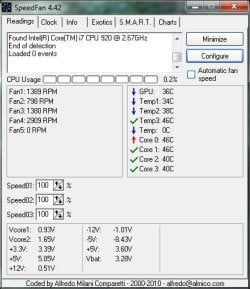
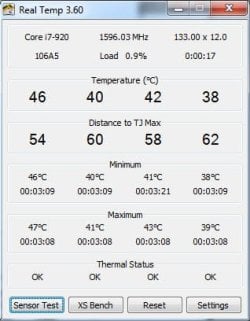
This is the system as it is now...