

We recently made a change to simplify the way Chrome handles sign-in. Now, when you sign into any Google website, you’re also signed into Chrome with the same account. You’ll see your Google Account picture right in the Chrome UI, so you can easily see your sign-in status. When you sign out, either directly from Chrome or from any Google website, you’re completely signed out of your Google Account.
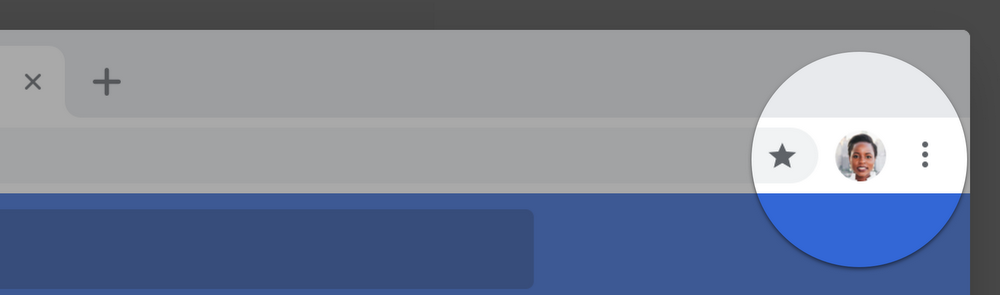
We want to be clear that this change to sign-in does not mean Chrome sync gets turned on. Users who want data like their browsing history, passwords, and bookmarks available on other devices must take additional action, such as turning on sync.
The new UI reminds users which Google Account is signed in. Importantly, this allows us to better help users who share a single device (for example, a family computer). Over the years, we’ve received feedback from users on shared devices that they were confused about Chrome’s sign-in state. We think these UI changes help prevent users from inadvertently performing searches or navigating to websites that could be saved to a different user’s synced account.
We’ve heard—and appreciate—your feedback. We’re going to make a few updates in the next release of Chrome (Version 70, released mid-October) to better communicate our changes and offer more control over the experience.
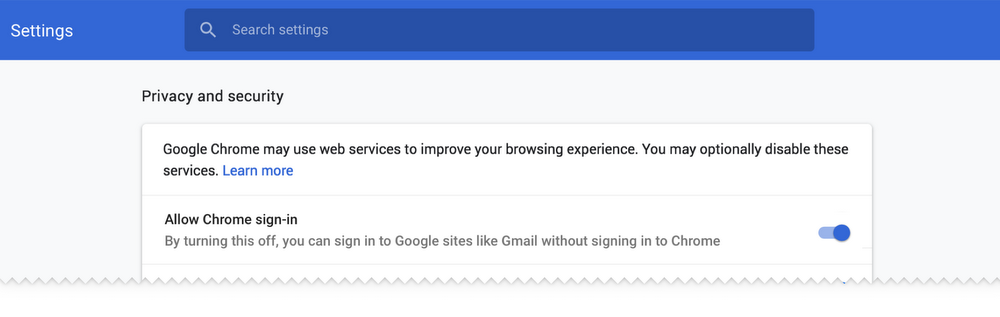
- While we think sign-in consistency will help many of our users, we’re adding a control that allows users to turn off linking web-based sign-in with browser-based sign-in—that way users have more control over their experience. For users that disable this feature, signing into a Google website will not sign them into Chrome.
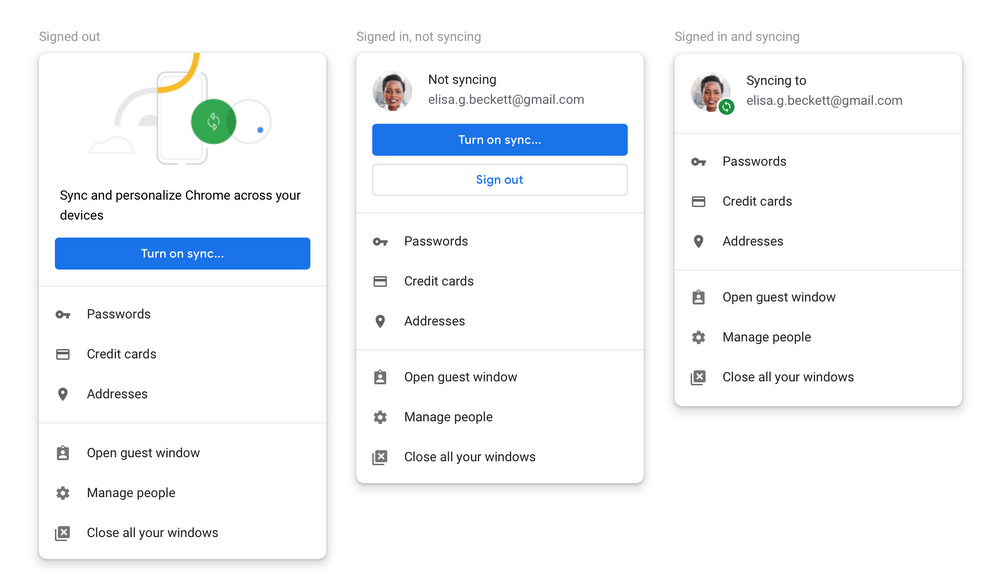
- We’re updating our UIs to better communicate a user’s sync state. We want to be clearer about your sign-in state and whether or not you’re syncing data to your Google Account.
We deeply appreciate all of the passionate users who have engaged with us on this. Chrome is a diverse, worldwide community, and we’re lucky to have users who care as much as you do. Keep the feedback coming.
- We’re also going to change the way we handle the clearing of auth cookies. In the current version of Chrome, we keep the Google auth cookies to allow you to stay signed in after cookies are cleared. We will change this behavior that so all cookies are deleted and you will be signed out.
Source: Product updates based on your feedback
My Computer
- Computer type
- PC/Desktop
- Computer Manufacturer/Model Number
- Self built custom
- OS
- 64-bit Windows 11 Pro for Workstations
- CPU
- Intel i7-8700K OC'd to 5 GHz
- Motherboard
- ASUS ROG Maximus XI Formula Z390
- Memory
- 64 GB (4x16GB) G.SKILL TridentZ RGB DDR4 3600 MHz
- Graphics Card(s)
- ASUS ROG-STRIX-GTX1080TI-O11G-GAMING
- Sound Card
- Integrated
- Monitor(s) Displays
- 2 x Samsung Odyssey G7 27"
- Screen Resolution
- 2560x1440
- Hard Drives
- 1TB Samsung 990 PRO M.2,
4TB Samsung 990 PRO PRO M.2,
TerraMaster F8 SSD Plus NAS
- PSU
- Seasonic Prime Titanium 850W
- Case
- Thermaltake Core P3
- Cooling
- Corsair Hydro H115i
- Keyboard
- Logitech wireless K800
- Mouse
- Logitech MX Master 4
- Internet Speed
- 2 Gb/s Download and 100 Mb/s Upload
- Antivirus
- Malwarebyte Anti-Malware Premium
- Browser
- Google Chrome
- Other Info
- Logitech Z625 speaker system,
Logitech BRIO 4K Pro webcam,
HP Color LaserJet Pro MFP M477fdn,
APC SMART-UPS RT 1000 XL - SURT1000XLI,
Galaxy S23 Plus phone


