

When you’re searching on Google, we aim to provide the most useful results for your query. Today, around one in five searches on Google is related to location, so providing locally relevant search results is an essential part of serving you the most accurate information.
In order to provide this optimal experience, your location determines the country service you receive results for across Google Search and Maps. Historically, these services have been labeled and accessed via country code top level domain names (ccTLD) such as [google.ng for Nigeria] or [google.com.br for Brazil]. You may also have typed in the relevant ccTLD in your browser.
Today, we’ve updated the way we label country services on the mobile web, the Google app for iOS, and desktop Search and Maps. Now the choice of country service will no longer be indicated by domain. Instead, by default, you’ll be served the country service that corresponds to your location. So if you live in Australia, you’ll automatically receive the country service for Australia, but when you travel to New Zealand, your results will switch automatically to the country service for New Zealand. Upon return to Australia, you will seamlessly revert back to the Australian country service.
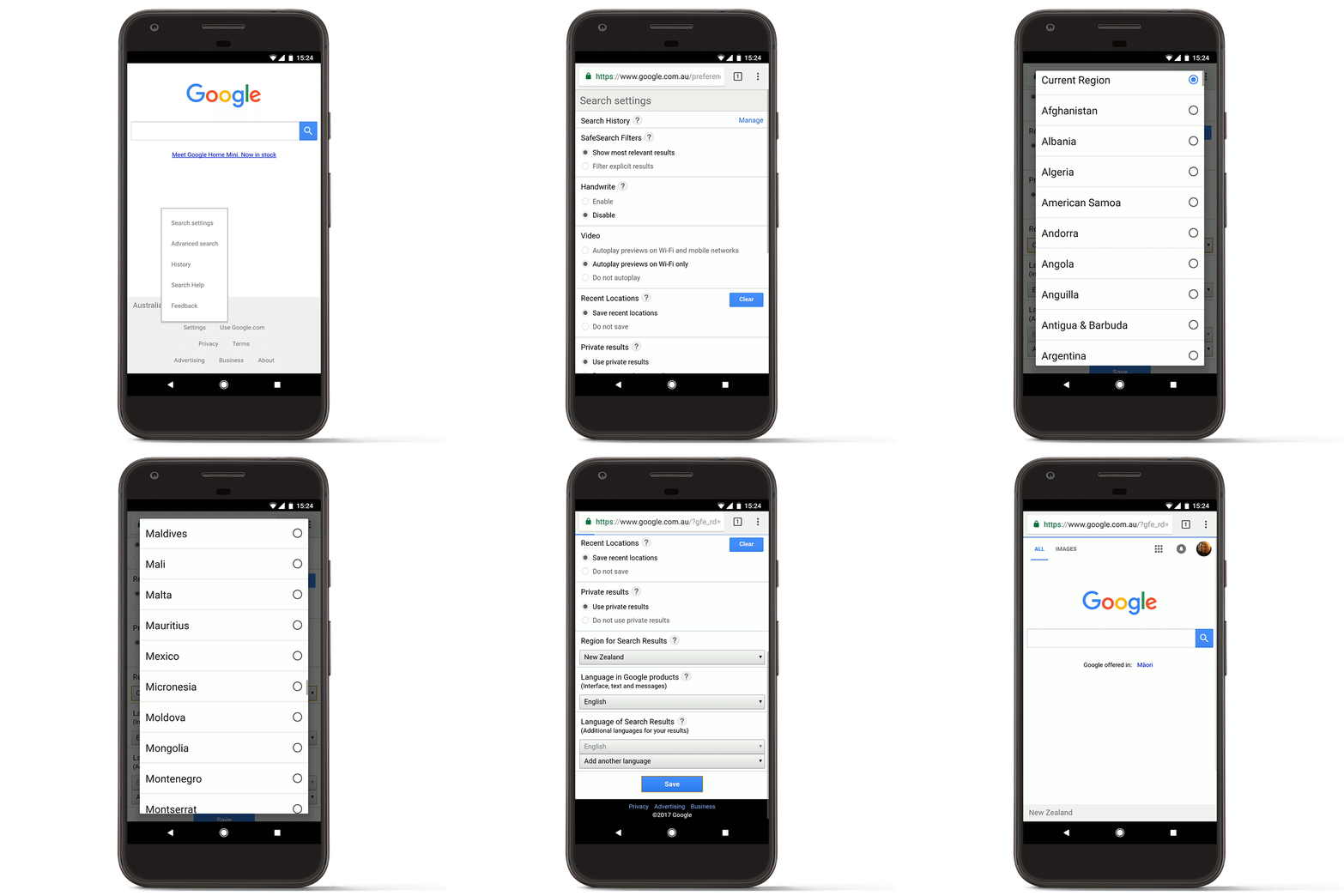
If for some reason you don't see the right country when you're browsing, you can still go into settings and select the correct country service you want to receive. Typing the relevant ccTLD in your browser will no longer bring you to the various country services—this preference should be managed directly in settings. In addition, at the bottom of the search results page, you can clearly see which country service you are currently using.
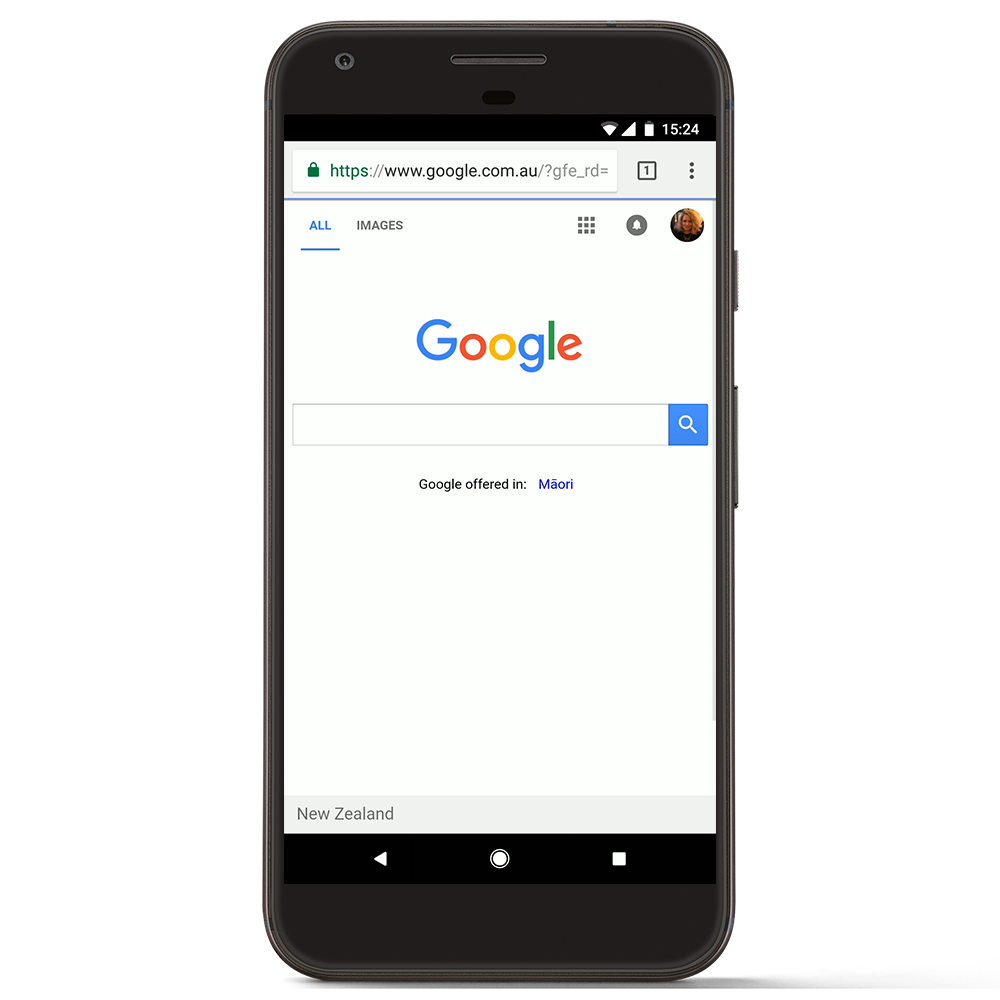
It’s important to note that while this update will change the way Google Search and Maps services are labeled, it won’t affect the way these products work, nor will it change how we handle obligations under national law. This update will help ensure that you get the most relevant results based on your location and is consistent with how Google already manages our services across a number of our other platforms, including YouTube, Blogger, Google Earth and Gmail, among others.
We’re confident this change will improve your Search experience, automatically providing you with the most useful information based on your search query and other context, including location.
Source: Making search results more local and relevant
My Computer
At a glance
64-bit Windows 11 Pro for WorkstationsIntel i7-8700K OC'd to 5 GHz64 GB (4x16GB) G.SKILL TridentZ RGB DDR4 3600...ASUS ROG-STRIX-GTX1080TI-O11G-GAMING
- Computer type
- PC/Desktop
- Computer Manufacturer/Model Number
- Self built custom
- OS
- 64-bit Windows 11 Pro for Workstations
- CPU
- Intel i7-8700K OC'd to 5 GHz
- Motherboard
- ASUS ROG Maximus XI Formula Z390
- Memory
- 64 GB (4x16GB) G.SKILL TridentZ RGB DDR4 3600 MHz
- Graphics Card(s)
- ASUS ROG-STRIX-GTX1080TI-O11G-GAMING
- Sound Card
- Integrated
- Monitor(s) Displays
- 2 x Samsung Odyssey G7 27"
- Screen Resolution
- 2560x1440
- Hard Drives
- 1TB Samsung 990 PRO M.2,
4TB Samsung 990 PRO PRO M.2,
TerraMaster F8 SSD Plus NAS
- PSU
- Seasonic Prime Titanium 850W
- Case
- Thermaltake Core P3
- Cooling
- Corsair Hydro H115i
- Keyboard
- Logitech wireless K800
- Mouse
- Logitech MX Master 4
- Internet Speed
- 2 Gb/s Download and 100 Mb/s Upload
- Antivirus
- Malwarebyte Anti-Malware Premium
- Browser
- Google Chrome
- Other Info
- Logitech Z625 speaker system,
Logitech BRIO 4K Pro webcam,
HP Color LaserJet Pro MFP M477fdn,
APC SMART-UPS RT 1000 XL - SURT1000XLI,
Galaxy S23 Plus phone


