

Roughly two-thirds of Windows Chrome users have other applications on their machines that interact with Chrome, such as accessibility or antivirus software. In the past, this software needed to inject code in Chrome in order to function properly; unfortunately, users with software that injects code into Windows Chrome are 15% more likely to experience crashes. With Chrome extensions and Native Messaging, there are now modern alternatives to running code inside of Chrome processes. Starting in July 2018, Chrome 68 will begin blocking third-party software from injecting code into Chrome on Windows.
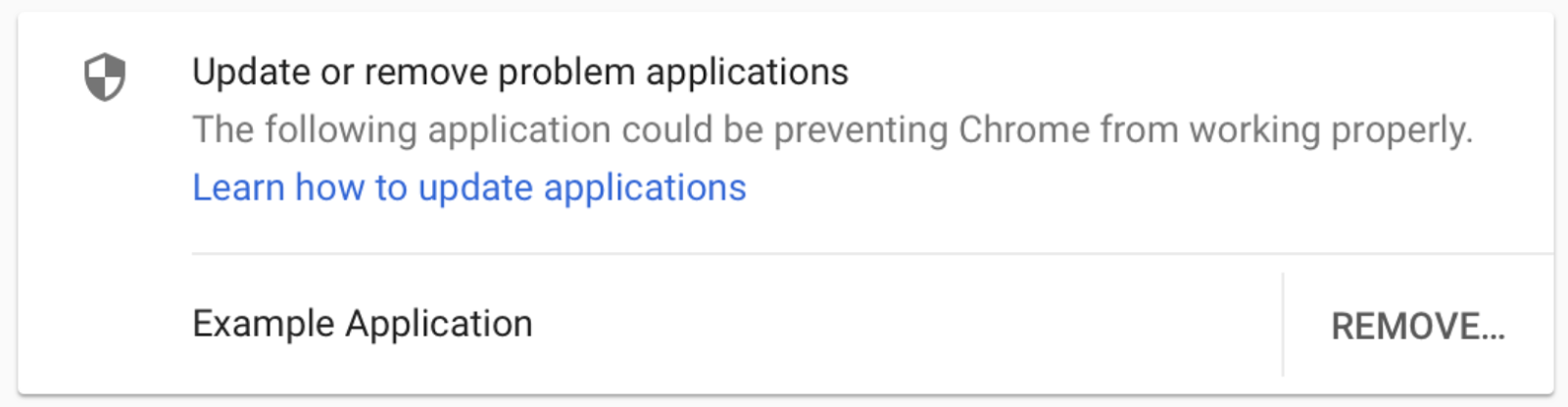
These changes will take place in three phases. In April 2018, Chrome 66 will begin showing affected users a warning after a crash, alerting them that other software is injecting code into Chrome and guiding them to update or remove that software.
In Chrome 66 a warning will be shown to users with third-party software that injects into Chrome.
In July 2018, Chrome 68 will begin blocking third-party software from injecting into Chrome processes. If this blocking prevents Chrome from starting, Chrome will restart and allow the injection, but also show a warning that guides the user to remove the software. Finally, in January 2019, Chrome 72 will remove this accomodation and always block code injection.
While most software that injects code into Chrome will be affected by these changes, there are some exceptions. Microsoft-signed code, accessibility software, and IME software will not be affected. As with all Chrome changes, developers are encouraged to use Chrome Beta for early testing.
Fewer crashes means more happy users, and we look forward to continuing to make Chrome better for everyone.
Posted by Chris Hamilton, Chrome Stability Team
Source: Chromium Blog: Reducing Chrome crashes caused by third-party software
My Computer
- Computer type
- PC/Desktop
- Computer Manufacturer/Model Number
- Self built custom
- OS
- 64-bit Windows 11 Pro for Workstations
- CPU
- Intel i7-8700K OC'd to 5 GHz
- Motherboard
- ASUS ROG Maximus XI Formula Z390
- Memory
- 64 GB (4x16GB) G.SKILL TridentZ RGB DDR4 3600 MHz
- Graphics Card(s)
- ASUS ROG-STRIX-GTX1080TI-O11G-GAMING
- Sound Card
- Integrated
- Monitor(s) Displays
- 2 x Samsung Odyssey G7 27"
- Screen Resolution
- 2560x1440
- Hard Drives
- 1TB Samsung 990 PRO M.2,
4TB Samsung 990 PRO PRO M.2,
TerraMaster F8 SSD Plus NAS
- PSU
- Seasonic Prime Titanium 850W
- Case
- Thermaltake Core P3
- Cooling
- Corsair Hydro H115i
- Keyboard
- Logitech wireless K800
- Mouse
- Logitech MX Master 4
- Internet Speed
- 2 Gb/s Download and 100 Mb/s Upload
- Antivirus
- Malwarebyte Anti-Malware Premium
- Browser
- Google Chrome
- Other Info
- Logitech Z625 speaker system,
Logitech BRIO 4K Pro webcam,
HP Color LaserJet Pro MFP M477fdn,
APC SMART-UPS RT 1000 XL - SURT1000XLI,
Galaxy S23 Plus phone