google search issues

jimlau

New member
Member
Local time
3:01 PM
Messages
87
when i search using google, i only get lists for the results, nothing about pictures, videos, etc.

also, even tho i'm logged into my google account, i can't seem to get safesearch to go off, even tho when i change it it says my settings are saved.

i just did a fresh install of W7 so this is new.

thanks.
 

My Computer

OS
Windows 7 Pro x64
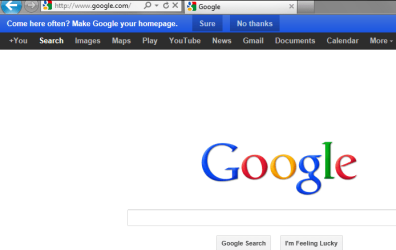
Hey mate, when you open google, do you get this or something like it?:
Capture.PNG
If not, try logging out and exit browser, then log back into google. Sometimes you need to enter search terms before you can change settings. After that, the option to change to video/picture/etc is on the left side and the top of the browser window. Change safe mode by clicking the cog wheel to the far right of the window, towards the top. Then change search settings.

If that doesn't work, try deleting your cookies and try again.

Alternatively, you could try Bing, which some suggest is just as good as Google.
 

My Computer

Computer type
PC/Desktop
Computer Manufacturer/Model Number
Custom Asus Build
OS
Microsoft Windows 8.1 Pro 64-bit
CPU
Intel(R) Core(TM) i3-4130 CPU @ 3.40GHz
Motherboard
B85M-E
Memory
8.00 GB
Graphics Card(s)
None
Sound Card
Realtek High Definition Audio
Monitor(s) Displays
Asus 23.6" Monitor
Screen Resolution
1920 x 1080 x 32 bits (4294967296 colors) @ 60 Hz
Hard Drives
INTEL SSDSC2BW180A4
Samsung SSD 840 PRO Series
PSU
Seasonic S12II-380Bronze
Case
Lian Li
Cooling
Fan, Passive
Keyboard
Logitech K120
Mouse
Microsoft Touch Mouse
Internet Speed
4ms Ping, 19.0 Mbps Download, 19.0 Mbps Upload
Antivirus
Eset Endpoint
Browser
Internet Explorer, Chrome
if i go to google and search there, i get the right results. it's when i search from the address bar that i get the odd listings, where it even says safe search is on, even tho it is off when i go thru google.

how do i modify the search settings from the address bar?

thanks.
 

My Computer

OS
Windows 7 Pro x64
Well mate, what web browser are you using? Assuming it is IE9, you would go to the cog wheel on the actual browser at the top right corner (tools), click it and select Manage Add-ons. To the left, select Search Providers, and make sure Google is set as the default. Delete all others. If you want to add the Google Search provider, find it here: Internet Explorer Gallery

:info: You cannot select Google 'pictures' or 'videos', or otherwise modify the search from the browser search bar. You will have to go to the google webpage. It may be a safety feature that it automatically selects safe search from the browser search bar over personalized settings. If that is the case, you won't be able to change it.
Alternatively, you can type the phrase you are searching for, and when google search pops up, select Images for [phrase]. You could also try the google toolbar, but I usually recommend against any sort of toolbar, and I'm not sure if it would help.
Also, you could either set Google as your homepage or a favorite if you prefer a fast way to shoot over to the search engine.
 

My Computer

Computer type
PC/Desktop
Computer Manufacturer/Model Number
Custom Asus Build
OS
Microsoft Windows 8.1 Pro 64-bit
CPU
Intel(R) Core(TM) i3-4130 CPU @ 3.40GHz
Motherboard
B85M-E
Memory
8.00 GB
Graphics Card(s)
None
Sound Card
Realtek High Definition Audio
Monitor(s) Displays
Asus 23.6" Monitor
Screen Resolution
1920 x 1080 x 32 bits (4294967296 colors) @ 60 Hz
Hard Drives
INTEL SSDSC2BW180A4
Samsung SSD 840 PRO Series
PSU
Seasonic S12II-380Bronze
Case
Lian Li
Cooling
Fan, Passive
Keyboard
Logitech K120
Mouse
Microsoft Touch Mouse
Internet Speed
4ms Ping, 19.0 Mbps Download, 19.0 Mbps Upload
Antivirus
Eset Endpoint
Browser
Internet Explorer, Chrome
Back
Top