gpu?¿ nvidia drivers?¿ please help!!!!

when desinstall the driver, this error comes up...
the situation happens with all nvidia driver versions.


Problem signature:
Problem Event Name: BlueScreen
OS Version: 6.1.7600.2.0.0.256.1
Locale ID: 3082
Additional information about the problem:
BCCode: 116
BCP1: FFFFFA8006EF74E0
BCP2: FFFFF88004771220
BCP3: 0000000000000000
BCP4: 0000000000000002
OS Version: 6_1_7600
Service Pack: 0_0
Product: 256_1
Files that help describe the problem:
C:\Windows\Minidump\061910-21968-01.dmp
C:\Users\Ricardo\AppData\Local\Temp\WER-34625-0.sysdata.xml
Read our privacy statement online:
Windows 7 Privacy Statement - Microsoft Windows
If the online privacy statement is not available, please read our privacy statement offline:
C:\Windows\system32\en-US\erofflps.txt
 

My Computer

OS
7
when desinstall the driver, this error comes up...
the situation happens with all nvidia driver versions.


Problem signature:
Problem Event Name: BlueScreen
OS Version: 6.1.7600.2.0.0.256.1
Locale ID: 3082
Additional information about the problem:
BCCode: 116
BCP1: FFFFFA8006EF74E0
BCP2: FFFFF88004771220
BCP3: 0000000000000000
BCP4: 0000000000000002
OS Version: 6_1_7600
Service Pack: 0_0
Product: 256_1
Files that help describe the problem:
C:\Windows\Minidump\061910-21968-01.dmp
C:\Users\Ricardo\AppData\Local\Temp\WER-34625-0.sysdata.xml
Read our privacy statement online:
Windows 7 Privacy Statement - Microsoft Windows
If the online privacy statement is not available, please read our privacy statement offline:
C:\Windows\system32\en-US\erofflps.txt
right riclx ,have aread of this tutorial http://www.sevenforums.com/crash-lockup-debug-how/34900-1-novice-how-ask-help-bsod-problem.html and start a new post in "crashes and debugging " thread ,one of our BSOD experts will be able to assist you further ;)
 

My Computer

Computer type
PC/Desktop
Computer Manufacturer/Model Number
self build
OS
win 7 ultimate32bit, Win8.1pro wmc 32bit
CPU
amd phenom x4 9600
Motherboard
asus m2n32-sli deluxe
Memory
corsair twinxs 2x2gb
Graphics Card(s)
2x nvidia 1gb 8500gt
Sound Card
onboard
Monitor(s) Displays
23" PB Viseo 233d
Screen Resolution
1920x1080
Hard Drives
maxtor sata 500gb
maxtor sata 320gb
fujitsu sata200gb
PSU
oryxx tornado 750w
Case
thermaltake xaser lll
Cooling
artic freezer64 pro + 7 case fans
ok...
bios updated, win7 installed.
the thing is that when i install nvidia driver 257.21 whql, after the install, pc restarts, but as soon as come out the win logo, display starts to flash, blue screen comes out, with the indication of display driver error.

the configuration i have now is
mobo asrock, alivecfire esata 2 r3.0 amd chipset
cpu amd phenom II 955
graphic gt220 nvidia
6 gb ram

please give a little help, its been days that i m stuck on this.

hi riclx, try using the standard vga driver see if the same thing happens , have you tried running in safe mode? ;)

hi peebly...
with the standard vga it starts... and everything..
but as soons as i install the nvidia driver it happens what i describe above...
i have to enter safe mode... desinstall the nvidia driver... to start again,,,,

whats the next step?
 

My Computer

OS
7

My Computer

Computer type
PC/Desktop
Computer Manufacturer/Model Number
self build
OS
win 7 ultimate32bit, Win8.1pro wmc 32bit
CPU
amd phenom x4 9600
Motherboard
asus m2n32-sli deluxe
Memory
corsair twinxs 2x2gb
Graphics Card(s)
2x nvidia 1gb 8500gt
Sound Card
onboard
Monitor(s) Displays
23" PB Viseo 233d
Screen Resolution
1920x1080
Hard Drives
maxtor sata 500gb
maxtor sata 320gb
fujitsu sata200gb
PSU
oryxx tornado 750w
Case
thermaltake xaser lll
Cooling
artic freezer64 pro + 7 case fans

My Computer

Computer type
PC/Desktop
Computer Manufacturer/Model Number
self build
OS
win 7 ultimate32bit, Win8.1pro wmc 32bit
CPU
amd phenom x4 9600
Motherboard
asus m2n32-sli deluxe
Memory
corsair twinxs 2x2gb
Graphics Card(s)
2x nvidia 1gb 8500gt
Sound Card
onboard
Monitor(s) Displays
23" PB Viseo 233d
Screen Resolution
1920x1080
Hard Drives
maxtor sata 500gb
maxtor sata 320gb
fujitsu sata200gb
PSU
oryxx tornado 750w
Case
thermaltake xaser lll
Cooling
artic freezer64 pro + 7 case fans
ok... i ve reached my limit...
and went back to my previous configuration....

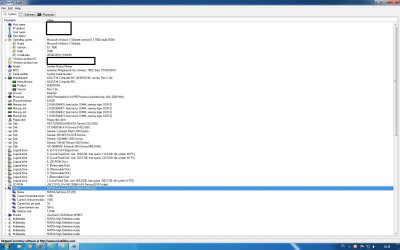
this is my system now as you can see on the picture...
can anyone give the right setup for the bios, etc etc.. anything i can do to have a stable system...
everything goes fine... except when i m gaming... it crashes... and i have to kill the process with task manager....
thanks...
pd. as a last resort i have my oldie gs8400 512 mb ddr2... but for sure i cant get the same performance as i would with the gt220... any advices?
 

Attachments

  • sistema.jpg
    sistema.jpg
    145.6 KB · Views: 12

My Computer

OS
7
the geforce and nforce drivers are the the most recent in nvidia page, and the bios is updated to the 1602 version...
 

My Computer

OS
7
Back
Top