Graphics card problem

goldengold

New member
Local time
5:33 AM
Messages
11
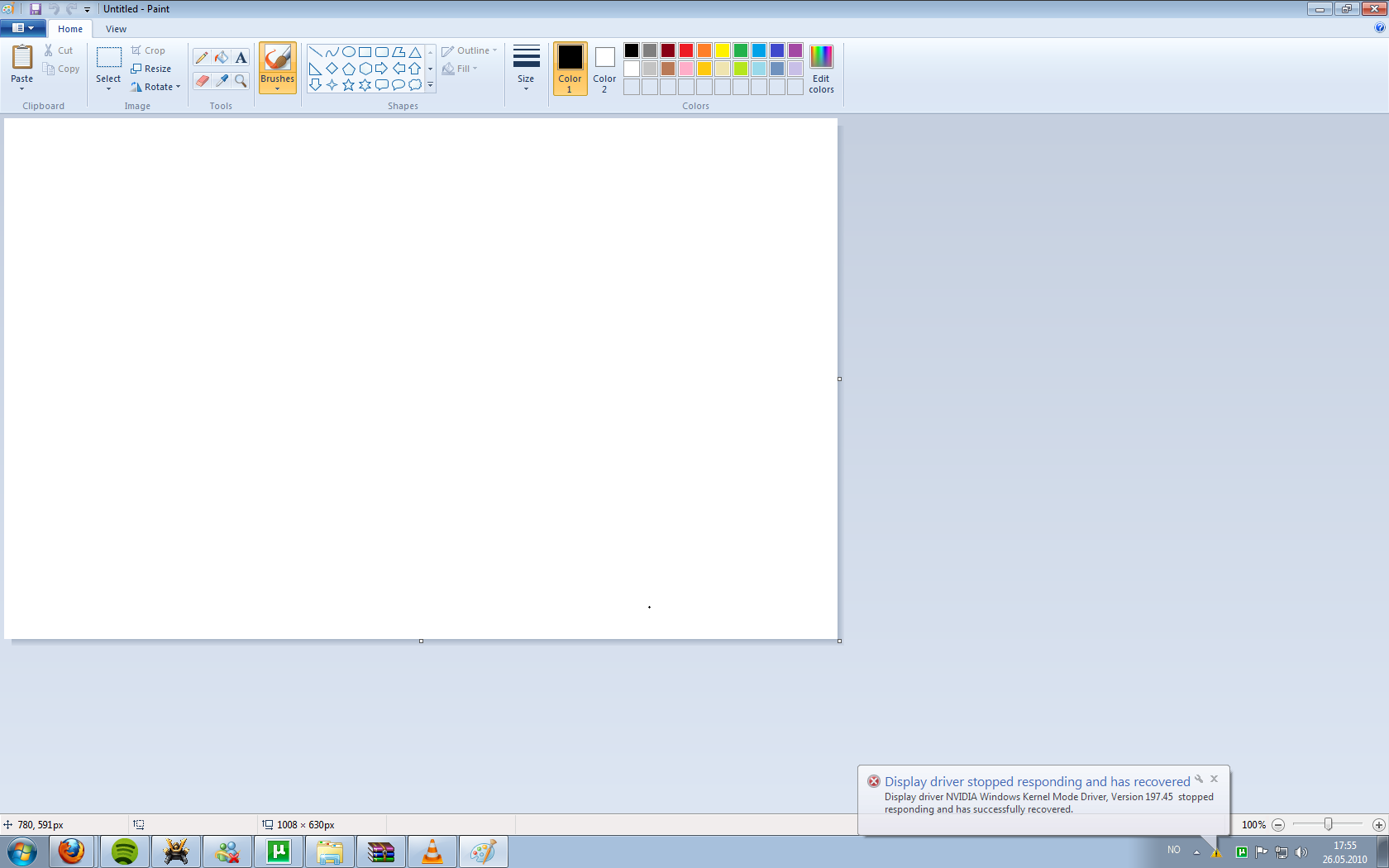
Yesterday while I was watching a show on VLC my screen started to flicker and a notification at the bottom left told me something like 'graphic card stopped workin but windows fixed it'. After a few minutes the flickering of my screen persisted and windows kept saying it fixed it. Eventually VLC stopped and every program I would start or move my cursor on would start going blank and shit. After a few minutes I got a BSOD, can't exactly remember the error. After trying start my computer again I heard 2 beeps and then a couple of consecutive beeps. I tried starting my comp again after a couple of minutes and it would turn on and I could log on. 5 minutes after getting logged on I started to watch a show on VLC again and the same problem happened.
After the second time I waited for an hour until I restarted my comp and managed to stay on for 30 minutes, my computer started flcikering and shutdown while I was playing AOE3 after 15 minutes.

Windows did an automatic update the day before this started happening. I have done a system restore and installed the latest graphic drivers.

It seems that if I do something that requires graphic like watching something or playing a game my computer ****s up.

Windows 7 ultimate, GTX9500 512MB.

WINDOWS HAS RECOVERED FROM AN UNEXPECTED SHUT DOWN:

Problem signature:
Problem Event Name: BlueScreen
OS Version: 6.1.7600.2.0.0.256.1
Locale ID: 1044

Additional information about the problem:
BCCode: 116
BCP1: FFFFFA80096A3010
BCP2: FFFFF880079D9D50
BCP3: 0000000000000000
BCP4: 000000000000000D
OS Version: 6_1_7600
Service Pack: 0_0
Product: 256_1

Files that help describe the problem:
C:\Windows\Minidump\052610-48531-01.dmp
C:\Windows\Temp\WER-77735-0.sysdata.xml


Blue Screen Viewer log.
==================================================
Dump File : 052610-39530-01.dmp
Crash Time : 26.05.2010 20:04:19
Bug Check String :
Bug Check Code : 0x00000116
Parameter 1 : fffffa80`0881f4e0
Parameter 2 : fffff880`048e76c0
Parameter 3 : 00000000`00000000
Parameter 4 : 00000000`0000000d
Caused By Driver : dxgkrnl.sys
Caused By Address : dxgkrnl.sys+5cef8
File Description :
Product Name :
Company :
File Version :
Processor : x64
Computer Name :
Full Path : C:\Windows\Minidump\052610-39530-01.dmp
Processors Count : 4
Major Version : 15
Minor Version : 7600
==================================================


==================================================
Dump File : 052610-48531-01.dmp
Crash Time : 26.05.2010 21:25:59
Bug Check String :
Bug Check Code : 0x00000116
Parameter 1 : fffffa80`096a3010
Parameter 2 : fffff880`079d9d50
Parameter 3 : 00000000`00000000
Parameter 4 : 00000000`0000000d
Caused By Driver : dxgkrnl.sys
Caused By Address : dxgkrnl.sys+5cef8
File Description :
Product Name :
Company :
File Version :
Processor : x64
Computer Name :
Full Path : C:\Windows\Minidump\052610-48531-01.dmp
Processors Count : 4
Major Version : 15
Minor Version : 7600
==================================================


I have been advised on another forum to return my appearance settings to standard, because that disables some 3D function. As far as I know have and it didn't help but is there any specific Reset button for appearance?
 

My Computer

OS
Windows 7 x64
Windows did an automatic update the day before this started happening. I have done a system restore and installed the latest graphic drivers.


Prior to the update, did you experience any sort of aberrant behavior with the video at all?

If it is caused by an Update, a system restore may not have reverted / removed the culprit.


I have been advised on another forum to return my appearance settings to standard, because that disables some 3D function. As far as I know have and it didn't help but is there any specific Reset button for appearance?


The '3D' function may be the NVIDIA Stereoscopic 3D that should be able to be disabled using the nvidia control panel.
 

My Computer

Computer type
PC/Desktop
Computer Manufacturer/Model Number
Systems by SmartEyeball
OS
8 Pro x64
CPU
i7 3770K 4.6GHz
Motherboard
ASUS P8Z77 WS
Memory
16GB G.Skill Trident X 2666mhz
Graphics Card(s)
x2 EVGA 780 Ti Superclocked SLI
Sound Card
SB X-FI Surround 5.1 PRO USB / ATH-AD900 Headphones
Monitor(s) Displays
x3 Dell U2410 / 58" Samsung
Screen Resolution
5760*1200/ 1920*1200
Hard Drives
2x Intel 520 240GB (RAID 0) * 2x WD Caviar Blacks 2TB (RAID 0) * 2TB WD Caviar Black * Sony Optirac DVD
PSU
Silverstone Strider Evolution 1200W
Case
Thermaltake Level 10 GT Snow Edition
Cooling
Noctua NH-D14
Keyboard
Topre Realforce // Ducky Shine MX Black // Filco Ninja TKL
Mouse
Thermaltake Theron (Highly Recommended) + Razer Imperator
Antivirus
MSE
Browser
IE, FF, WaterFox
Other Info
GT Extreme V2 Sim Racing Cockpit + 40" LCD and K/B Mouse stand ▼
Fanatec CSR Elite Wheel + Clubsport V1 Pedals + CSR shifter/7G-H ▼Saitek X52 Pro ▼ TrackIR 5 Pro
Buttkicker v2 Seat Rumbler with Dedicated 5.1 and Sub Woofer attached to frame ▼
=
Bloody Big Grin
No, a few days ago this has never happened. Do you think it might be a hardware problem?
 

My Computer

OS
Windows 7 x64
What was updated?
 

My Computer

Computer type
PC/Desktop
Computer Manufacturer/Model Number
Custom Build
OS
Windows 7 Pro 64bit build 7601 SP1
CPU
Intel Core I5 3570K 3.4Ghz w/ Zalman CNPS9900NT RT
Motherboard
MSI Z77A-G45 Gaming
Memory
G.Skill F3-12800CL9D-8GbXL ; 4Gx2
Graphics Card(s)
EVGA Geforce GTX 770 Superclocked
Sound Card
Creative Sound Blaster Z
Monitor(s) Displays
Dual ViewSonic VX2770Smh-LED Black 27"IPS-Panel
Screen Resolution
1920x1080
Hard Drives
Kingston Hyper X 240GB SSD Win8 Pro 64bit 6GB/s Sata III
Intel 335 Series SSD 240GB Win8 Storage 6GB/s Sata III
Intel 320 Series SSD 600GB Storage 3GB/s Sata II
Western Digital Scorpio Black 1TB - Docked via Esata
PSU
Coolermaster GX 750W
Case
Corsair Vengence C70
Cooling
Coolermaster 120mm and Enermax 140mm
Keyboard
Corsair Vengence K70
Mouse
Logitech G500
Internet Speed
22mbps+
Browser
Firefox, Chrome, IE
Other Info
Swan M50W 2.1 speakers
APC UPS
Thermaltake BlacX HDD Dock
Samsung BD Optical Drive
Netgear WNDR4500
I'd err on the software side of things at this stage.

As I mentioned, check to see that the NVIDIA Stereoscopic 3D is disabled.

Control Panel > Nvidia Control Panel - After that, I'm afraid I can't point you right to the setting, sorry.
 

My Computer

Computer type
PC/Desktop
Computer Manufacturer/Model Number
Systems by SmartEyeball
OS
8 Pro x64
CPU
i7 3770K 4.6GHz
Motherboard
ASUS P8Z77 WS
Memory
16GB G.Skill Trident X 2666mhz
Graphics Card(s)
x2 EVGA 780 Ti Superclocked SLI
Sound Card
SB X-FI Surround 5.1 PRO USB / ATH-AD900 Headphones
Monitor(s) Displays
x3 Dell U2410 / 58" Samsung
Screen Resolution
5760*1200/ 1920*1200
Hard Drives
2x Intel 520 240GB (RAID 0) * 2x WD Caviar Blacks 2TB (RAID 0) * 2TB WD Caviar Black * Sony Optirac DVD
PSU
Silverstone Strider Evolution 1200W
Case
Thermaltake Level 10 GT Snow Edition
Cooling
Noctua NH-D14
Keyboard
Topre Realforce // Ducky Shine MX Black // Filco Ninja TKL
Mouse
Thermaltake Theron (Highly Recommended) + Razer Imperator
Antivirus
MSE
Browser
IE, FF, WaterFox
Other Info
GT Extreme V2 Sim Racing Cockpit + 40" LCD and K/B Mouse stand ▼
Fanatec CSR Elite Wheel + Clubsport V1 Pedals + CSR shifter/7G-H ▼Saitek X52 Pro ▼ TrackIR 5 Pro
Buttkicker v2 Seat Rumbler with Dedicated 5.1 and Sub Woofer attached to frame ▼
=
Bloody Big Grin
I don't have a setting for Stereoscopic 3D, but I've disabled everything thats in the 3D settings
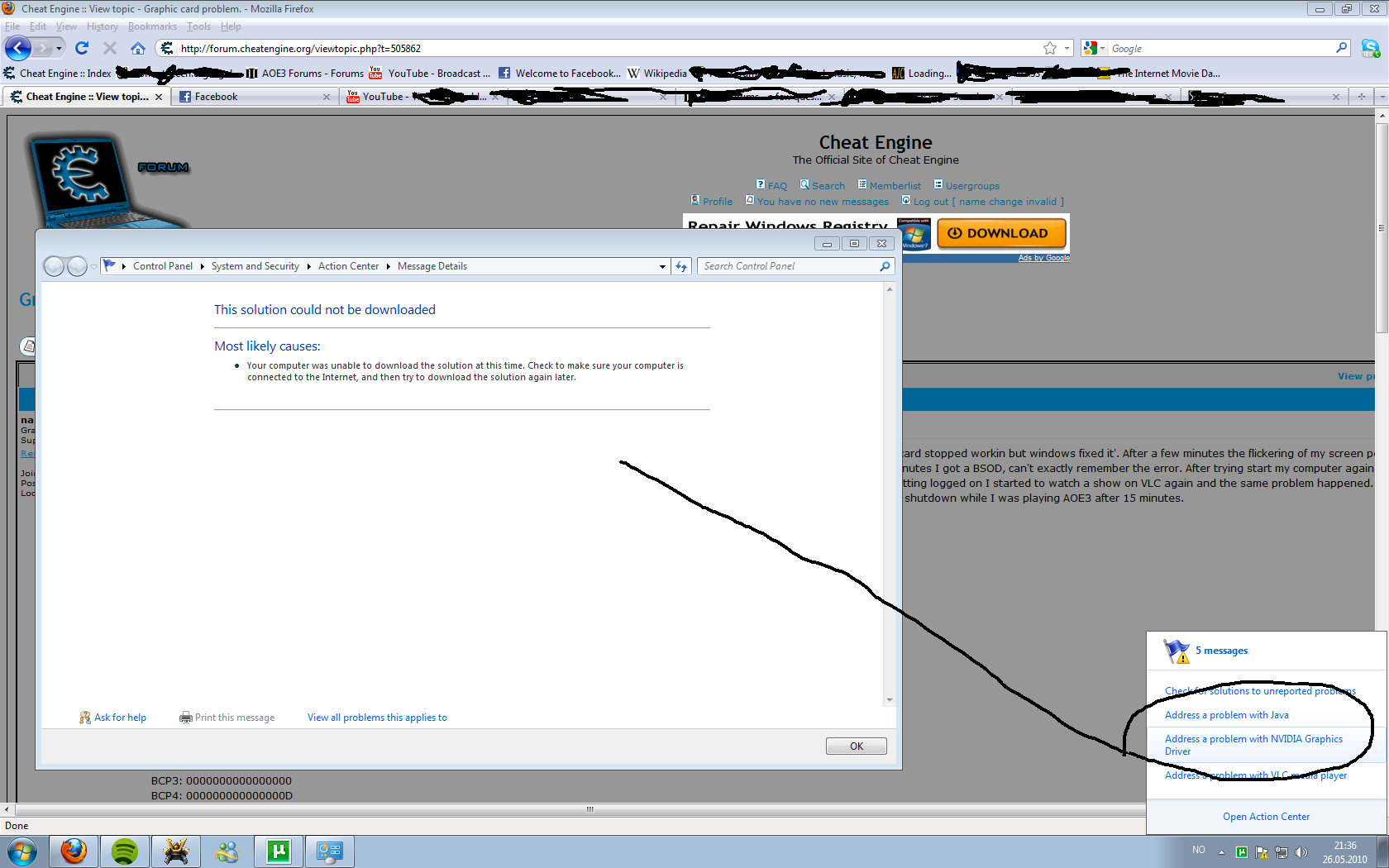
I've taken some SS
gpu_124.png


gpu2_171.png
 

My Computer

OS
Windows 7 x64
install Nvidia driver 257.15 (Beta driver) Cause there is a prob with some cards on driver 197.45 it crashed my 3rd card afew times till i installed 257.15 Beta and now everything is working!! see if that fixe it :thumbsup:
 

My Computer

Computer Manufacturer/Model Number
build it myself
OS
Windows 8 X64 M3 8102 / Windows 7 Ultimate X64
CPU
Core i7 2600K @3.7ghz
Motherboard
GA-Z68XP-UD3R
Memory
32GB DDR-3 1866mhz
Graphics Card(s)
AMD Radeon 6990 + Geforce GTX560
Sound Card
SB Xfi Fatality
Monitor(s) Displays
4x 23" + 30" Dell
Screen Resolution
4x 1920x1080 + Main 2560x1600 Dell
Hard Drives
2x OCZ Agility 3 120gb SATA3
1x Kingston 120gb SATA3
1x Corsair 120gb SATA3
1x Intel 512gb SATA3 (STEAM)
5x 3TB SATA 3 WD Black (Storage)
PSU
Antec 1300W HC
Case
HAF X (USB3)
Cooling
Swiftech H20-320 Edge Liquid Cooling Kit
Keyboard
Optimus Maximus replaced G19
Mouse
Saitek Cyborg R.A.T. 7 Replaced Sidewinder X5
Internet Speed
Internode 1TB Cap ADSL2+ (NBN Optic)
I installed the Beta and it seemed to be working. I was able to play AOE longer than I did before. One time the screen when black but came back. Some minutes after that my screen went black and BSOD - Attempting to fix dsiaplay.

New bluescreenviewer:
====================================
Dump File : 052710-61807-01.dmp
Crash Time : 27.05.2010 14:33:43
Bug Check String :
Bug Check Code : 0x00000116
Parameter 1 : fffffa80`0826d4e0
Parameter 2 : fffff880`0ff98edc
Parameter 3 : 00000000`00000000
Parameter 4 : 00000000`0000000d
Caused By Driver : dxgkrnl.sys
Caused By Address : dxgkrnl.sys+5cef8
File Description :
Product Name :
Company :
File Version :
Processor : x64
Computer Name :
Full Path : C:\Windows\Minidump\052710-61807-01.dmp
Processors Count : 4
Major Version : 15
Minor Version : 7600
==================================================

Seems like the same .sys were the problem. Would a reformat help me?
 

My Computer

OS
Windows 7 x64
Since this started to happened durring very little 2D or 3D stressing the card (watching VLC) .. I would boot into safemode, watch some vids in VLC and see if it still happens.

If it does, it's a hardware problem. If it doesn't, it's a driver/software problem.

I would also suggest trying the system out with a Linux Live CD (I recommend Linux Mint) and see if you encounter problems there. If wonky stuff happens there, it's a hardware issue.
 

My Computer

Computer Manufacturer/Model Number
Asus V2-M3M8200 Barebones
OS
Windows 7 Professional x64
CPU
AMD Phenom II X4 925
Motherboard
V2-M3M8200 (basically a M3N78-VM)
Memory
4x1024mb Kingston HyperX DDR2-1066 KHX8500D2/1G
Graphics Card(s)
Asus GTS 450 OC
Sound Card
Creative Sound Blaster X-Fi Titanium PCIe
Monitor(s) Displays
Asus 24" LCD VH242H
Screen Resolution
1920x1080
Hard Drives
WDC WD5000AAKS
WDC WD5002ABYS
Seagate ST325062 USB-to-IDE
Fujitsu 160GB Pocket USB HDD
PSU
Antec Earthwatts EA-430D
Case
Asus V2-M3M8200
Cooling
120mm side fan & 80mm front & 92mm rear fan
Keyboard
Dell USB mini Multimedia
Mouse
Logitech MX518
Internet Speed
Comcast Xfinity
Other Info
Logitech Webcam Pro 9000
Accurian 40-1462 Speakers
little dot MKII Headphone Amp
This most likely is a BSOD usually caused by the video card and Direct X conflicts. You may have to try several drivers. The latest and the beta Nvidia drivers are not always the best for a given system.
 

My Computer

Computer Manufacturer/Model Number
Home built
OS
Windows 7 Ultimate 32 bit
CPU
Intel(R) Pentium(R) 4 CPU 3.00GHz
Motherboard
ASUS P4P800-VM Motherboard Chipset: Intel 865G + ICH5
Memory
2.50 GB RAM
Graphics Card(s)
NVIDIA GeForce 7600 GS
Sound Card
SoundMax Integrated Digital Audio (Chip)
Monitor(s) Displays
ViewSonic VX 1962 wm
Screen Resolution
1680 X 1050
Hard Drives
Seagate Barracuda 7200.10 80 GB
ST380215A ATA Device 18.6 GB
Western Digital "My Book" external hard drive 750 GB
Cooling
Fan based
Keyboard
Microsoft Comfort Curve Keyboard 2000 v10 USB
Mouse
Logitec optic USB
Internet Speed
3.01 Mb/s download 0.64 Mb/s upload
Alright, I just reformatted my computer, with windows 7. There is no error in the solve PC icon about my graphics card like there was last time but my computer has encountered the flickering and getting the notification that windows has recovered from a timeout. I think I'm just going to go to a local PC store and have them take a look, keep the suggestions coming though.

Thanks all.
 

My Computer

OS
Windows 7 x64
Back
Top