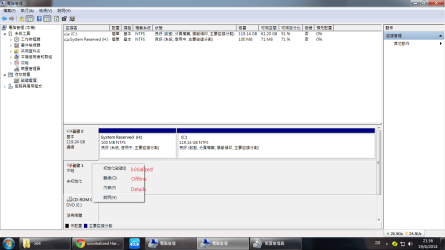
Please post a screenshot of Windows Disk Management with your 1TB WD external drive only plugged in.( Yes, in order not to confuse remove all other USB storage devices)
What happens when you right click on Disk1 (exactly on the word Disk 1 on the left side on the disk map) and click on Initialise ? Post the screenshot of any window that appears alongwith the translation - I can't read Greek , Latin...... - but do not initialise (till further instructions.) Just quit the screen.
Was your external drive working OK yesterday and day before? - No answer
Was it formatted as an MBR disk or GPT disk? - No answer
" When I plug the HD using SATA" - Why did you do that? and When did you do that? Both questions need to be answered.
Is it still an external HDD or is it an internally connected HDD now?
Was your screenshots taken with the HDD as an external HDD or an Internal HDD?
You have thoroughly confused me and I do not know where I am now.
Adding to further confusion you said you forced a shutdown and that made you lose the external drive. Now you say your computer restarted and you did a normal shut down.
I would now like you to restate your problem abinitio with answers to the above questions - when the external drive inside the enclosure became problematic and what all you did after that sequentially.



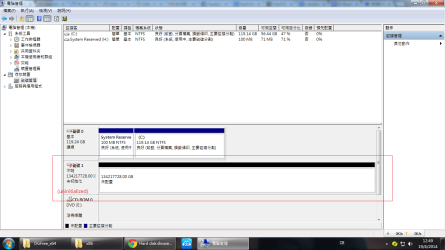
 - but do not initialise (till further instructions.) Just quit the screen.