PhydeauxOne
New member
- Local time
- 10:09 AM
- Messages
- 10
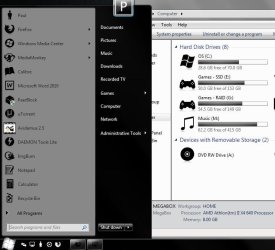
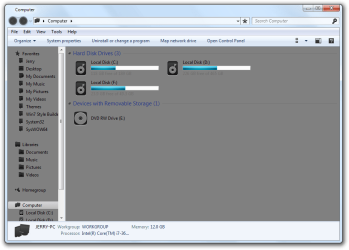
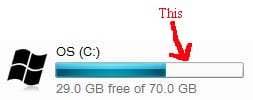
Hey all, long time lurker first time poster. This site has helped me change many an icon and other simple customization tasks so I thought I would ask this here. I'm trying to change the color of the meter that shows how full a hard drive is. It seems like it should be simple, but many things never are, and this is one item I haven't been able to find any info on but I know its possible through windowblinds (however, I don't want to run a 3rd party app just for an appearance).
I'm attaching a pic in case I'm not clear about what I mean. I have a very simple black and white theme going on and the light blue bar just kind of messes it up for me. Is this possible with a registry edit or file replacement? Possibly a setting I've missed? Any and all help is appreciated, thanks.
I'm attaching a pic in case I'm not clear about what I mean. I have a very simple black and white theme going on and the light blue bar just kind of messes it up for me. Is this possible with a registry edit or file replacement? Possibly a setting I've missed? Any and all help is appreciated, thanks.
Attachments

My Computer
At a glance
Windows 7 ultimate x64Athlon II x48GB G Skill 1600nVidia GTS 450
- Computer Manufacturer/Model Number
- HomeBuild
- OS
- Windows 7 ultimate x64
- CPU
- Athlon II x4
- Motherboard
- Biostar a770e3
- Memory
- 8GB G Skill 1600
- Graphics Card(s)
- nVidia GTS 450
- Sound Card
- Onboard
- Monitor(s) Displays
- Samsung SyncMaster BX2450
- Hard Drives
- Intel 335 240GB SSD
Samsung 1T
WD 500GB
- PSU
- Orion 585w
- Cooling
- Stock