Hardware Profiles

powder21

New member
Local time
5:52 AM
Messages
23
My biggest issue with Vista is (and always has been) the removal of the Hardware Profiles feature that is present in XP. Now MS says that hardware profiles are still present in Vista and you can...blah blah, but everybody knows that's a load of crap. (Unless this has changed since the release of SP2 which I haven't worked with yet)

I'm about to install the Win7 RC (I know, I'm behind, but I'm not shelling out 200 bucks for an upgrade until I've had a chance to try it out), but before I do, I would very much like to know if MS finally decided to put this feature back in as per the millions of suggestions posted by people such as myself. I've tried searching for this answer, but I can't even seem to find the question. Maybe I'm just inept at searching. Anyways... If anybody can answer this for me I would really appreciate it. Thanks in advance.

-powder
 

My Computer

Computer type
PC/Desktop
OS
Windows
I just peered around and indeed the feature was not added back

Sorry

Chris
 

My Computer

Computer Manufacturer/Model Number
Compal JFT02 (Custom Build Laptop)
OS
Windows 7 Home Premium x64 - Mac OS X 10.6.4 x64
CPU
Intel Core 2 Duo T9300 2.5 GHz
Motherboard
JFT02
Memory
4GB Kingston DDR2-800
Graphics Card(s)
NVIDIA Geforce 8600M GT (512MB Model)
Sound Card
Realtek HD Audio
Monitor(s) Displays
WUXGA Standard Laptop Display
Screen Resolution
1680*1050
Hard Drives
Toshiba 320GB 5400RPM Laptop HD
PSU
Standard Laptop Power Supply
Case
Standard Laptop Case
Cooling
Standard Laptop Cooling
Keyboard
Standard Laptop 105 Key-Keyboard
Mouse
Synaptics Touchpad
Internet Speed
Verizion Online DSL 3360/864 kbs (dl/up)
Damnit!!! Does anybody know if anything at least equivalent to this feature is present?

P.S. Thanks Chris ;) Sorry to start off the reply with such a negative attitude.
 

My Computer

Computer type
PC/Desktop
OS
Windows
I suppose the equivalence would be to make a / multiple VHD(s) of your install and in the VHD(s) disable the hardware you don't want to use, and install the hardware that you do want to use.

Not anywhere nearly as easy as HPs in XP, but it could quite possibly become a workaround....

Come to think of it, that would be a great way to game in 7....
 

My Computers

System One System Two

  • Computer type
    PC/Desktop
    Computer Manufacturer/Model Number
    The Beast Model A (homebrew)
    OS
    Windows 11 21H2 Current build
    CPU
    AMD Ryzen 9 3950X
    Motherboard
    MSI MEG X570 GODLIKE
    Memory
    4 * 32 GB - Corsair Vengeance 3600 MHz
    Graphics Card(s)
    EVGA GeForce RTX 3080 Ti XC3 ULTRA GAMING (12G-P5-3955-KR)
    Sound Card
    Realtek® ALC1220 Codec
    Monitor(s) Displays
    2x Eve Spectrum ES07D03 4K Gaming Monitor (Matte) | Eve Spec
    Screen Resolution
    3x 3840 x 2160
    Hard Drives
    3x Samsung 980 Pro NVMe PCIe 4 M.2 2 TB SSD (MZ-V8P2T0B/AM) } 3x Sabrent Rocket NVMe 4.0 1 TB SSD
    PSU
    PC Power & Cooling’s Silencer Series 1050 Watt, 80 Plus Plat
    Case
    Fractal Design Define 7 XL Dark ATX Full Tower Case
    Cooling
    SteelSeries Apex Pro Wired Gaming Keyboard
    Keyboard
    SteelSeries Apex Pro
    Mouse
    Logitech MX Master 3S | MX Master 3 for business
    Internet Speed
    AT&T LightSpeed Gigabit Duplex Ftth
    Antivirus
    Windows Defender + MB 3
    Browser
    Nightly (default) + Firefox (stable),Chrome, Edge
  • Computer type
    PC/Desktop
    System Manufacturer/Model Number
    Dell Latitude E5470
    OS
    ChromeOS Flex Dev Channel (current)
    CPU
    Intel(R) Core(TM) i5-6300U CPU @ 2.40GHz, 2501 Mhz, 2 Core(s), 4 Logical Processor(s)
    Motherboard
    Dell
    Memory
    16 GB
    Graphics Card(s)
    Intel(R) HD Graphics 520
    Sound Card
    Intel(R) HD Graphics 520 + RealTek Audio
    Monitor(s) Displays
    Dell laptop display 15"
    Screen Resolution
    1920 * 1080
    Hard Drives
    Toshiba 128GB M.2 22300 drive
    INTEL Cherryville 520 Series SSDSC2CW180A 180 GB SATA III SSD
    PSU
    Dell
    Case
    Dell
    Cooling
    Dell
    Keyboard
    Dell
    Mouse
    Logitech MX Master 3S (shared w. Sys 1) | Dell TouchPad
    Internet Speed
    AT&T LightSpeed Gigabit Duplex Ftth
What would you need a hardware profile for, in this day and age? I remember setting them up in NT 4.0 for docked and undocked status on a laptop. I haven't seen a need for doing so since those days.
 

My Computer

OS
Windows 7 Ultimate x64 SP1
CPU
Intel Core i7-2600
Motherboard
Gigabyte GA-P67A-UD3P-B3
Memory
12 GB Patriot Extreme DDR3-1333
Graphics Card(s)
Nvidia GTX 470
Monitor(s) Displays
Dell UltraSharp 2209WA
Hard Drives
OCZ Agility3 240 GB, WD5001AALS, WD7501AALS
PSU
OCZ ModStream 700W
Case
CoolerMaster HAF 912 Advanced
Cooling
CoolerMaster Hyper 212 Plus
johngalt...I actually have a boot manager which i use to run two seperate physical systems for the purposes of gaming. But physical or virtual, it's too much work just to be able to enable/disable certain hardware at startup.

DeaconFrost...There are certain peices of hardware that I like to have disabled when hooked up to the docking station...for instance, I have an external sound card that I like to use and I'd rather not have my internal sound card enabled when using the external. It gets kind of annoying to have to disable it every time I start up. There are other reasons too which I won't get into. I guess I just don't trust windows when it comes to potentially conflicting hardware.
 

My Computer

Computer type
PC/Desktop
OS
Windows
Having two sound cards has been a pain for end users in Windows, and basd on your comments, that doesn't seem to be fixed.
 

My Computer

OS
Windows 7 Ultimate x64 SP1
CPU
Intel Core i7-2600
Motherboard
Gigabyte GA-P67A-UD3P-B3
Memory
12 GB Patriot Extreme DDR3-1333
Graphics Card(s)
Nvidia GTX 470
Monitor(s) Displays
Dell UltraSharp 2209WA
Hard Drives
OCZ Agility3 240 GB, WD5001AALS, WD7501AALS
PSU
OCZ ModStream 700W
Case
CoolerMaster HAF 912 Advanced
Cooling
CoolerMaster Hyper 212 Plus
What would you need a hardware profile for, in this day and age? I remember setting them up in NT 4.0 for docked and undocked status on a laptop. I haven't seen a need for doing so since those days.

It's not just for docking and undocking. When you have extra hardware device drivers loading into memory for use with the OS, it is occupying memory that you can use for other things.

johngalt...I actually have a boot manager which i use to run two seperate physical systems for the purposes of gaming. But physical or virtual, it's too much work just to be able to enable/disable certain hardware at startup.

DeaconFrost...There are certain peices of hardware that I like to have disabled when hooked up to the docking station...for instance, I have an external sound card that I like to use and I'd rather not have my internal sound card enabled when using the external. It gets kind of annoying to have to disable it every time I start up. There are other reasons too which I won't get into. I guess I just don't trust windows when it comes to potentially conflicting hardware.

I didn't mean disable at startup. I meant disable the hardware permanently in the VHD - so, if you want devices xyz in one boot but not int the other, in the VHD you disable them permanently - the next time you boot into that VHD they are still disabled - effectively becoming a customized hardware profile instead of just another VHD. Once you get it set up there is no need for any further configuration - just pick the install you want to boot into and away you go.

Having two sound cards has been a pain for end users in Windows, and basd on your comments, that doesn't seem to be fixed.

Not easily, no - but using my suggestion you could then have multiple boots without having to install W7 multiple times, and in each different boot you could use a different sound card.
 

My Computers

System One System Two

  • Computer type
    PC/Desktop
    Computer Manufacturer/Model Number
    The Beast Model A (homebrew)
    OS
    Windows 11 21H2 Current build
    CPU
    AMD Ryzen 9 3950X
    Motherboard
    MSI MEG X570 GODLIKE
    Memory
    4 * 32 GB - Corsair Vengeance 3600 MHz
    Graphics Card(s)
    EVGA GeForce RTX 3080 Ti XC3 ULTRA GAMING (12G-P5-3955-KR)
    Sound Card
    Realtek® ALC1220 Codec
    Monitor(s) Displays
    2x Eve Spectrum ES07D03 4K Gaming Monitor (Matte) | Eve Spec
    Screen Resolution
    3x 3840 x 2160
    Hard Drives
    3x Samsung 980 Pro NVMe PCIe 4 M.2 2 TB SSD (MZ-V8P2T0B/AM) } 3x Sabrent Rocket NVMe 4.0 1 TB SSD
    PSU
    PC Power & Cooling’s Silencer Series 1050 Watt, 80 Plus Plat
    Case
    Fractal Design Define 7 XL Dark ATX Full Tower Case
    Cooling
    SteelSeries Apex Pro Wired Gaming Keyboard
    Keyboard
    SteelSeries Apex Pro
    Mouse
    Logitech MX Master 3S | MX Master 3 for business
    Internet Speed
    AT&T LightSpeed Gigabit Duplex Ftth
    Antivirus
    Windows Defender + MB 3
    Browser
    Nightly (default) + Firefox (stable),Chrome, Edge
  • Computer type
    PC/Desktop
    System Manufacturer/Model Number
    Dell Latitude E5470
    OS
    ChromeOS Flex Dev Channel (current)
    CPU
    Intel(R) Core(TM) i5-6300U CPU @ 2.40GHz, 2501 Mhz, 2 Core(s), 4 Logical Processor(s)
    Motherboard
    Dell
    Memory
    16 GB
    Graphics Card(s)
    Intel(R) HD Graphics 520
    Sound Card
    Intel(R) HD Graphics 520 + RealTek Audio
    Monitor(s) Displays
    Dell laptop display 15"
    Screen Resolution
    1920 * 1080
    Hard Drives
    Toshiba 128GB M.2 22300 drive
    INTEL Cherryville 520 Series SSDSC2CW180A 180 GB SATA III SSD
    PSU
    Dell
    Case
    Dell
    Cooling
    Dell
    Keyboard
    Dell
    Mouse
    Logitech MX Master 3S (shared w. Sys 1) | Dell TouchPad
    Internet Speed
    AT&T LightSpeed Gigabit Duplex Ftth
It's not just for docking and undocking. When you have extra hardware device drivers loading into memory for use with the OS, it is occupying memory that you can use for other things.
While you are technically correct, those drivers are hardly taking up a lot of memory, especially in these days where 2 GB is pretty much the bare minimum you'll find an a computer used by a reader of an enthusiasts forum.
 

My Computer

OS
Windows 7 Ultimate x64 SP1
CPU
Intel Core i7-2600
Motherboard
Gigabyte GA-P67A-UD3P-B3
Memory
12 GB Patriot Extreme DDR3-1333
Graphics Card(s)
Nvidia GTX 470
Monitor(s) Displays
Dell UltraSharp 2209WA
Hard Drives
OCZ Agility3 240 GB, WD5001AALS, WD7501AALS
PSU
OCZ ModStream 700W
Case
CoolerMaster HAF 912 Advanced
Cooling
CoolerMaster Hyper 212 Plus
DeaconFrost and JohnGalt are describing fruit from different tress. johngalts excellent suggestion addresses the OPs concern about HW profiles. DeaconFrost points out the virtual lack of any real need for the tactic.

If the tactic is deployed, johngalts method is valid - but a flaw in the logic of applying it is overlooked. The OP wants maximum performance once partially afforded by HW profiles. Unless the host system has a ton of RAM, the guest will suffer from a lack of it. If the host has a ton of RAM, what is the point?

johngalt and I share a trait - we like to ask and answer questions. The question and the answer have a value that may or may not have a practical or common application.

Bottom line - HW profiles were useful in their day. Not useful enough anymore to include them in modern Windows design. There are better ways to skin the cat.
 
One thing though - HPs were not about guests and hosts - they were the same OS using different profiles, enabling and disabling hardware items. My method will do the same using multiple booting OSs - not rel host and guest, in the sense that only one OS is running at any given time.

However, Antman is right - I answered the question without really addressing the practicality of the solution. In this case I can understand the OPs concern as to why this was removed, and have thought more than once that it would be nice to make one for gaming exclusively - some of the hardware on my machine is not gaming related, and when you're playing games fully maxed out in settings for a stunning visual presentation, every little bit helps.

Also, consider this - nVidia drivers were 77 MB last time I checked, for my GTX 260s. The mobo driver package was at 100+, and the driver and software package for my Saitek Cyborg RumblePad v3 weighed in at 75 MB - with an additional 200 MB for the friggin software.

Even with hyper-efficient memory management, if I play a game that has no support for allowing me to use a gamepad (perish the though!) disabling that particular device could save me enough memory for a modest (5%) increase in performance - but, again, every little bit counts.
 

My Computers

System One System Two

  • Computer type
    PC/Desktop
    Computer Manufacturer/Model Number
    The Beast Model A (homebrew)
    OS
    Windows 11 21H2 Current build
    CPU
    AMD Ryzen 9 3950X
    Motherboard
    MSI MEG X570 GODLIKE
    Memory
    4 * 32 GB - Corsair Vengeance 3600 MHz
    Graphics Card(s)
    EVGA GeForce RTX 3080 Ti XC3 ULTRA GAMING (12G-P5-3955-KR)
    Sound Card
    Realtek® ALC1220 Codec
    Monitor(s) Displays
    2x Eve Spectrum ES07D03 4K Gaming Monitor (Matte) | Eve Spec
    Screen Resolution
    3x 3840 x 2160
    Hard Drives
    3x Samsung 980 Pro NVMe PCIe 4 M.2 2 TB SSD (MZ-V8P2T0B/AM) } 3x Sabrent Rocket NVMe 4.0 1 TB SSD
    PSU
    PC Power & Cooling’s Silencer Series 1050 Watt, 80 Plus Plat
    Case
    Fractal Design Define 7 XL Dark ATX Full Tower Case
    Cooling
    SteelSeries Apex Pro Wired Gaming Keyboard
    Keyboard
    SteelSeries Apex Pro
    Mouse
    Logitech MX Master 3S | MX Master 3 for business
    Internet Speed
    AT&T LightSpeed Gigabit Duplex Ftth
    Antivirus
    Windows Defender + MB 3
    Browser
    Nightly (default) + Firefox (stable),Chrome, Edge
  • Computer type
    PC/Desktop
    System Manufacturer/Model Number
    Dell Latitude E5470
    OS
    ChromeOS Flex Dev Channel (current)
    CPU
    Intel(R) Core(TM) i5-6300U CPU @ 2.40GHz, 2501 Mhz, 2 Core(s), 4 Logical Processor(s)
    Motherboard
    Dell
    Memory
    16 GB
    Graphics Card(s)
    Intel(R) HD Graphics 520
    Sound Card
    Intel(R) HD Graphics 520 + RealTek Audio
    Monitor(s) Displays
    Dell laptop display 15"
    Screen Resolution
    1920 * 1080
    Hard Drives
    Toshiba 128GB M.2 22300 drive
    INTEL Cherryville 520 Series SSDSC2CW180A 180 GB SATA III SSD
    PSU
    Dell
    Case
    Dell
    Cooling
    Dell
    Keyboard
    Dell
    Mouse
    Logitech MX Master 3S (shared w. Sys 1) | Dell TouchPad
    Internet Speed
    AT&T LightSpeed Gigabit Duplex Ftth
Woops...been a while since I checked back here. I like your suggestion johngalt, my only problem is that it is just more difficult than it needs to be as opposed to the HW profiles solution and, as you guys mentioned, a little less practical...especially only with 2Gigs of RAM on my system (unless I'm mistaken as to the performance of running a seperate OS on a virtual disk).

Anyways, I will probably just solve this issue the same way I squeeze every ounce of performance out of my notebook as I can for gaming....with a seperate physical system. However, before I do this I will most certainly see how Win7 reacts with the external and internal sound cards as it may not even be an issue.

On a side note, if you would like to squeeze performance out of your own computer for gaming, you might try doing what I do. I use an absolutely wonderful little gadget known as BootIt-NG which installs an 8MB partition at the front of the disk acting as it's own MBR. This then supports as many primary partitions and different OS's I would like whether they be the same OS or completely different OS's... When I was in school, I had two installs of XP (one was for gaming of course), two different distro's of Linux, an install of Server 2003, and an install of Server 2008...the last four OS's came in very handy for learning purposes. What's best about this software is that it only costs 35 bucks. It's also very easy to use once you get the hang of it, yet very powerful as well. One of the sweetest little gems that I have ever come accross. Thought you might like to know.

P.S. The software also doubles as a fully featured partition management software. It's made by Terabyte Unlimited. Here's a link...
http://www.terabyteunlimited.com/index.htm
 

My Computer

Computer type
PC/Desktop
OS
Windows
Following on from Antman's suggestion one other way would be Powershell which contains the functionality to check for and enable or disable the devices on the system.

This is only of any use if you have the required skills with the package but some sample code for device control is listed here ...
Powershell Script to Enable/Disable Network Connection - Software Development

If a script could be written to set the hardware active as required for the docked/undocked state, and run at start-up that would provide the functionality you had previously from HP.

Powershell is on my to do list to learn so can't be of any practical use but is is I believe a possible soloution
 

My Computers

System One System Two

  • Computer type
    PC/Desktop
    Computer Manufacturer/Model Number
    ChillBlast - Custom to my design
    OS
    Windows 11 Pro x64 [Latest Release and Release Preview]
    CPU
    Ryzen 9 5950X, 3.8 - 5.2 MHz
    Motherboard
    Asus Prime X570-Pro
    Memory
    64GB [2 x 32GB] DDR4 3200MHz
    Graphics Card(s)
    4GB NVIDIA GEFORCE GTX 1650 Ti
    Sound Card
    On-board SPDIF to 5.1 System + HDMI [5.1 system]
    Monitor(s) Displays
    32" UHD 32 Bit HDR Monitor + 43" UHD 4K 32Bit HDR TV
    Screen Resolution
    2 x 3840 x 2160 @60Hz
    Hard Drives
    1TB M2 SSD OS, 500GB Fast Access SSD, 2 x 8TB Data + Various Externals from 1TB to 4TB, 10TB NAS
    PSU
    NZXT C750 80 PLUS Gold 750W Modular PSU
    Case
    Workstation Case [Matt Black]
    Cooling
    NZXT Kraken X63 280mm CPU Cooler +2x Quiet Case fans
    Keyboard
    Logitech Wireless MX Keys & K400 + others
    Mouse
    Logitech Wireless MX Master 3S
    Internet Speed
    920 MB Down 50 MB Up
    Antivirus
    BitDefender Total Security Pro
    Browser
    Chrome (always run latest Non-Beta)
    Other Info
    Also run ...
    Laptop - Quad 8GB - Windows 10 Pro x64
    Nexus 7 Android tablet x2
    Samsung 10.2" tablet
    Blackview TAB 8 4G Android Tablet c/w Keyboard
    Wacom Intuos Pro Medium Pen Pad
    Wacom Intuos Pro Small Pen Pad
    Wacom Expresskeys Remote
    Loopdeck+ Graphics Controller
    Shuttle Pro v2 Control
  • Computer type
    Laptop
    System Manufacturer/Model Number
    Dell XPS 17 10750H
    OS
    Windows 11 Pro x64 Latest RP
    CPU
    Intel I7 10750H 5.0GHz
    Motherboard
    Dell XPS
    Memory
    32GB [2x16GB] DDR4 2933 MHz
    Graphics Card(s)
    nVidia GTX1650Ti 4 GB GDDR6
    Sound Card
    Stock [Realtek] 4 Speaker
    Monitor(s) Displays
    17" IPS UHD+ Infinity Edge Touchscreen
    Screen Resolution
    3840 x 2400
    Hard Drives
    2TB M2 NVMe, 4TB External + various 500GB & 1TB External NVMe (also have access to spinner HDD from
    PSU
    Stock
    Case
    Stock XPS Aluminium & Carbon Fibre
    Cooling
    Stock - Active Fan Control
    Keyboard
    Backlit + Various Logitech
    Mouse
    Stock Track Pad + Logitech MX Trackball
    Internet Speed
    72 MB Down 18MB Up
    Browser
    Chrome
    Other Info
    Also run ...
    Laptop - Quad 8GB - Windows 10 Pro x64
    Nexus 7 Android tablet x2
    10.2" tablet
    Sony Z3 Android Smartphone
    Wacom Intuos Pro Medium Pen Pad
    Wacom Intuos Pro Small Pen Pad
    Wacom Expresskeys Remote
    Loopdeck+ Graphics Controller
    Shuttle Pro v2 Control Pad
    10TB NAS
Thanks for the tip. Unfortunately, as you mentioned, powershell requires a certain skillset which I have not yet developed. However, I will most certainly keep it in mind. Thanks again.
 

My Computer

Computer type
PC/Desktop
OS
Windows
On a side note, if you would like to squeeze performance out of your own computer for gaming, you might try doing what I do. I use an absolutely wonderful little gadget known as BootIt-NG which installs an 8MB partition at the front of the disk acting as it's own MBR.
All that does is over-complicate a system. Vista, and now Windows 7 didn't need all that tweaking to make it run at peak efficiency. If you know how to properly set up a system, you don't need separate physical systems to accomplish this. Why not just run the system at it's best all the time? It's true that XP needed a little help in the tweaking department, but even then, there was never a reason to setup multiple systems, multiple users, and all those other configs that led some to believe it was giving them a boost in performance.

The simple answer is, set the system up right, use common sense and common accepted best practices, and you'll be fine.
 

My Computer

OS
Windows 7 Ultimate x64 SP1
CPU
Intel Core i7-2600
Motherboard
Gigabyte GA-P67A-UD3P-B3
Memory
12 GB Patriot Extreme DDR3-1333
Graphics Card(s)
Nvidia GTX 470
Monitor(s) Displays
Dell UltraSharp 2209WA
Hard Drives
OCZ Agility3 240 GB, WD5001AALS, WD7501AALS
PSU
OCZ ModStream 700W
Case
CoolerMaster HAF 912 Advanced
Cooling
CoolerMaster Hyper 212 Plus
Even with hyper-efficient memory management, if I play a game that has no support for allowing me to use a gamepad (perish the though!) disabling that particular device could save me enough memory for a modest (5%) increase in performance - but, again, every little bit counts.

There is no need to disable anything, drivers are not stuck in RAM just like applications they can be removed from RAM. Very little of the kernel has to remain in RAM, in some cases could be around 50 MB to 200 MB.

I can assure you the actual driver for your gamepad is not 75 MB, the packaging around it might be, but the actual driver is much smaller. Around 2.5 MB - 3 MB. The same for all the others you mentioned.

Btw...you would not get a 5% increase...not even on a modest system. Maybe half a frame rate point.

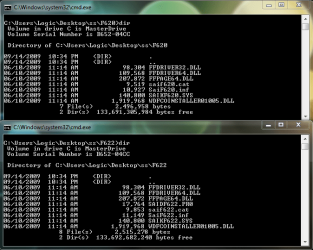
The image below is the two supplied versions of the gamepad drivers for x64.
 

Attachments

  • gamepad_drivers.png
    gamepad_drivers.png
    26.6 KB · Views: 247

My Computer

Computer type
PC/Desktop
Computer Manufacturer/Model Number
Alienware Aurora ALX R4
OS
Windows 10 Pro (x64)
CPU
Intel Core i7-3930K (3.2GHz - 4.5GHz)
Motherboard
Alienware Aurora-R4 x79
Memory
4x Samsung 4GB PC3-12800 DDR3 (16GB 1600MHz)
Graphics Card(s)
Nvidia Geforce GTX 690
Sound Card
SteelSeries Siberia Elite
Monitor(s) Displays
Dell UltraSharp U3011
Screen Resolution
2560x1600
Hard Drives
Samsung 850 Pro 256 GB, Seagate 1TB Desktop Hybrid HDD, 2x Western Digital 4TB Green HDD
PSU
875W Some Dell PSU <.<
Case
Alienware Aurora ALX
Cooling
Custom Liquid Cooling (EK CPU & GPU blocks) dual EK 480RAD
Keyboard
Logitech G710+ Mechanical
Mouse
Logitech G700s
Internet Speed
Verizon Fios (50 mbps average)
Other Info
Server: Intel NUC D54250WYK: i5-4250U, 16GB, 256 GB mSATA, Windows Server 2012 R2
Hi my first post here. I found the site following the hardware profiles issue. I used to love hardware profiles it was great for testing different hardware setups. I currently have a very powerful current drining graphics card, it would be nice to not have it iniatilise when I just want to do some surfing. ( I could use an installed less powerful GPU) Is there any other way to do this ...in the BIOS perhaps?
 

My Computer

Computer Manufacturer/Model Number
cobbled together
OS
windows 7 Ultimate
CPU
Ci7 [email protected]
Motherboard
various
Memory
8GB Gskill ripjaw
Graphics Card(s)
Gecube 4870 x2 ATI 1000
Sound Card
Creative X-fi Fatal1ty
Monitor(s) Displays
30" x2+ 20" x2
Screen Resolution
2560 X 1600
Hard Drives
Samsung F3 1TB x 2
PSU
Cooler Master RM-1000W
Case
lian li 343B
Cooling
water
Keyboard
Logitech G15
Mouse
logitech G9
Internet Speed
50MB
What Graphics card is it? There might be power saving features provided by the card that lowers it power consumption and heat when under little load.
 

My Computer

Computer type
PC/Desktop
Computer Manufacturer/Model Number
Alienware Aurora ALX R4
OS
Windows 10 Pro (x64)
CPU
Intel Core i7-3930K (3.2GHz - 4.5GHz)
Motherboard
Alienware Aurora-R4 x79
Memory
4x Samsung 4GB PC3-12800 DDR3 (16GB 1600MHz)
Graphics Card(s)
Nvidia Geforce GTX 690
Sound Card
SteelSeries Siberia Elite
Monitor(s) Displays
Dell UltraSharp U3011
Screen Resolution
2560x1600
Hard Drives
Samsung 850 Pro 256 GB, Seagate 1TB Desktop Hybrid HDD, 2x Western Digital 4TB Green HDD
PSU
875W Some Dell PSU <.<
Case
Alienware Aurora ALX
Cooling
Custom Liquid Cooling (EK CPU & GPU blocks) dual EK 480RAD
Keyboard
Logitech G710+ Mechanical
Mouse
Logitech G700s
Internet Speed
Verizon Fios (50 mbps average)
Other Info
Server: Intel NUC D54250WYK: i5-4250U, 16GB, 256 GB mSATA, Windows Server 2012 R2
It's a GECUBE ATI RADEON 4870 x2. There may be power saving options in the catalyst driver but the card is still not eco friendly. The hardware profile used to resolve these issues .......:cool:
 

My Computer

Computer Manufacturer/Model Number
cobbled together
OS
windows 7 Ultimate
CPU
Ci7 [email protected]
Motherboard
various
Memory
8GB Gskill ripjaw
Graphics Card(s)
Gecube 4870 x2 ATI 1000
Sound Card
Creative X-fi Fatal1ty
Monitor(s) Displays
30" x2+ 20" x2
Screen Resolution
2560 X 1600
Hard Drives
Samsung F3 1TB x 2
PSU
Cooler Master RM-1000W
Case
lian li 343B
Cooling
water
Keyboard
Logitech G15
Mouse
logitech G9
Internet Speed
50MB
I think there is a very good reason for hardware profiles - namely virtualization. I have an iMac with Boot Camp which allows it to boot windows 7 natively. Fine. But in OS X I can also run THE SAME COPY of windows (my bootcamp partition) via VMWare. The problem is that it is a different virtual hardware, and a different set of drivers. So as soon as I boot one way, I cripple the other. Very annoying. I thought that good old harware profiles would help solve this - but it seems not. Any other ideas ?
 

My Computer

OS
Win 7
Back
Top