Solved have I been hacked on Chrome browser?

sdowney717

New member
Power User
VIP
Local time
7:08 PM
Messages
705
It was running so slow...... barely functioning.
I am on IE11 to post this.
I did not go anywhere unusual.
I am on my homenetwork.
The PC was running so slow, it felt like malware and thought about reinstall.
Ran malwarebytes and came back with 0

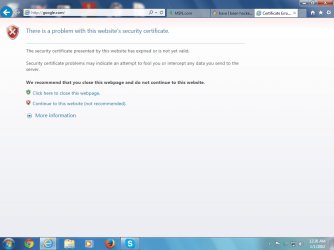
Chrome is giving me a weird looking page I have never seen before.
And is unusable, firefox also slow....

What do I do?
 

Attachments
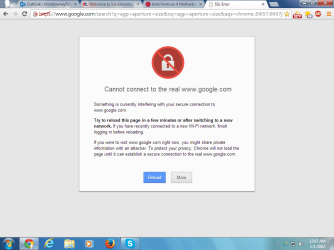
  • internet hacked.png
    internet hacked.png
    38.4 KB · Views: 5

My Computer My Computer

At a glance

Windows 7 Ultimate x64
OS
Windows 7 Ultimate x64
tried to goto google.com from IE11 and get a warning.

I set the date and time and it is working.
But I just don't know.
 

Attachments

  • hacked2.png
    hacked2.png
    43.7 KB · Views: 3

My Computer My Computer

At a glance

Windows 7 Ultimate x64
OS
Windows 7 Ultimate x64
Hi there. i suggest you run these

Please download AdwCleaner by Xplode and save to your Desktop.
  • Double click on AdwCleaner.exe to run the tool.
    Vista/Windows 7/8 users right-click and select Run As Administrator.
  • Click on the Scan button.
  • AdwCleaner will begin...be patient as the scan may take some time to complete.
  • After the scan has finished, click on the Report button...a logfile (AdwCleaner[R#].txt) will open in Notepad for review (where the largest value of # represents the most recent report).
  • The contents of the log file may be confusing. Unless you see a program name that you know should not be removed, don't worry about it. If you see an entry you want to keep, let me know about it.
  • Copy and paste the contents of that logfile in your next reply.
  • A copy of all logfiles are saved in the C:\AdwCleaner folder which was created when running the tool.
Please download Junkware Removal Tool to your desktop.

  • Shut down your protection software now to avoid potential conflicts.
  • Run the tool by double-clicking it. If you are using Windows Vista, 7, or 8; instead of double-clicking, right-mouse click JRT.exe and select "Run as Administrator".
  • The tool will open and start scanning your system.
  • Please be patient as this can take a while to complete depending on your system's specifications.
  • On completion, a log (JRT.txt) is saved to your desktop and will automatically open.
  • Post the contents of JRT.txt into your next message.
As from your latest screenshot, the date and time at the bottom right are wrong, i dont know if the screenshot was before or after the time was changed so thats why im asking lol.
 

My Computer My Computer

At a glance

Windows 7 Home Premium 64BitAMD A6-3420M 1.5GHZ OC - 2.0GHZ4GB DDR3 1600MHZAMD RADEON 6520G+AMD RADEON HD7470M 1GB DDR3
Computer type
Laptop
Computer Manufacturer/Model Number
Packard Bell
OS
Windows 7 Home Premium 64Bit
CPU
AMD A6-3420M 1.5GHZ OC - 2.0GHZ
Memory
4GB DDR3 1600MHZ
Graphics Card(s)
AMD RADEON 6520G+AMD RADEON HD7470M 1GB DDR3
Screen Resolution
1366x768
Hard Drives
500GB SATA
Internet Speed
18Mb Unlimited
Antivirus
AVAST!
Browser
MOZILLA FIREFOX

My Computer My Computer

At a glance

Windows 7 Home Premium 64BitAMD A6-3420M 1.5GHZ OC - 2.0GHZ4GB DDR3 1600MHZAMD RADEON 6520G+AMD RADEON HD7470M 1GB DDR3
Computer type
Laptop
Computer Manufacturer/Model Number
Packard Bell
OS
Windows 7 Home Premium 64Bit
CPU
AMD A6-3420M 1.5GHZ OC - 2.0GHZ
Memory
4GB DDR3 1600MHZ
Graphics Card(s)
AMD RADEON 6520G+AMD RADEON HD7470M 1GB DDR3
Screen Resolution
1366x768
Hard Drives
500GB SATA
Internet Speed
18Mb Unlimited
Antivirus
AVAST!
Browser
MOZILLA FIREFOX
I've been running Combofix for years and it still hasn't turned my Computer into a doorstop...what am I doing wrong?
 

My Computers My Computers

  • At a glance

    Win7, Win10, Win11
    Computer type
    PC/Desktop
    Computer Manufacturer/Model Number
    HP Pavilion 6751c
    OS
    Win7, Win10, Win11
    Internet Speed
    100 Mbps
    Antivirus
    Norton 360
    Browser
    IE 11
  • At a glance

    Win7, Win10, Win11
    Computer type
    PC/Desktop
    System Manufacturer/Model Number
    HP ENVY 750-514 & Dell XPS 8960
    OS
    Win7, Win10, Win11
    Antivirus
    Norton 360
You must know what your doing john!
 

My Computer My Computer

At a glance

Windows 7 Home Premium 64BitAMD A6-3420M 1.5GHZ OC - 2.0GHZ4GB DDR3 1600MHZAMD RADEON 6520G+AMD RADEON HD7470M 1GB DDR3
Computer type
Laptop
Computer Manufacturer/Model Number
Packard Bell
OS
Windows 7 Home Premium 64Bit
CPU
AMD A6-3420M 1.5GHZ OC - 2.0GHZ
Memory
4GB DDR3 1600MHZ
Graphics Card(s)
AMD RADEON 6520G+AMD RADEON HD7470M 1GB DDR3
Screen Resolution
1366x768
Hard Drives
500GB SATA
Internet Speed
18Mb Unlimited
Antivirus
AVAST!
Browser
MOZILLA FIREFOX
so far so good. PC runs fine.
I saw no options for combofix, it simply does its thing and exits.
whatever was slowing it way down, is gone. It was crawling, especially firefox and chrome.
PC feels light, pages come up quick both internal and web. Before it was click something walk away a few minutes, maybe it shows up, maybe not.
I ran jrt and it says it finds a bad module. Follow the procedure, reboot log shows nothing.
Run jrt again and it says found a bad module, apparently it does this all the time for me without actually showing anything in the logs.
 

Attachments

  • Screenshot from 2014-02-13 09:08:48.png
    Screenshot from 2014-02-13 09:08:48.png
    39.9 KB · Views: 2

My Computer My Computer

At a glance

Windows 7 Ultimate x64
OS
Windows 7 Ultimate x64
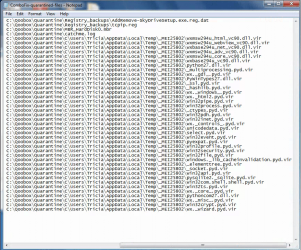
I found the quarantined files in a folder
Here they are.
Combofix added a vir extension to them.
These are the same files as shown in the 'other deletions' combofix log report.

I was going to reinstall windows, so I am glad combofix fixed it.
I run avast, is there anything else I could run?
What would prevent this infection?
I probably downloaded some innocent looking program is what caused this.

This is a slower 2.8 ghz pentium prescott computer, so the malware was able to slow it down enough to notice. I bet more powerful PC, people may not notice infections.
 

Attachments

  • Screenshot from 2014-02-13 11:18:52.png
    Screenshot from 2014-02-13 11:18:52.png
    306.6 KB · Views: 3

My Computer My Computer

At a glance

Windows 7 Ultimate x64
OS
Windows 7 Ultimate x64
PC is back to being slow..... again, very slow.
It was great while it lasted.
It has been rebooted several times and now it is terrible slow.
We hardly used the net. Youtube, hotmail, gmail, fox news, google searches, read various things on various web pages. Went to vimeo to watch some 1080p test videos.
So I am running combofix again to see if the same files get quarantined.
And I will run the Adwarecleaner.

This is getting to be a pain.

I watched as combofix deleted a large amount of files.
When it is done, I will post the new log.

Could the chrome browser be reinfecting?
I have it synced to 2 other machines.
One runs ubuntu, another runs win7
And I use google remote desktop to look into this PC.

I was watching chrome browser as it was trying to connect to sites.
It was always waiting for 'long strings of number and letters'
And when it is not working sites dont load, or they take a very long time.
Right now using Firefox. And it feels fast again.
These odd files combofix keeps deleteing are in the local apps temp folder.
 

Attachments

Last edited:

My Computer My Computer

At a glance

Windows 7 Ultimate x64
OS
Windows 7 Ultimate x64
well adwarecleaner seemed to find nothing

maybe if I never reboot, pc will stay fast and happy?
# AdwCleaner v3.018 - Report created 13/02/2014 at 16:29:12
# Updated 28/01/2014 by Xplode
# Operating System : Windows 7 Ultimate Service Pack 1 (32 bits)
# Username : Tricia - TRICIA-PC
# Running from : C:\Users\Tricia\Downloads\AdwCleaner (1).exe
# Option : Scan
***** [ Services ] *****

***** [ Files / Folders ] *****
Folder Found C:\ProgramData\ParetoLogic
***** [ Shortcuts ] *****

***** [ Registry ] *****
Key Found : HKCU\Software\ParetoLogic
Key Found : HKLM\SOFTWARE\Microsoft\Tracing\ApnSetup_RASAPI32
Key Found : HKLM\SOFTWARE\Microsoft\Tracing\ApnSetup_RASMANCS
Key Found : HKLM\Software\ParetoLogic
Key Found : HKLM\Software\PIP
***** [ Browsers ] *****
-\\ Internet Explorer v11.0.9600.16428

-\\ Mozilla Firefox v27.0 (en-US)
[ File : C:\Users\Tricia\AppData\Roaming\Mozilla\Firefox\Profiles\7qf6qhde.default\prefs.js ]

-\\ Google Chrome v32.0.1700.107
[ File : C:\Users\Tricia\AppData\Local\Google\Chrome\User Data\Default\preferences ]

*************************
AdwCleaner[R0].txt - [1041 octets] - [13/02/2014 16:29:12]
########## EOF - C:\AdwCleaner\AdwCleaner[R0].txt - [1101 octets] ##########
 

My Computer My Computer

At a glance

Windows 7 Ultimate x64
OS
Windows 7 Ultimate x64
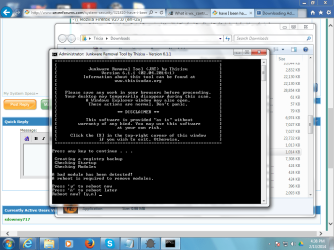
jrt.exe is always reporting a bad module.
but it never clears it, and I am running the program as administrator
 

Attachments

  • jrtbad.png
    jrtbad.png
    87.4 KB · Views: 2

My Computer My Computer

At a glance

Windows 7 Ultimate x64
OS
Windows 7 Ultimate x64
your right the adware log shows entries.
The gui did not show anything that I noticed.

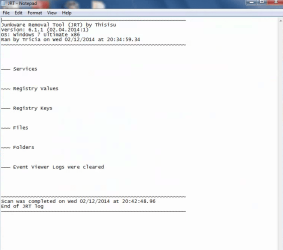
jrt log
~~~~~~~~~~~~~~~~~~~~~~~~~~~~~~~~~~~~~~~~~~~~~~~~~~~~~~~~~~~~~
Junkware Removal Tool (JRT) by Thisisu
Version: 6.1.1 (02.04.2014:1)
OS: Windows 7 Ultimate x86
Ran by Tricia on Thu 02/13/2014 at 16:43:05.89
~~~~~~~~~~~~~~~~~~~~~~~~~~~~~~~~~~~~~~~~~~~~~~~~~~~~~~~~~~~~~


~~~ Services

~~~ Registry Values

~~~ Registry Keys

~~~ Files

~~~ Folders

~~~ Event Viewer Logs were cleared


~~~~~~~~~~~~~~~~~~~~~~~~~~~~~~~~~~~~~~~~~~~~~~~~~~~~~~~~~~~~~
Scan was completed on Thu 02/13/2014 at 16:53:58.75
Computer was rebooted
End of JRT log
~~~~~~~~~~~~~~~~~~~~~~~

Well so far everything is nice and speedy even after the jrt reboot.

I am really wondering if Chrome is doing something to the PC. I am not going to run chrome for awhile and see what happens.
 

My Computer My Computer

At a glance

Windows 7 Ultimate x64
OS
Windows 7 Ultimate x64
Please download Rkill by Grinler from one of the links below and save it to your desktop.

Link 1
Link 2


  • On Windows XP double-click on the Rkill desktop icon to run the tool.
  • On Windows Vista/Windows 7 or 8, right-click on the Rkill desktop icon and select Run As Administrator
  • A black DOS box will briefly flash and then disappear. This is normal and indicates the tool ran successfully.
  • If not, delete the file, then download and use the one provided in Link 2.
  • If it does not work, repeat the process and attempt to use one of the remaining links until the tool runs.
  • If the tool does not run from any of the links provided, please let me know.
  • Do not reboot the computer, you will need to run the application again.
Run this and then run Adwcleaner and JRT again as well as this:


Please download RogueKiller and save it to your desktop.

You can check here if you're not sure if your computer is 32-bit or 64-bit


  • RogueKiller 32-bit | RogueKiller 64-bit
  • Quit all running programs.
  • For Windows XP, double-click to start.
  • For Vista,Windows 7/8, Right-click on the program and select Run as Administrator to start and when prompted allow it to run.
  • Read and accept the EULA (End User Licene Agreement)
  • Click Scan to scan the system.
  • When the scan completes Close the program > Don't Fix anything!
  • Don't run any other options, they're not all bad!!
  • Post back the report which should be located on your desktop.
 

My Computer My Computer

At a glance

Windows 7 Home Premium 64BitAMD A6-3420M 1.5GHZ OC - 2.0GHZ4GB DDR3 1600MHZAMD RADEON 6520G+AMD RADEON HD7470M 1GB DDR3
Computer type
Laptop
Computer Manufacturer/Model Number
Packard Bell
OS
Windows 7 Home Premium 64Bit
CPU
AMD A6-3420M 1.5GHZ OC - 2.0GHZ
Memory
4GB DDR3 1600MHZ
Graphics Card(s)
AMD RADEON 6520G+AMD RADEON HD7470M 1GB DDR3
Screen Resolution
1366x768
Hard Drives
500GB SATA
Internet Speed
18Mb Unlimited
Antivirus
AVAST!
Browser
MOZILLA FIREFOX
ok, here is rkill log
will keep reporting on the further instructions.
so far IE11 been zippy fast.

Rkill 2.6.5 by Lawrence Abrams (Grinler)
Bleeping Computer - Technical Support and Computer Help
Copyright 2008-2014 BleepingComputer.com
More Information about Rkill can be found at this link:
RKill - What it does and What it Doesn't - A brief introduction to the program - Anti-Virus and Anti-Malware Software
Program started at: 02/13/2014 05:18:27 PM in x86 mode.
Windows Version: Windows 7 Ultimate Service Pack 1
Checking for Windows services to stop:
* No malware services found to stop.
Checking for processes to terminate:
* No malware processes found to kill.
Checking Registry for malware related settings:
* No issues found in the Registry.
Resetting .EXE, .COM, & .BAT associations in the Windows Registry.
Performing miscellaneous checks:
* No issues found.
Checking Windows Service Integrity:
* No issues found.
Searching for Missing Digital Signatures:
* C:\Windows\System32\user32.dll : 811,520 : 01/15/2013 04:24 PM : 7bd7f45ff37fa0669cd32ca0ef46e22c [NoSig]
+-> C:\Windows\winsxs\x86_microsoft-windows-user32_31bf3856ad364e35_6.1.7601.17514_none_cf3fd62ccb9e983d\user32.dll : 811,520 : 11/20/2010 04:29 PM : f1dd3acaee5e6b4bbc69bc6df75cef66 [Pos Repl]
Checking HOSTS File:
* HOSTS file entries found:
127.0.0.1 localhost
Program finished at: 02/13/2014 05:19:23 PM
Execution time: 0 hours(s), 0 minute(s), and 56 seconds(s)
 

My Computer My Computer

At a glance

Windows 7 Ultimate x64
OS
Windows 7 Ultimate x64
The fact that you are essentially getting infected by the same malware suggests a persistence method has been established on your computer, or you are repeating the same behavior that caused the initial infection. I am not going to write the textbook worth of techniques that can accomplish persistence, but I would suggest resetting chrome after you remove the malware again. Take note of what you have installed to Chrome, prior to doing this. Also confirm that Chrome does not have a proxy enabled.

So run the tools described, already. In addition I would suggest running the free version of MBAM. After completing these tasks, reset Chrome. Please report back findings.
 

My Computer My Computer

At a glance

W7 x64i5
Computer type
PC/Desktop
Computer Manufacturer/Model Number
Custom
OS
W7 x64
CPU
i5
Motherboard
Gigabyte 277-UD3H
Rkill Stops malware from running and interfering with your scan results etc so it can be very useful.
 

My Computer My Computer

At a glance

Windows 7 Home Premium 64BitAMD A6-3420M 1.5GHZ OC - 2.0GHZ4GB DDR3 1600MHZAMD RADEON 6520G+AMD RADEON HD7470M 1GB DDR3
Computer type
Laptop
Computer Manufacturer/Model Number
Packard Bell
OS
Windows 7 Home Premium 64Bit
CPU
AMD A6-3420M 1.5GHZ OC - 2.0GHZ
Memory
4GB DDR3 1600MHZ
Graphics Card(s)
AMD RADEON 6520G+AMD RADEON HD7470M 1GB DDR3
Screen Resolution
1366x768
Hard Drives
500GB SATA
Internet Speed
18Mb Unlimited
Antivirus
AVAST!
Browser
MOZILLA FIREFOX
Thanks, how to reset chrome?
uninstall reinstall will work?

adwarecleaner log
# AdwCleaner v3.018 - Report created 13/02/2014 at 17:26:01
# Updated 28/01/2014 by Xplode
# Operating System : Windows 7 Ultimate Service Pack 1 (32 bits)
# Username : Tricia - TRICIA-PC
# Running from : C:\Users\Tricia\Downloads\AdwCleaner (1).exe
# Option : Clean
***** [ Services ] *****

***** [ Files / Folders ] *****
Folder Deleted : C:\ProgramData\ParetoLogic
***** [ Shortcuts ] *****

***** [ Registry ] *****
Key Deleted : HKLM\SOFTWARE\Microsoft\Tracing\ApnSetup_RASAPI32
Key Deleted : HKLM\SOFTWARE\Microsoft\Tracing\ApnSetup_RASMANCS
Key Deleted : HKCU\Software\ParetoLogic
Key Deleted : HKLM\Software\ParetoLogic
Key Deleted : HKLM\Software\PIP
***** [ Browsers ] *****
-\\ Internet Explorer v11.0.9600.16428

-\\ Mozilla Firefox v27.0 (en-US)
[ File : C:\Users\Tricia\AppData\Roaming\Mozilla\Firefox\Profiles\7qf6qhde.default\prefs.js ]

-\\ Google Chrome v32.0.1700.107
[ File : C:\Users\Tricia\AppData\Local\Google\Chrome\User Data\Default\preferences ]

*************************
AdwCleaner[R0].txt - [1181 octets] - [13/02/2014 16:29:12]
AdwCleaner[R1].txt - [1241 octets] - [13/02/2014 17:22:13]
AdwCleaner[S0].txt - [1176 octets] - [13/02/2014 17:26:01]
########## EOF - C:\AdwCleaner\AdwCleaner[S0].txt - [1236 octets] ##########
 

My Computer My Computer

At a glance

Windows 7 Ultimate x64
OS
Windows 7 Ultimate x64
A quick reinstall should work fine, Adwcleaner keeps reporting the same few entries as deleted but they clearly aren't if they re-appear, just waiting on the RogueKiller Log.
 

My Computer My Computer

At a glance

Windows 7 Home Premium 64BitAMD A6-3420M 1.5GHZ OC - 2.0GHZ4GB DDR3 1600MHZAMD RADEON 6520G+AMD RADEON HD7470M 1GB DDR3
Computer type
Laptop
Computer Manufacturer/Model Number
Packard Bell
OS
Windows 7 Home Premium 64Bit
CPU
AMD A6-3420M 1.5GHZ OC - 2.0GHZ
Memory
4GB DDR3 1600MHZ
Graphics Card(s)
AMD RADEON 6520G+AMD RADEON HD7470M 1GB DDR3
Screen Resolution
1366x768
Hard Drives
500GB SATA
Internet Speed
18Mb Unlimited
Antivirus
AVAST!
Browser
MOZILLA FIREFOX
Back
Top