According to
this other MS Community forum post, you might double check other Windows services as follows:
This can sometimes be the result of a possible malware attack. So update your AV package and run a full scan, the download, install, update, and run a full scan with free
malwarebytes. This should hopefully prove your PC is clean, or find and remove any malware ( if there is any ).
Then try the msfixits for update -
http://support.microsoft.com/fixit/?wa=wsignin1.0 search for 'update' ( no quotes ), and run the 'Fix the problem with Microsoft Windows Update that is not working' fixit.
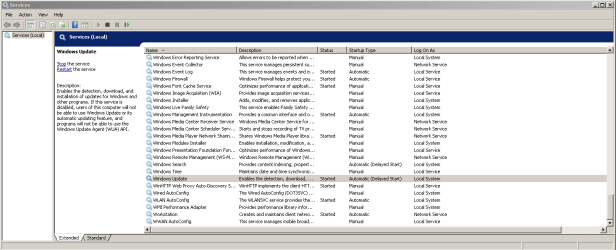
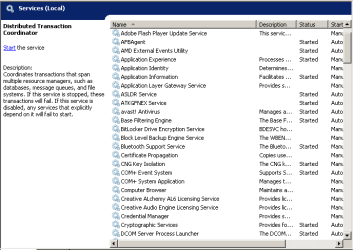
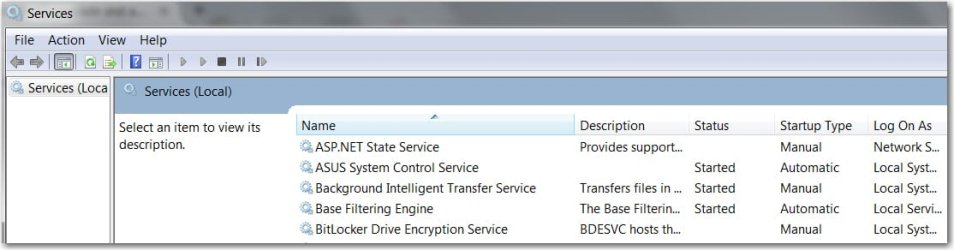
If it still doesn't work, then check the following in services. <start> in 'search programs and folders' type "
services" ( without the quotes ), click 'services' in the program results. Or, just RUN SERVICES.MSC.
Check the the following services are listed and running:
Windows Update
Remote Procedure call (RPC)
DCOM service process launcher
RPC Endpoint Mapper
Background Intelligent Transfer Service (BITS)
If any are listed and stopped, then try setting them to started ( i.e. try to start them ) and 'Automatic (Delayed start)' for BITS and Windows Update, with the other three set for 'Automatic'.
You will need to run 'services' as administrator to start the service. So right-click it in the results and 'click Run As Administrator'.