HDD being seen now and again, can not get it to work constantly

v3nd3tta

New member
Local time
2:17 PM
Messages
6
Location
Birmingham
reposted as i've had no reply in over 2 days and still broken :/

motherboard randomly seeing hard disk then not
Alright, well last week i got a brand new comp pratically;
brought the asus sabertooth 990fx, amd fx-8150 8-core processor, asus 560 gtx ti graphics card, 8gb of corsair vengeance ram and the corsair gs700

i had issues from the get go, the Hard Drive ran not being seen then being seen again, finally it started to be seen on a constant level but when would not get past the windows logo before flashing BSOD for about 1/10 of a second then restarting so in the end i installed a new verson of windows (now running windows ultimate 64) which in turn made it work correctly .... kinda

it was still having problems seeing my hard disk drive now and again but all i needed to do was remove the psu cable and put it back in for it to start working again the only issue was that the mobo was defected and was only seeing 1 of the 4 dim slots so i ofc phoned up amazon and asked for a new one, which they sent

this is where i am having my issue with my new mobo installed and everything how it was i booted up my comp, it did the normal thing where i needed to remove and replug the HDD in but tonight it is not working at all.

i'm not sure if it means anything but i've also got an optical disk drive in there which is already read, why i do not know ....

before i changed over my gear my HDD never had a single issue, it is also a 2TB HDD so it is up to date enough, i have installed the latest bios, changed the serial ata to disabled and enabled, changed my divice from ACHI to IDE to Raid to no change, i have changed the psu port, the sata cable, the port of the sata cable, removed the power to my optical disk drive, removed my optical sata cable, i've also turned s.m.a.r.t HDD thing (not 100% sure what it's called) to disabled and enabled.

thing that bugs me is that it works one moment the does not the next, i can not even put it to sleep without it stopping detecting the HDD

any ideas guys, which be greatly appreciated as i've spent around £600 ($953) and can not use it ......

many thanks

V
 

My Computer My Computer

At a glance

Windows 7 Ultimate x64AMD fx-8150 8-Core Black edition Processor 3....8gb Vengence CorsairAsus gtx 560 ti
OS
Windows 7 Ultimate x64
CPU
AMD fx-8150 8-Core Black edition Processor 3.6GHz
Motherboard
Asus Sabertooth-990fx
Memory
8gb Vengence Corsair
Graphics Card(s)
Asus gtx 560 ti
Monitor(s) Displays
I use my television via HDMI port
PSU
Corsair GS700
Cooling
Stock
Keyboard
Microsoft Wireless Keyboard 3000 v2.0
Mouse
Logitech Cordless Optical Mouse
Internet Speed
30Mbs
Have you started by checking HDD for disk errors?
This is a tricky situation because 1) A lot of new hardware and anything can be causing this 2) It may not be the HDD at fault at all.

Anyways please run a hard drive diagnostics

http://www.sevenforums.com/hardware-devices/213697-computer-crashes-7.html#post1807295
Please follow the advice gregrocker suggested on post # 64


------------
Also Please update your system information,
click on the drop down arrow on "My System Specs" and click "Update your system specs"
 

Attachments

  • UpdateSpecs.PNG
    UpdateSpecs.PNG
    11.3 KB · Views: 6

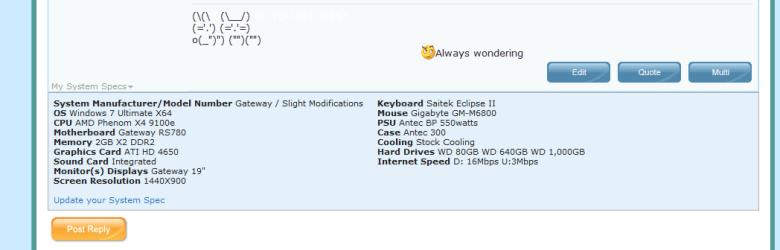
My Computer My Computer

At a glance

Windows 8 64 bit PROAMD Phenom X4 9100e2GB X2 DDR2Sapphire HD 6850
Computer type
PC/Desktop
Computer Manufacturer/Model Number
Gateway / Slight Modifications
OS
Windows 8 64 bit PRO
CPU
AMD Phenom X4 9100e
Motherboard
Gateway RS780
Memory
2GB X2 DDR2
Graphics Card(s)
Sapphire HD 6850
Sound Card
Integrated
Monitor(s) Displays
Gateway 19" + Dell 19"
Screen Resolution
1440X900 sometimes 2880 by 900
Hard Drives
WD 80GB
WD 640GB
WD 1,000GB
PSU
Antec BP 550watts
Case
Antec 300
Cooling
Stock Cooling
Keyboard
Saitek Eclipse II
Mouse
Gigabyte GM-M6800
Internet Speed
D: 30Mbps U:4Mbps
Antivirus
Avast version 8
Browser
Internet Explorer ver 10 64 bit
Other Info
This is my work computer.
I have another laptop running Windows 7 64 bit.
Another PC running Windows 8 64 bit pro.
Total of 3
As i said i can't actually get onto my computer to be able to check it for errors
it just appears to compleatly miss out the HDD even though i have changed power + sata cables more times then i care to think.

and thanks for the memo to update my system specs ^.^ only been on the site about 3 days or so now so i'm still a noob :P
 

My Computer My Computer

At a glance

Windows 7 Ultimate x64AMD fx-8150 8-Core Black edition Processor 3....8gb Vengence CorsairAsus gtx 560 ti
OS
Windows 7 Ultimate x64
CPU
AMD fx-8150 8-Core Black edition Processor 3.6GHz
Motherboard
Asus Sabertooth-990fx
Memory
8gb Vengence Corsair
Graphics Card(s)
Asus gtx 560 ti
Monitor(s) Displays
I use my television via HDMI port
PSU
Corsair GS700
Cooling
Stock
Keyboard
Microsoft Wireless Keyboard 3000 v2.0
Mouse
Logitech Cordless Optical Mouse
Internet Speed
30Mbs
I see, if your motherboard is having trouble detecting HDD, It shouldn't boot at all. It would give you a message HDD missing or something along the lines of missing boot media.

When you reboot do you go to the loading screen of Windows and then freeze up? What EXACTLY happens?
 

My Computer My Computer

At a glance

Windows 8 64 bit PROAMD Phenom X4 9100e2GB X2 DDR2Sapphire HD 6850
Computer type
PC/Desktop
Computer Manufacturer/Model Number
Gateway / Slight Modifications
OS
Windows 8 64 bit PRO
CPU
AMD Phenom X4 9100e
Motherboard
Gateway RS780
Memory
2GB X2 DDR2
Graphics Card(s)
Sapphire HD 6850
Sound Card
Integrated
Monitor(s) Displays
Gateway 19" + Dell 19"
Screen Resolution
1440X900 sometimes 2880 by 900
Hard Drives
WD 80GB
WD 640GB
WD 1,000GB
PSU
Antec BP 550watts
Case
Antec 300
Cooling
Stock Cooling
Keyboard
Saitek Eclipse II
Mouse
Gigabyte GM-M6800
Internet Speed
D: 30Mbps U:4Mbps
Antivirus
Avast version 8
Browser
Internet Explorer ver 10 64 bit
Other Info
This is my work computer.
I have another laptop running Windows 7 64 bit.
Another PC running Windows 8 64 bit pro.
Total of 3
yea, it is picking up the optical drive fine, just not the HDD, for the past few days it's not been picking it up at all

but currently:
it is seeing my Optical Disk drive and my USB external drive without a problem, every time is is able to see those, therefore I get ntldr is missing (as it is trying to boot from my External which has no OS installed on it, that is why i am getting the error message, but bar that, not much is happening, it is very annoying :/
 

My Computer My Computer

At a glance

Windows 7 Ultimate x64AMD fx-8150 8-Core Black edition Processor 3....8gb Vengence CorsairAsus gtx 560 ti
OS
Windows 7 Ultimate x64
CPU
AMD fx-8150 8-Core Black edition Processor 3.6GHz
Motherboard
Asus Sabertooth-990fx
Memory
8gb Vengence Corsair
Graphics Card(s)
Asus gtx 560 ti
Monitor(s) Displays
I use my television via HDMI port
PSU
Corsair GS700
Cooling
Stock
Keyboard
Microsoft Wireless Keyboard 3000 v2.0
Mouse
Logitech Cordless Optical Mouse
Internet Speed
30Mbs
Windows Vista and 7 DO NOT use ntldr, this is only an issue in Windows XP and before. Also you shouldnt get ANY of these types of errors the error you should be getting is "No HDD detected" or something similar.
What devices show up in the bios for HDD if any?
Please unplug your external USB HDD. What error do you get now?

before i changed over my gear my HDD never had a single issue, it is also a 2TB HDD so it is up to date enough, i have installed the latest bios, changed the serial ata to disabled and enabled, changed my divice from ACHI to IDE to Raid to no change, i have changed the psu port, the sata cable, the port of the sata cable, removed the power to my optical disk drive, removed my optical sata cable, i've also turned s.m.a.r.t HDD thing (not 100% sure what it's called) to disabled and enabled.

is SATA enabled or disabled atm?
Do you have ACHI or IDE?
is SMART enabled or disabled?
 

My Computer My Computer

At a glance

Windows 8 64 bit PROAMD Phenom X4 9100e2GB X2 DDR2Sapphire HD 6850
Computer type
PC/Desktop
Computer Manufacturer/Model Number
Gateway / Slight Modifications
OS
Windows 8 64 bit PRO
CPU
AMD Phenom X4 9100e
Motherboard
Gateway RS780
Memory
2GB X2 DDR2
Graphics Card(s)
Sapphire HD 6850
Sound Card
Integrated
Monitor(s) Displays
Gateway 19" + Dell 19"
Screen Resolution
1440X900 sometimes 2880 by 900
Hard Drives
WD 80GB
WD 640GB
WD 1,000GB
PSU
Antec BP 550watts
Case
Antec 300
Cooling
Stock Cooling
Keyboard
Saitek Eclipse II
Mouse
Gigabyte GM-M6800
Internet Speed
D: 30Mbps U:4Mbps
Antivirus
Avast version 8
Browser
Internet Explorer ver 10 64 bit
Other Info
This is my work computer.
I have another laptop running Windows 7 64 bit.
Another PC running Windows 8 64 bit pro.
Total of 3
hmm, well without my USB External plugged in i get a message saying 'reboot and select proper device or insert boot media in selected boot device and press a key'

when my optical is disconnected i get a message saying 'no boot drive detected' then it loads up bios

and my bios has no sata enabled

this is my bios (advanced\ sata configuration \ SB Sata Configuration)

OnChip Sata Channel - Enabled
Sata Port1 - Port 4 - AHCI
Sata Port5 - Port 6 - ACHI
S.M.A.R.T. Status Check

Sata ESP on port 1 Disabled
---------------- 2 disabled
---------------- 3 disabled
---------------- 4 disabled
---------------- 5 disabled
---------------- 6 disabled
 

My Computer My Computer

At a glance

Windows 7 Ultimate x64AMD fx-8150 8-Core Black edition Processor 3....8gb Vengence CorsairAsus gtx 560 ti
OS
Windows 7 Ultimate x64
CPU
AMD fx-8150 8-Core Black edition Processor 3.6GHz
Motherboard
Asus Sabertooth-990fx
Memory
8gb Vengence Corsair
Graphics Card(s)
Asus gtx 560 ti
Monitor(s) Displays
I use my television via HDMI port
PSU
Corsair GS700
Cooling
Stock
Keyboard
Microsoft Wireless Keyboard 3000 v2.0
Mouse
Logitech Cordless Optical Mouse
Internet Speed
30Mbs
Leave the Optical Drive plugged in.
Sata Ports1 - Port 4 - AHCI
Sata Ports5 - port 6 AHCI
Please change it IDE, IDE is the most common home setup. AHCI has its own benefeits but are usually found in servers. Unless you know if you need it, if you dont please change it to IDE.

ESP = external sata ports, is there the option to enable them?
You mention you updated the BIOS was this on the old one or new one motherboard?

Do you know for a fact if the optical drive for a fact will work or works? If so please use those same cables but connect them to the HDD, any change in error msg? How about Bios config?
 

My Computer My Computer

At a glance

Windows 8 64 bit PROAMD Phenom X4 9100e2GB X2 DDR2Sapphire HD 6850
Computer type
PC/Desktop
Computer Manufacturer/Model Number
Gateway / Slight Modifications
OS
Windows 8 64 bit PRO
CPU
AMD Phenom X4 9100e
Motherboard
Gateway RS780
Memory
2GB X2 DDR2
Graphics Card(s)
Sapphire HD 6850
Sound Card
Integrated
Monitor(s) Displays
Gateway 19" + Dell 19"
Screen Resolution
1440X900 sometimes 2880 by 900
Hard Drives
WD 80GB
WD 640GB
WD 1,000GB
PSU
Antec BP 550watts
Case
Antec 300
Cooling
Stock Cooling
Keyboard
Saitek Eclipse II
Mouse
Gigabyte GM-M6800
Internet Speed
D: 30Mbps U:4Mbps
Antivirus
Avast version 8
Browser
Internet Explorer ver 10 64 bit
Other Info
This is my work computer.
I have another laptop running Windows 7 64 bit.
Another PC running Windows 8 64 bit pro.
Total of 3
Back
Top